
| Product Recognition | |
|---|
| Certification Number | ZC10-15020009 |
|---|
| Name | Z-Wave Multi-Sensor HSM200 |
|---|
| Short Description | Z-Wave Plug-In Multi-Sensor
• Motion Sensor
• Temperature Sensor
• Light Level Sensor
• Color Indicator/Night Light supporting multiple colors
• Wall Powered
• Z-Wave Range Extender
• Z-Wave Plus™ Platform
• Over-the-Air Firmware Updatable |
|---|
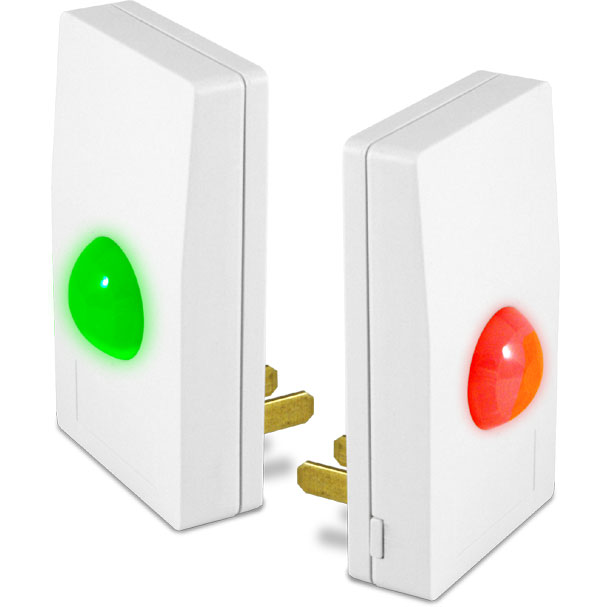
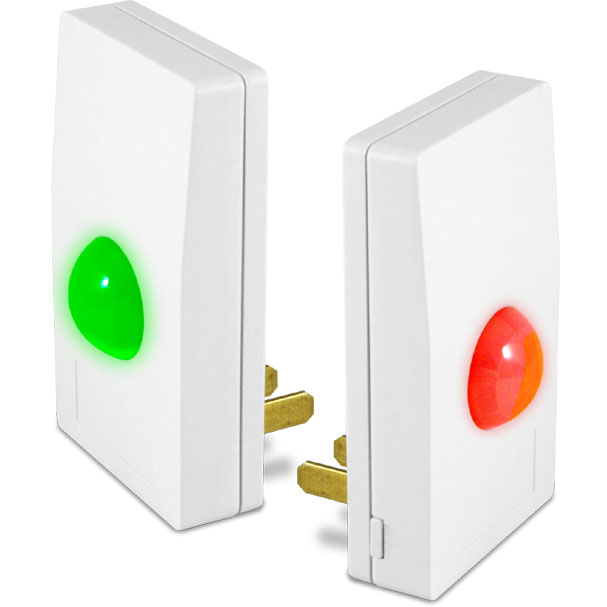
| Long Description | The HSM200 senses motion, temperature and light level, can function as a night light, and can also be programmed to display up to 7 different glowing colors when things happen in the home!
Since the HSM200 is line powered, there are no batteries to change and the unit automatically operates as a Z-Wave network repeater. Installation is fast and easy. Just plug into any available 120v outlet and tap the button on the side to join it to your Z-Wave network.
HSM200 is compatible with any HomeSeer HS3-based system, including the full line of HomeTrollers, and Z-Wave systems from 3rd parties. HomeSeer users can create events to display different colors when motion is sensed, doors are opened, water leaks are detected or just about anything else happens in the home. Color options include red, green, blue, yellow, magenta, cyan and white. The unit can also be programmed to work as a night light after hours. |
|---|
| Brand | HomeSeer |
|---|
| Product Identifier | HSM200 |
|---|
| OEM Version | 1 |
|---|
| Hardware Platform | ZM5202 |
|---|
| Z-Wave Version | 6.51.03 |
|---|
| Library Type | SLAVE_ENHANCED_232 |
|---|
| Device Type | Notification Sensor |
|---|
| Role Type | ROLE_TYPE_SLAVE_ALWAYS_ON |
|---|
| Manufacturer ID | 0x001E |
|---|
| Product Type ID | 0x0004 |
|---|
| Product ID | 0x0001 |
|---|
| Frequency Plans | US: 916.00MHz, 908.40MHz |
|---|
| Categories | Sensors |
|---|
| Countries / Regions | United States of America |
|---|
| Documents | |
|---|
| Association Groups | | Group Number | Maximum Nodes Supported | End Point ID | Description |
|---|
| 1 | 5 | 0 | Z-Wave Plus Lifeline | | 2 | 4 | 0 | This group is used to directly turn lights on or off when motion is detected. Up to four (4) Z-Wave devices can be associated in this group. The HSM200 will send a BASIC ON command to all devices that are associated in this group. Note that the Z-Wave devices in this group must be within direct range (about 30’) of the HSM200. Control of nodes that are further away or blocked by metal or concrete walls should rely on the Z-Wave system controller and the home-control application for reliable operation. |
|
|---|
| Configuration Parameters | | Parameter Number | Name | Description | Format | Size | Min Value | Max Value | Default Value | Parameter Values |
|---|
| 2 | OnLevel | OnLevel is the value sent by the Z-Wave BASIC_SET command to all Group 2 nodes when motion is detected. A value of 0 will turn the lights off (not recommended). A value between 1 and 99 will set the dim level to between 1% and 99% (99% is full on). A value of -1 will turn the light “on” which depends on the device but most will set the dim level to the last dim setting. | 0 | 1 | 0 | 0 | -1 | | From | To | Description |
|---|
| 1 | 99 | Dim level | | -1 | -1 | ON |
| | 1 | OnTime | OnTime sets the number of minutes that the lights stay on when motion has not been detected. A value of 0 is a special mode where the lights are constantly sent a command to turn them on whenever motion is detected. The HSM200 will NOT turn the lights off in this mode. Recommended values: 5 min for hallways 20 min for an office environment 60 min for a library, office or other room where someone may be sitting still for a long time | 0 | 1 | 0 | 0 | 10 | | From | To | Description |
|---|
| 1 | 127 | Minutes of No Motion before OFF sent | | 0 | 0 | Send only ON every time motion is detected |
| | 3 | LiteMin | A Luminance report is sent to the system controller every LiteMin minutes if the value has changed by more than 5% since the last reading. A value of zero turns this mode off. Luminance values can still be obtained at any time by the home-control application in this mode. | 0 | 1 | 0 | 0 | 60 | | From | To | Description |
|---|
| 1 | 127 | Minutes between light level reports | | 0 | 0 | Disable |
| | 4 | TempMin | A Temperature report is sent to the system controller every TempMin minutes if the value has changed by more than 0.5F since the last reading. A value of zero turns this mode off. Temperature values can still be obtained at any time by the home-control application in this mode. | 0 | 1 | 0 | 0 | 60 | | From | To | Description |
|---|
| 0 | 0 | Disable | | 1 | 127 | Minutes between temperature reports |
| | 5 | TempAdj | TempAdj is a twos-complement number that is used to adjust the temperature reading to make it more accurate. The value is in tenths of degree Fahrenheit. The temperature reading can be adjusted up to +12.7F to -12.8F. A value of 1 will adjust the temperature reading by +0.1F. A value of -1 will adjust the temperature by -0.1F. A value of 123 will adjust the temperature by +12.3F. | 0 | 1 | 0 | 0 | 0 | | From | To | Description |
|---|
| -127 | 128 | Temperature adjust by 1/10th this value |
|
|
|---|
| Texts | | ID | Description | Value |
|---|
| 2 | Exclusion | There are two methods for exclusion:
1) Put the controller into exclusion mode, then press and release the push button on the side of the HSM200. The LED will blink aqua when no longer joined to the network.
2) (Use this procedure only when your primary controller is missing or otherwise inoperable.) Press and hold the push button. The LED will blink blue faster and faster and then shift to yellow and continue to blink faster and faster. Once the LED goes out, the HSM200 is reset to the factory defaults and will blink aqua.
Method 1 is recommended. Method 2 should only to be used in the event that the primary controller is missing or otherwise inoperable. | | 1 | Inclusion | When the HSM200 has not yet been joined to a Z-Wave network, the LED blinks aqua.
To Include: Put the controller into learn mode, (in the HomeSeer Z-Wave Plug-in, choose controller functions and add/include device.) then press and release the push button on the side of the HSM200. The LED will blink blue while the HSM200 is trying to join the Z-Wave network. Once joined to the network, the HSM200 enters a motion sensor test mode and the LED will blink white each time motion is detected. This mode lasts for about 5 minutes and then the LED will go out.
If the HSM200 is unable to join the network, it will return to blinking aqua. | | 5 | Factory Reset | Excluding from a Z-Wave network will return the device to factory defaults. See the Product Exclusion Description for details. |
|
|---|
| Supports NWI | Yes |
|---|
| Supports Explorer Frames | Yes |
|---|