Product Recognition | |
|---|
Certification Number | ZC12-21030200 |
|---|
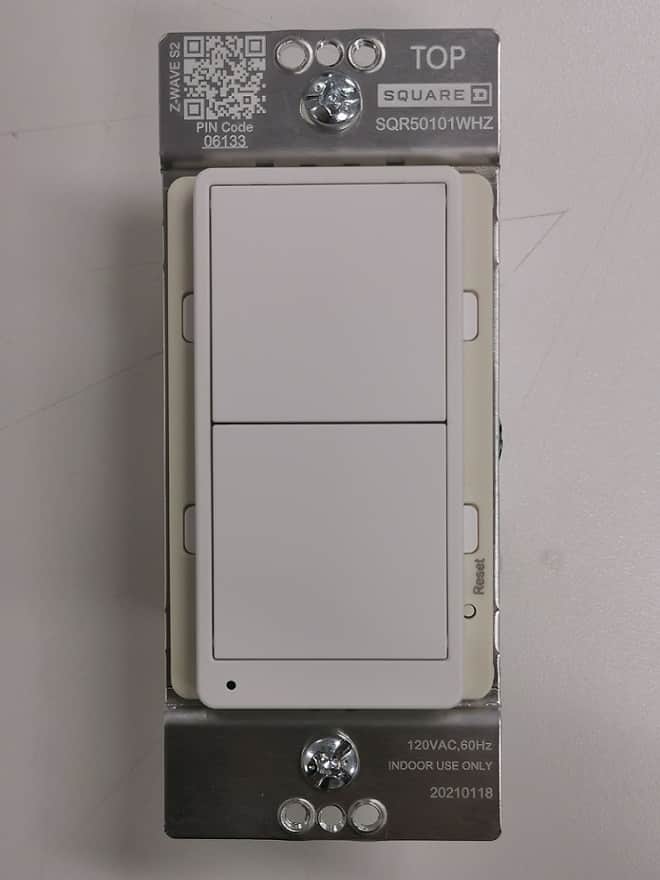
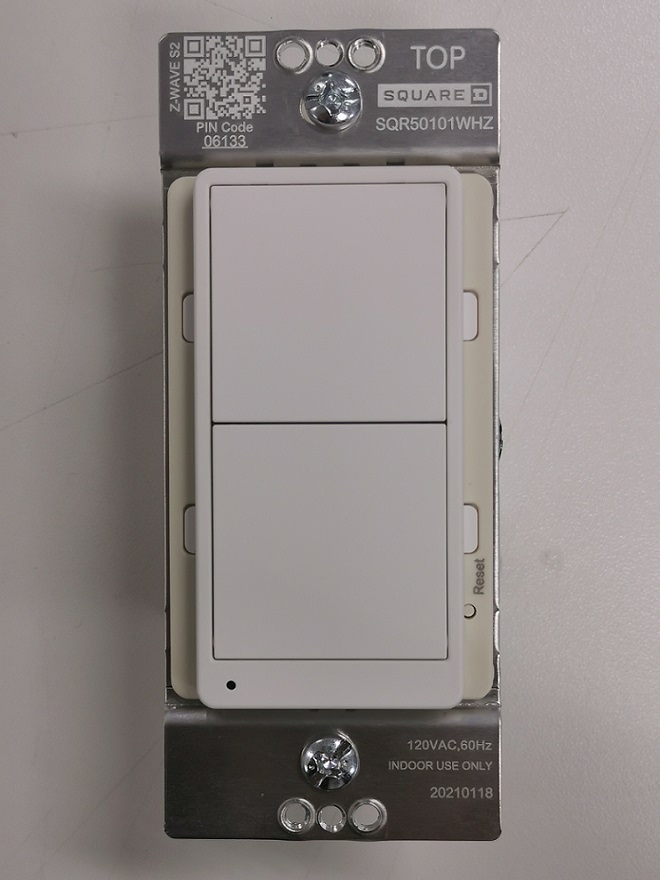
Name | Z-Wave Plus Auxiliary Switch |
|---|
Short Description | Z-WAVE REMOTE DIMMER SWITCH |
|---|
Long Description | The Square D Z-Wave Remote Dimmer Switch is the professionals choice for secure reliable lighting control. This device does not control a load, it is used in all 3-Way applications for both the Square D dimmer & switch. The remote switch can also be grouped to control Z-Wave receptacle or a plug-in outlet allowing for on-wall control of floor lamps without having to run new wires. |
|---|
Brand | Square D |
|---|
Product Identifier | SQR50101**Z (** means the color code) |
|---|
Product Line | Z-Wave Plus Devices |
|---|
OEM Version | HW: 1 FW: 1.04 |
|---|
Hardware Platform | ZGM130 |
|---|
Z-Wave Version | 7.13.6 |
|---|
Library Type | SLAVE_ENHANCED_232 |
|---|
Device Type | Central Scene Device |
|---|
Role Type | ROLE_TYPE_SLAVE_ALWAYS_ON |
|---|
Manufacturer ID | 0x0447 |
|---|
Product Type ID | 0x000E |
|---|
Product ID | 0x1301 |
|---|
User Icon | 0x1600 |
|---|
Installer Icon | 0x1600 |
|---|
Frequency Plans | US: 916.00MHz, 908.40MHz |
|---|
Categories | All Lighting Devices, On/Off Switches/Devices, Lighting Accessories |
|---|
Countries / Regions | United States of America |
|---|
Supported Command Classes | Identifier | Name | Key | Version |
|---|
COMMAND_CLASS_CONFIGURATION_V4 | Configuration V4 | 0x70 | 4 | COMMAND_CLASS_POWERLEVEL | Powerlevel | 0x73 | 1 | COMMAND_CLASS_PROTECTION_V2 | Protection V2 | 0x75 | 2 | COMMAND_CLASS_MULTI_CHANNEL_ASSOCIATION_V3 | Multi-Channel Association V3 | 0x8E | 3 | COMMAND_CLASS_INDICATOR_V3 | Indicator V3 | 0x87 | 3 | COMMAND_CLASS_APPLICATION_STATUS | Application Status | 0x22 | 1 | COMMAND_CLASS_TRANSPORT_SERVICE_V2 | Transport Service V2 | 0x55 | 2 | COMMAND_CLASS_DEVICE_RESET_LOCALLY | Device Reset Locally | 0x5A | 1 | COMMAND_CLASS_ZWAVEPLUS_INFO_V2 | Z-Wave Plus Info V2 | 0x5E | 2 | COMMAND_CLASS_ASSOCIATION_V2 | Association V2 | 0x85 | 2 | COMMAND_CLASS_FIRMWARE_UPDATE_MD_V5 | Firmware Update Meta-Data V5 | 0x7A | 5 | COMMAND_CLASS_ASSOCIATION_GRP_INFO_V3 | Association Group Information V3 | 0x59 | 3 | COMMAND_CLASS_SECURITY_2 | Security S2 | 0x9F | 1 | COMMAND_CLASS_VERSION_V3 | Version V3 | 0x86 | 3 | COMMAND_CLASS_CENTRAL_SCENE_V3 | Central Scene V3 | 0x5B | 3 | COMMAND_CLASS_SUPERVISION | Supervision | 0x6C | 1 | COMMAND_CLASS_MANUFACTURER_SPECIFIC_V2 | Manufacturer Specific V2 | 0x72 | 2 |
|
|---|
S2 Classes | S2_UNAUTHENTICATED, S2_AUTHENTICATED |
|---|
Documents | Category | Description | File |
|---|
Manual_Primary_Lang | Product Manual | | Adv_Manual | Advanced Information Product Manual | |
|
|---|
Association Groups | Group Number | Maximum Nodes Supported | End Point ID | Group Name | Profile | Description |
|---|
1 | 5 | 0 | Lifeline | 0x0001 | 1. Central Scene Notification
2. Device Reset Locally
3. Indicator Report | 2 | 5 | 0 | On/Off Control | 0x2001 | Sends Basic Set to associated devices.
1. Single press ON button send Basic Set(0xFF)
2. Single press OFF button send Basic Set(0x00)
3. Short press 2 times ON or OFF button send Basic Set(0x63) | 3 | 5 | 0 | Dimmer Control | 0x2002 | 1. Switch Multilevel set
2. Switch Multilevel Start Level Change
3. Switch Multilevel Stop Level Change |
|
|---|
Configuration Parameters | Parameter Number | Name | Description | Format | Size | Min Value | Max Value | Default Value | Parameter Values |
|---|
1 | Child Lockout Enable | Child Lockout Enable | 2 | 1 | 0 | 1 | 0 | From | To | Description |
|---|
0 | 0 | Disable | 1 | 1 | Enable |
|
|
|---|
Texts | ID | Description | Value |
|---|
8 | Where to find S2 DSK on product | Product drawing shows the QR code location on user manual page 4 | 2 | Classic Exclusion | When the gateway is in removing mode (please refer to the instruction of the Z-Wave gateway for the operations on gateway itself), quick click the upper paddle or lower paddle 3 times within 1.5 seconds | 5 | Factory Reset Procedure | Reset to factory defaults (Figure 10):
Long press the reset button for >20 seconds till the blue LED blink 5 times within one second.
NOTE:
• Use this procedure only when the Z-Wave gateway is missing or otherwise inoperable.
• Reset the device to factory default settings will set the device to not in Z-Wave network state, delete the association setting and restore the configuration setting to the default. | 1 | Classic Inclusion | A. SmartStart inclusion: The feature assumes the gateway has implemented SmartStart. Users could use the APP of the gateway or the gateway camera to scan the QR code on device or on the enclosed label inside the package before powering on the device, and then when the device is powered on, it shall be automatically added to the gateway.
B. Manual inclusion (Figure 4): When the gateway is in adding mode (please refer to the instruction of the Z-Wave gateway for the operations on gateway itself), quick click the upper paddle or lower paddle 3 times within 1.5 seconds. |
|
|---|
Supports NWI | Yes |
|---|
Supports Explorer Frames | Yes |
|---|
Supports SmartStart | Yes |
|---|
Radio Range Z-Wave (m) | 40 |
|---|