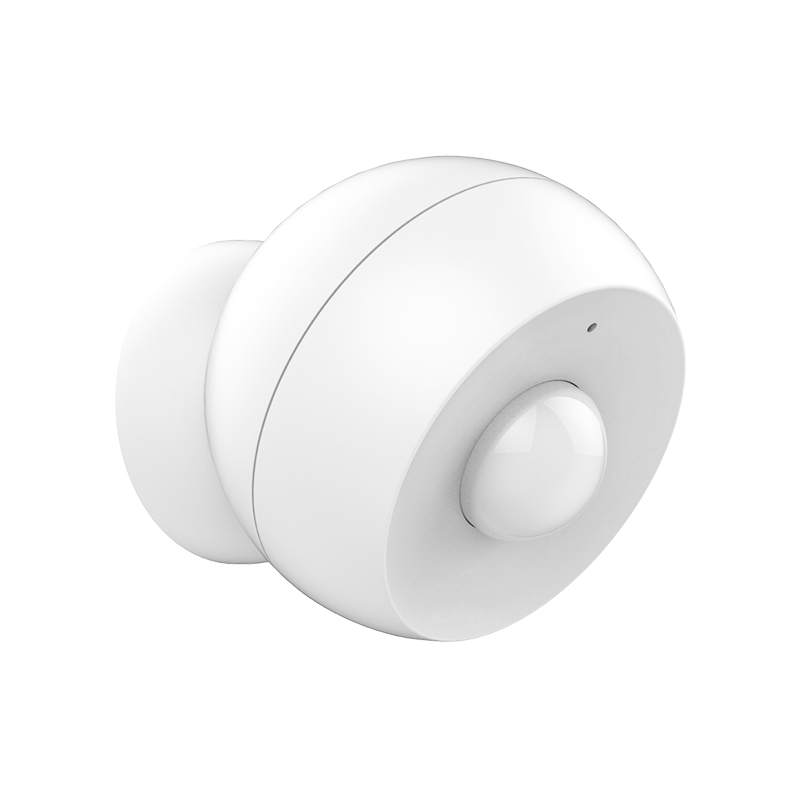
Product Recognition | |
|---|
Certification Number | ZC10-18066135 |
|---|
Name | Z-Wave Plus Motion Sensor |
|---|
Short Description | Use this motion sensor to monitor any space discreetly and securely. It features a magnetic base for precise positioning. |
|---|
Long Description | PRODUCT FEATURES:
- Fast, reliable motion detection
- Built-in vibration sensor
- Latest S2 security protocol and AES-128 signal encryption
- 2 alternative power sources: battery or micro USB
- Auto-inclusion for instant set-up
- Visual range test tool
- Magnetic mount for quick and flexible installation
- Adjustable LED indicator
- Low battery alerts
- Z-Wave Plus with improved 500 chip for faster and safer wireless
communication |
|---|
Brand | Zooz |
|---|
Product Identifier | ZSE18 |
|---|
OEM Version | HW: 1 FW: 1.00 |
|---|
Hardware Platform | ZM5101 |
|---|
Z-Wave Version | 6.71.01 |
|---|
Library Type | SLAVE_ENHANCED_232 |
|---|
Device Type | Notification Sensor |
|---|
Role Type | ROLE_TYPE_SLAVE_SLEEPING_REPORTING |
|---|
Manufacturer ID | 0x027A |
|---|
Product Type ID | 0x0201 |
|---|
Product ID | 0x0006 |
|---|
User Icon | 0x0C07 |
|---|
Installer Icon | 0x0C07 |
|---|
Frequency Plans | US: 916.00MHz, 908.40MHz |
|---|
Categories | Sensors |
|---|
Countries / Regions | United States of America |
|---|
Supported Command Classes | Identifier | Name | Key | Version |
|---|
COMMAND_CLASS_POWERLEVEL | Powerlevel | 0x73 | 1 | COMMAND_CLASS_BATTERY | Battery | 0x80 | 1 | COMMAND_CLASS_CONFIGURATION | Configuration | 0x70 | 1 | COMMAND_CLASS_SECURITY | Security S0 | 0x98 | 1 | COMMAND_CLASS_TRANSPORT_SERVICE_V2 | Transport Service V2 | 0x55 | 2 | COMMAND_CLASS_VERSION_V2 | Version V2 | 0x86 | 2 | COMMAND_CLASS_WAKE_UP_V2 | Wake Up V2 | 0x84 | 2 | COMMAND_CLASS_DEVICE_RESET_LOCALLY | Device Reset Locally | 0x5A | 1 | COMMAND_CLASS_ZWAVEPLUS_INFO_V2 | Z-Wave Plus Info V2 | 0x5E | 2 | COMMAND_CLASS_ASSOCIATION_V2 | Association V2 | 0x85 | 2 | COMMAND_CLASS_ASSOCIATION_GRP_INFO | Association Group Info | 0x59 | 1 | COMMAND_CLASS_NOTIFICATION_V5 | Notification V5 | 0x71 | 5 | COMMAND_CLASS_SECURITY_2 | Security S2 | 0x9F | 1 | COMMAND_CLASS_SUPERVISION | Supervision | 0x6C | 1 | COMMAND_CLASS_FIRMWARE_UPDATE_MD_V3 | Firmware Update Meta-Data V3 | 0x7A | 3 | COMMAND_CLASS_MANUFACTURER_SPECIFIC_V2 | Manufacturer Specific V2 | 0x72 | 2 |
|
|---|
Controlled Command Classes | Identifier | Name | Key | Version |
|---|
COMMAND_CLASS_BASIC | Basic | 0x20 | 1 |
|
|---|
S2 Classes | S2_UNAUTHENTICATED |
|---|
Documents | Category | Description | File |
|---|
Manual_Primary_Lang | Product or Owner's Manual | |
|
|---|
Features | Feature | Values |
|---|
Supported Notification Types | | Battery Quantity | | Battery Type | | Color | | Firmware Updatable | Value |
|---|
Updatable by Consumer by RF |
|
|
|---|
Association Groups | Group Number | Maximum Nodes Supported | End Point ID | Description |
|---|
2 | 5 | 0 | Basic Set | 1 | 5 | 0 | Z-Wave Plus Lifeline |
|
|---|
Configuration Parameters | Parameter Number | Name | Description | Format | Size | Min Value | Max Value | Default Value | Parameter Values |
|---|
17 | Vibration Sensor | Use it to disable the vibration sensor. | 0 | 1 | 0 | 0 | 1 | From | To | Description |
|---|
0 | 0 | vibration sensor is disabled | 1 | 1 | vibration sensor is enabled |
|
|
|---|
Texts | ID | Description | Value |
|---|
1 | Inclusion | AUTO-INCLUSION:
Initiate inclusion in the Z-Wave interface.
Activating the battery will automatically put the sensor into inclusion mode. If it’s not added within 30 seconds, try resetting it and including it manually.
MANUAL INCLUSION:
1. Bring the sensor within direct range of your Z-Wave gateway (hub).
2. Put the Z-Wave hub into inclusion mode.
3. Press and release the Z-Wave button 3 times quickly. The LED indicator will start blinking fast and turn solid for a second to confirm inclusion.
3. A new motion sensor will appear in your device list. | 2 | Exclusion | 1. Bring the sensor within direct range of your Z-Wave gateway
controller (hub).
2. Put the Z-Wave hub into exclusion mode.
3. Press and release the Z-Wave button on the sensor 3 times as
quickly as possible.
4. Your hub will confirm exclusion and the device will disappear
from your controller's device list. | 5 | Factory Reset | If your primary controller is missing or inoperable, you may need to reset the device to factory settings.
To complete the reset process manually, press and HOLD the Z-Wave button on the sensor for at least 20 seconds. The LED indicator will flash, stay solid, and then turn off to confirm factory reset.
NOTE: All previously recorded activity and custom settings will be erased from the device’s memory. | 4 | Device Wake-Up | MANUAL WAKE-UP
Press and HOLD the Z-Wave button for 5 seconds to wake the device
up. The LED will start flashing. |
|
|---|
Supported Notification Types | Notification Type | Event / State |
|---|
Home Security | (Refer to parameters): State idle |
|
|---|
Supports NWI | Yes |
|---|
Supports Explorer Frames | Yes |
|---|