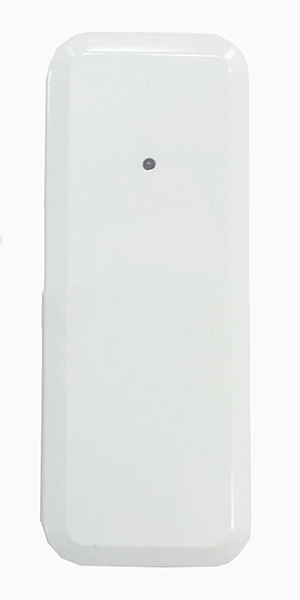
Product Recognition | |
|---|
Certification Number | ZC10-15070025 |
|---|
Name | Z-Wave Repeater |
|---|
Short Description | Use this repeater to extend the Z-Wave signal for having a longer operating range. |
|---|
Long Description | Use this repeater to extend the Z-Wave signal for having a longer operating range. The maximum extended operating range will be up to 200 meters under the correct installation under our manual information. |
|---|
Brand | Vision |
|---|
Product Identifier | ZR1202EU-5 |
|---|
OEM Version | 02 |
|---|
Hardware Platform | ZM5202 |
|---|
Z-Wave Version | 6.51.06 |
|---|
Library Type | SLAVE_ENHANCED_232 |
|---|
Device Type | Repeater |
|---|
Role Type | ROLE_TYPE_SLAVE_ALWAYS_ON |
|---|
Manufacturer ID | 0x0109 |
|---|
Product Type ID | 0x2012 |
|---|
Product ID | 0x1207 |
|---|
Frequency Plans | EU: 869.85MHz, 868.40MHz |
|---|
Categories | Network Devices |
|---|
Countries / Regions | European Union |
|---|
Documents | Category | Description | File |
|---|
Manual_Primary_Lang | Product or Owner's Manual | |
|
|---|
Association Groups | Group Number | Maximum Nodes Supported | End Point ID | Description |
|---|
1 | 5 | 0 | Z-Wave Plus Lifeline |
|
|---|
Texts | ID | Description | Value |
|---|
1 | Inclusion | For “Inclusion” in (adding to) a network: Put the Z-Wave™ Interface Controller into“inclusion” mode and following its instruction to add the ZR1202 to your controller. To get into the “inclusion” mode, the distance between module and controller is suggested to be in one meter. Press the program switch on the ZR1202 three times in 3 seconds. The LED should stop flashing, if not, please try again. | 5 | Factory Reset | Press Program Switch for 5 seconds, the ZR1202 will reset back to factory default. (Remark: This is to be used only in the case of primary controller being inoperable or otherwise unavailable.) | 3 | Learn Mode (adding another controller) | N/A | 2 | Exclusion | For “Exclusion” from (removing from) a network: Put the Z-Wave™ Interface Controller into “exclusion” mode, and following its instruction to delete the ZR1202 from your controller. Press the program switch on the ZR1202 three times in 3 seconds to be excluded.
Note: LED setting light will flash continuously in Exclusion condition. |
|
|---|
Supports NWI | Yes |
|---|
Supports Explorer Frames | Yes |
|---|
Radio Range Z-Wave (m) | 40 |
|---|

%20-%20NO%20LOGO.jpg)