Product Recognition | |
|---|
Certification Number | ZC10-18066137 |
|---|
Name | Z-Wave RGB Fan Controller |
|---|
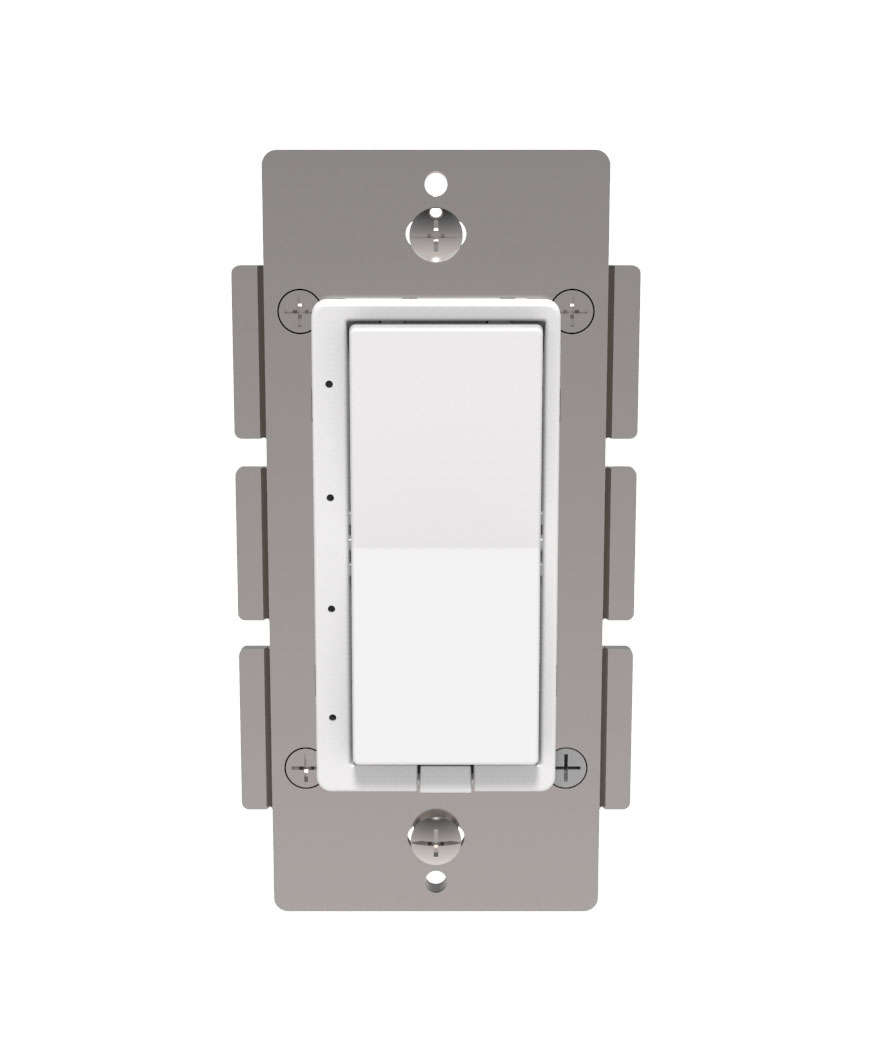
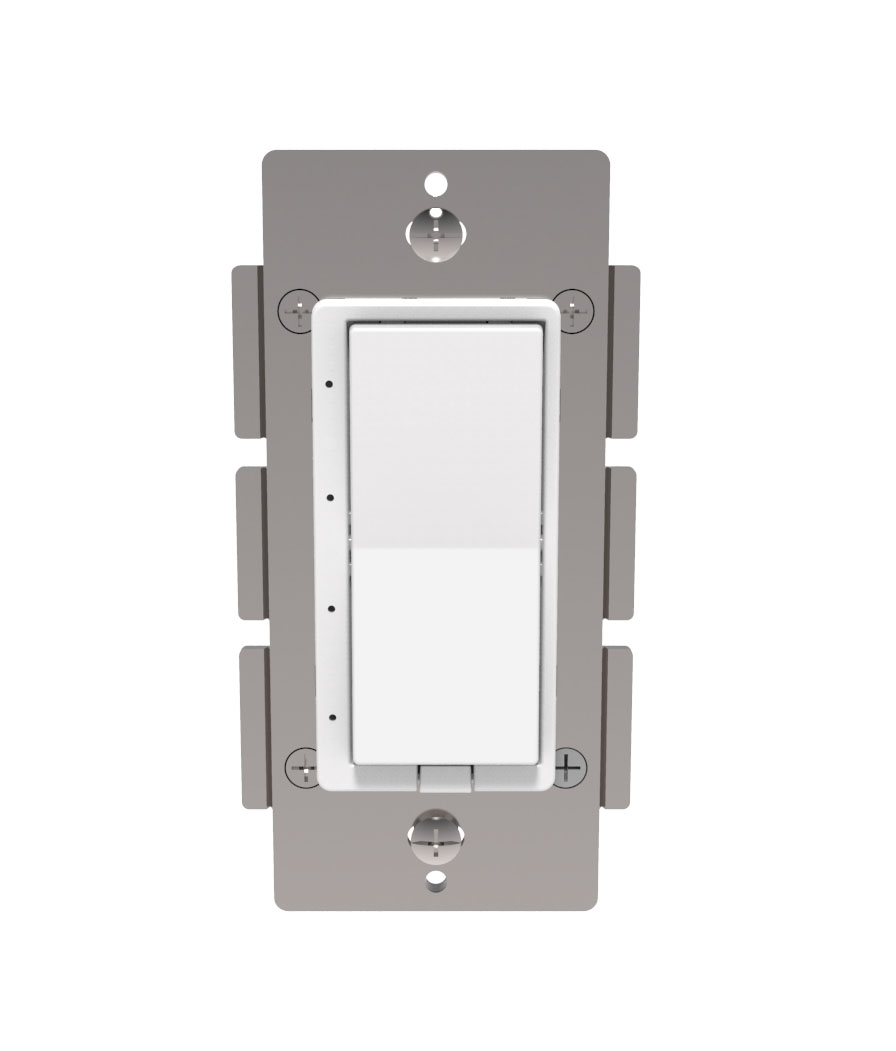
Short Description | HS-FC200+ is a Z-Wave controllable wired fan controller for use with 3-speed or 4-speed ceiling fans. |
|---|
Long Description | HS-FC200+ is a Z-Wave controllable wired fan controller for use with 3-speed or 4-speed ceiling fans. It has a vertical row of LED’s that indicate the fan speed level.
• Works with 3-speed or 4-speed fans only
• 4 segment LED dim level indicator
• Remotely or manually turns ON or OFF, or fan speed level
• Fits standard wall plates (wall plate not included)
• Works with any certified gateway supporting Z-Wave |
|---|
Brand | HomeSeer |
|---|
Product Identifier | HS-FC200+ |
|---|
OEM Version | HW: 255 FW: 50.01 |
|---|
Hardware Platform | ZM5101 |
|---|
Z-Wave Version | 6.81.00 |
|---|
Library Type | SLAVE_ENHANCED_232 |
|---|
Device Type | Fan Switch |
|---|
Role Type | ROLE_TYPE_SLAVE_ALWAYS_ON |
|---|
Manufacturer ID | 0x000C |
|---|
Product Type ID | 0x0203 |
|---|
Product ID | 0x0001 |
|---|
User Icon | 0x0400 |
|---|
Installer Icon | 0x0400 |
|---|
Frequency Plans | US: 916.00MHz, 908.40MHz |
|---|
Categories | All Lighting Devices, Fan Control |
|---|
Countries / Regions | United States of America |
|---|
Supported Command Classes | Identifier | Name | Key | Version |
|---|
COMMAND_CLASS_FIRMWARE_UPDATE_MD_V4 | Firmware Update Meta-Data V4 | 0x7A | 4 | COMMAND_CLASS_SCENE_ACTUATOR_CONF | Scene Actuator Conf | 0x2C | 1 | COMMAND_CLASS_POWERLEVEL | Powerlevel | 0x73 | 1 | COMMAND_CLASS_BASIC | Basic | 0x20 | 1 | COMMAND_CLASS_TRANSPORT_SERVICE_V2 | Transport Service V2 | 0x55 | 2 | COMMAND_CLASS_DEVICE_RESET_LOCALLY | Device Reset Locally | 0x5A | 1 | COMMAND_CLASS_ZWAVEPLUS_INFO_V2 | Z-Wave Plus Info V2 | 0x5E | 2 | COMMAND_CLASS_ASSOCIATION_V2 | Association V2 | 0x85 | 2 | COMMAND_CLASS_ASSOCIATION_GRP_INFO | Association Group Info | 0x59 | 1 | COMMAND_CLASS_SWITCH_MULTILEVEL_V4 | Switch Multilevel V4 | 0x26 | 4 | COMMAND_CLASS_CONFIGURATION_V3 | Configuration V3 | 0x70 | 3 | COMMAND_CLASS_SECURITY_2 | Security S2 | 0x9F | 1 | COMMAND_CLASS_VERSION_V3 | Version V3 | 0x86 | 3 | COMMAND_CLASS_CENTRAL_SCENE_V3 | Central Scene V3 | 0x5B | 3 | COMMAND_CLASS_SUPERVISION | Supervision | 0x6C | 1 | COMMAND_CLASS_SCENE_ACTIVATION | Scene Activation | 0x2B | 1 | COMMAND_CLASS_MANUFACTURER_SPECIFIC_V2 | Manufacturer Specific V2 | 0x72 | 2 |
|
|---|
Controlled Command Classes | Identifier | Name | Key | Version |
|---|
COMMAND_CLASS_CENTRAL_SCENE_V3 | Central Scene V3 | 0x5B | 3 | COMMAND_CLASS_SUPERVISION | Supervision | 0x6C | 1 |
|
|---|
S2 Classes | S2_UNAUTHENTICATED, S2_AUTHENTICATED |
|---|
Documents | Category | Description | File |
|---|
Manual_Primary_Lang | Product or Owner's Manual | |
|
|---|
Features | Feature | Values |
|---|
Color | | Firmware Updatable | Value |
|---|
Updatable by Consumer by RF |
| Switch Load Capacity Current | | Switch Load Capacity Volt-Ampere | | Switch Load Capacity Watts | | Neutral Wire Required | | Outdoor Use | | Switch Type | Value |
|---|
Decorator Paddle Rocker |
| Z-Wave Scene Type | Value |
|---|
Scene & Central Scene |
| Electric Load Type | Value |
|---|
Inductive (e.g. Motor) |
|
|
|---|
Association Groups | Group Number | Maximum Nodes Supported | End Point ID | Description |
|---|
1 | 5 | 0 | Z-Wave Plus Lifeline |
|
|---|
Configuration Parameters | Parameter Number | Name | Description | Format | Size | Min Value | Max Value | Default Value | Parameter Values |
|---|
5 | Sets fan type | Sets the supported fan type, 3 or 4 speed | 1 | 1 | 0 | 1 | 0 | From | To | Description |
|---|
0 | 1 | 0=3 speed fan 1=4 speed fan |
| 4 | Sets paddles load orientation | Sets whether the top or the bottom paddle turns the load ON | 1 | 1 | 0 | 1 | 0 | From | To | Description |
|---|
0 | 1 | 0 = Top On 1 = Bottom On |
| 3 | Nightlight Mode | Nightlight Mode, sets bottom LED operation (in normal mode). 0= bottom LED on if load is off. 1= off if load is off | 1 | 1 | 0 | 1 | 1 | From | To | Description |
|---|
0 | 1 | 0= bottom LED on if load is off. 1= off if load is off |
| 23 | Sets status mode LED 3 color | Sets status mode LED 3 color 0=Off 1=Red 2=Green 3=Blue 4=Magenta 5=Yellow 6=Cyan 7=White | 1 | 1 | 0 | 7 | 0 | From | To | Description |
|---|
0 | 7 | Sets status mode LED 3 color 0=Off 1=Red 2=Green 3=Blue 4=Magenta 5=Yellow 6=Cyan 7=White |
| 24 | Sets status mode LED 4 color | Sets status mode LED 4 color 0=Off 1=Red 2=Green 3=Blue 4=Magenta 5=Yellow 6=Cyan 7=White | 1 | 1 | 0 | 7 | 0 | From | To | Description |
|---|
0 | 7 | Sets status mode LED 4 color 0=Off 1=Red 2=Green 3=Blue 4=Magenta 5=Yellow 6=Cyan 7=White |
|
|
|---|
Texts | ID | Description | Value |
|---|
1 | Inclusion | Inclusion: Add the device into your network by a Z-Wave certified controller. HS-FC200+ supports the latest S2 security offered by Z-Wave certified controllers. If your controller supports S2, please refer to the user guide of the controller for detailed instructions on adding devices to the network. You should be able to add HS-FC200+ into your network using the unique QR code or the DSK 5 digit pin located on the product or packaging. In addition, the device can be added or removed using the following 2-step procedure:
1. Put your Z-Wave controller into Inclusion mode. Consult your controller manual if you're unsure how to do this.
2. Tap the paddle of your new HomeSeer switch to begin the inclusion process. This will take a few moments to complete. | 2 | Exclusion | Exclusion: Remove the device from your network by a Z-Wave certified controller. HS-FC200+ supports the latest S2 security offered by Z-Wave certified controllers. If your controller supports S2, please refer to the user guide of the controller for detailed instructions on removing devices from the network. You should be able to remove HS-FC200+ into your network using the unique QR code or the DSK 5 digit pin located on the product or packaging. In addition, the device can be added or removed using the following 2-step procedure:
1. Put your Z-Wave controller into Exclusion mode. Consult your controller manual if you're unsure how to do this.
2. Tap the paddle of your new HomeSeer switch to begin the Exclusion process. This will take a few moments to complete. | 6 | Additional Special Features | Under S2 Security / SmartStart, it is mentioned that the, ""DSK can be found on the front metal yoke of the device."" | 5 | Factory Reset | To be used only in the event that the network primary controller is lost or otherwise inoperable.
(1) Turn switch on by tapping the top of the paddle once.
(2) Quickly ap top of the paddle 3 times.
(3) Quickly tap bottom of paddle 3 times.
(4) If the LED turns off then on again, switch is reset. If not, repeat manual rest. |
|
|---|
Supports NWI | Yes |
|---|
Supports Explorer Frames | Yes |
|---|
Supports SmartStart | Yes |
|---|
Radio Range Z-Wave (m) | 40 |
|---|