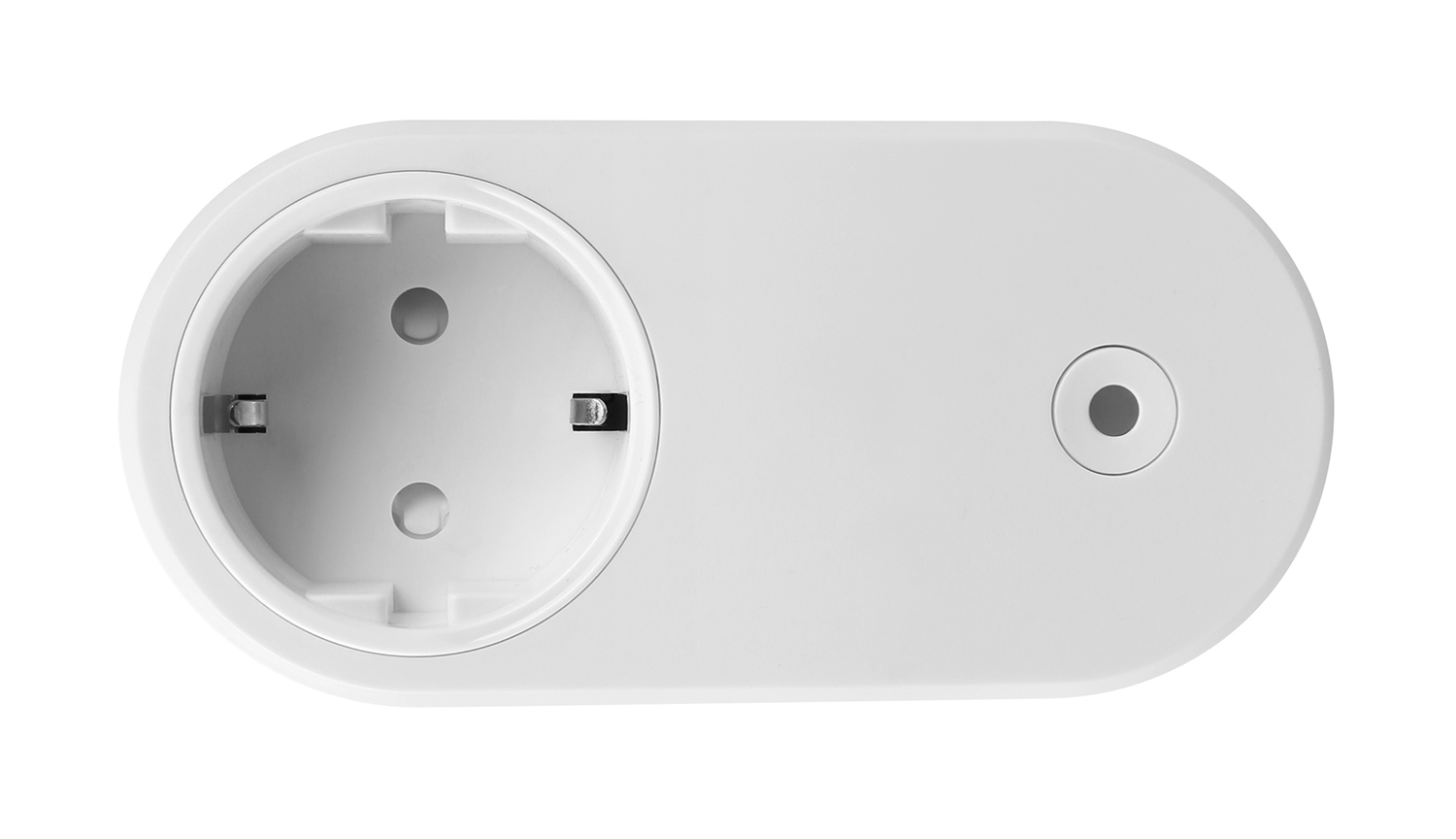
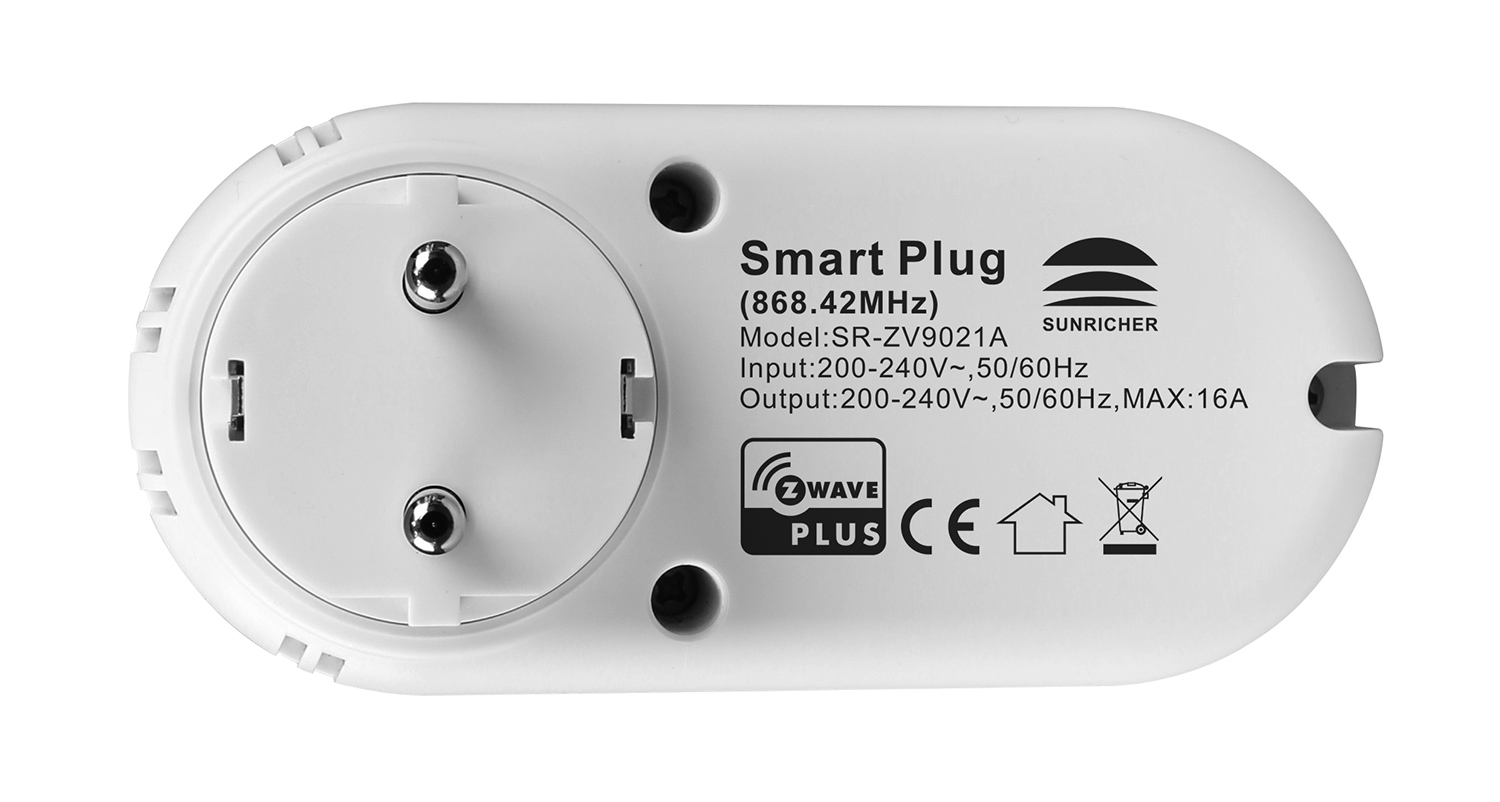
Product Recognition | |
|---|
Certification Number | ZC10-21097050 |
|---|
Name | Z-Wave Smart Plug |
|---|
Short Description | The Z-Wave™ Smart Plug is a Z-Wave™ device that is used to power connected lighting using Z-Wave Plus™ and
can be controlled by other Z-Wave devices. The device supports metering function (voltage, current, energy
consumption and power), it also supports thermostat’s Heat Mode, Energy Heat Mode, OFF Mode. |
|---|
Long Description | The Z-Wave™ Smart Plug is a Z-Wave™ device that is used to power connected lighting using Z-Wave Plus™ and
can be controlled by other Z-Wave devices. The device supports metering function (voltage, current, energy
consumption and power), it also supports thermostat’s Heat Mode, Energy Heat Mode, OFF Mode. The device
cannot act as Z-Wave network controller (primary or secondary) and will always need a Z-Wave network
controller to be included into a Z-Wave network
The encryption modes that the smart plug supports are S0, S2 Unauthenticated. When the smart plug is being
included into a Z-Wave network, you can use your primary controller/gateway to enable one encryption mode or
disable encryption. (The primary controller/gateway shall support encryption mode configuration). |
|---|
Brand | Sunricher |
|---|
Product Identifier | SR-ZV9021A-EU |
|---|
Product Line | SR-ZV9021A |
|---|
OEM Version | HW: 1 FW: 2.05 |
|---|
Hardware Platform | ZM5101 |
|---|
Z-Wave Version | 6.82.00 |
|---|
Library Type | SLAVE_ENHANCED_232 |
|---|
Device Type | On/Off Power Switch |
|---|
Role Type | ROLE_TYPE_SLAVE_ALWAYS_ON |
|---|
Manufacturer ID | 0x0330 |
|---|
Product Type ID | 0x0200 |
|---|
Product ID | 0xD004 |
|---|
User Icon | 0x0701 |
|---|
Installer Icon | 0x0701 |
|---|
Frequency Plans | EU: 869.85MHz, 868.40MHz |
|---|
Categories | Thermostats, All Lighting Devices, On/Off Switches/Devices |
|---|
Countries / Regions | European Union |
|---|
Supported Command Classes | Identifier | Name | Key | Version |
|---|
COMMAND_CLASS_FIRMWARE_UPDATE_MD_V4 | Firmware Update Meta-Data V4 | 0x7A | 4 | COMMAND_CLASS_SCENE_ACTUATOR_CONF | Scene Actuator Conf | 0x2C | 1 | COMMAND_CLASS_SENSOR_MULTILEVEL_V5 | Sensor Multilevel V5 | 0x31 | 5 | COMMAND_CLASS_POWERLEVEL | Powerlevel | 0x73 | 1 | COMMAND_CLASS_SWITCH_BINARY | Switch Binary | 0x25 | 1 | COMMAND_CLASS_BASIC | Basic | 0x20 | 1 | COMMAND_CLASS_CONFIGURATION | Configuration | 0x70 | 1 | COMMAND_CLASS_SECURITY | Security S0 | 0x98 | 1 | COMMAND_CLASS_THERMOSTAT_MODE_V3 | Thermostat Mode V3 | 0x40 | 3 | COMMAND_CLASS_THERMOSTAT_SETPOINT_V2 | Thermostat Setpoint V2 | 0x43 | 2 | COMMAND_CLASS_TRANSPORT_SERVICE_V2 | Transport Service V2 | 0x55 | 2 | COMMAND_CLASS_DEVICE_RESET_LOCALLY | Device Reset Locally | 0x5A | 1 | COMMAND_CLASS_ZWAVEPLUS_INFO_V2 | Z-Wave Plus Info V2 | 0x5E | 2 | COMMAND_CLASS_ASSOCIATION_V2 | Association V2 | 0x85 | 2 | COMMAND_CLASS_METER_V3 | Meter V3 | 0x32 | 3 | COMMAND_CLASS_ASSOCIATION_GRP_INFO | Association Group Info | 0x59 | 1 | COMMAND_CLASS_NOTIFICATION_V8 | Notification V8 | 0x71 | 8 | COMMAND_CLASS_SECURITY_2 | Security S2 | 0x9F | 1 | COMMAND_CLASS_VERSION_V3 | Version V3 | 0x86 | 3 | COMMAND_CLASS_SUPERVISION | Supervision | 0x6C | 1 | COMMAND_CLASS_SCENE_ACTIVATION | Scene Activation | 0x2B | 1 | COMMAND_CLASS_MANUFACTURER_SPECIFIC_V2 | Manufacturer Specific V2 | 0x72 | 2 |
|
|---|
S2 Classes | S2_UNAUTHENTICATED |
|---|
Documents | Category | Description | File |
|---|
Manual_Primary_Lang | Product Manual | | Manual_English | Product Manual in English | |
|
|---|
Features | Feature | Values |
|---|
Thermostat Modes | Value |
|---|
Heat | Energy Save Heat |
| Thermostat HVAC Systems Supported | |
|
|---|
Association Groups | Group Number | Maximum Nodes Supported | End Point ID | Group Name | Profile | Description |
|---|
1 | 5 | 0 | Lifeline | 0x0001 | Lifeline:same main report |
|
|---|
Configuration Parameters | Parameter Number | Name | Description | Format | Size | Min Value | Max Value | Default Value | Parameter Values |
|---|
7 | Parameter 7 | Device operating mode: Switch mode enables to control
relay output directly using basic set or binary set.
Thermostat mode will control relay output automatically
according to the temperature value set | 1 | 1 | 0 | 1 | 0 | From | To | Description |
|---|
0 | 1 | 0 - Switch mode; 1 - Thermostat mode |
| 8 | Parameter 8 | When configured as Thermostat mode: if Thermostat setpoint or mode changes, whether to report actively | 1 | 1 | 0 | 1 | 0 | From | To | Description |
|---|
0 | 0 | not report | 1 | 1 | report actively |
| 9 | Parameter 9 | Temperature compensation value
| 1 | 1 | -50 | 50 | 0 | From | To | Description |
|---|
-50 | 50 | set a threshold,unit is 0.1 Celsius degree |
| 11 | Parameter 11 | Temperature change report threshold, report to gateway
when change value is lower or higher than the threshold | 1 | 1 | 0 | 50 | 2 | From | To | Description |
|---|
0 | 0 | 0: disable report | 2 | 50 | set a threshold,unit is 0.1 Celsius degree |
| 17 | Parameter 17 | Time interval for periodically active report of voltage
value, current value, power value, energy consumption unit is S. | 1 | 4 | 60 | 2678400 | 600 | From | To | Description |
|---|
60 | 2678400 | unit is S |
|
|
|---|
Texts | ID | Description | Value |
|---|
1 | Classic Inclusion | Triple press the action button on the smart plug, it will set the plug into inclusion mode.The LED indicator will flash a white LED fast then stay solid white for 3 seconds to indicate successful inclusion. If there is no Z-Wave network available, the LED indicator will flash white fast for 30 seconds and the plug will quit inclusion mode automatically. | 2 | Classic Exclusion | Triple press the action button, the smart plug will be set to exclusion mode, the LED indicator will flash a
white LED fast and then flash white slowly for 3 times to indicate successful exclusion. If exclusion fails, the
LED indicator will flash fast for 30 seconds and the plug will quit exclusion mode automatically | 5 | Factory Reset Procedure | Press and hold down action button for over 10 seconds, LED indicator stays solid white for 3s to indicate
successful factory reset, release action button, the smart plug will restart automatically. | 8 | Where to find S2 DSK on product | page 4 :Z-Wave Set Introduction
lf the user's gateway also supports smartstart, add the device by scanning the QR code,Smartstart allows
users to quickly add devices to the gateway by scanning the device's QR code.
After scanning to add the device, reset power of the device or waiting for a while, the device will be added to the
gateway automatically. Please find the QR code on the casing of the device. |
|
|---|
Supported / Controlled Meter Types | Meter Type | Rate Type | Description |
|---|
Electric meter | Import | Electric Meter Consumption | Heating meter | Import | Heating Meter Consumption |
|
|---|
Supported Notification Types | Notification Type | Event / State |
|---|
Heat Alarm | Heat sensor status: Overheat detected | Power Management | Over-current status: Over-current detected |
|
|---|
Supported Multilevel Sensors | Multilevel Sensor Type |
|---|
Air temperature |
|
|---|
Supports NWI | Yes |
|---|
Supports Explorer Frames | Yes |
|---|
Radio Range Z-Wave (m) | 40 |
|---|