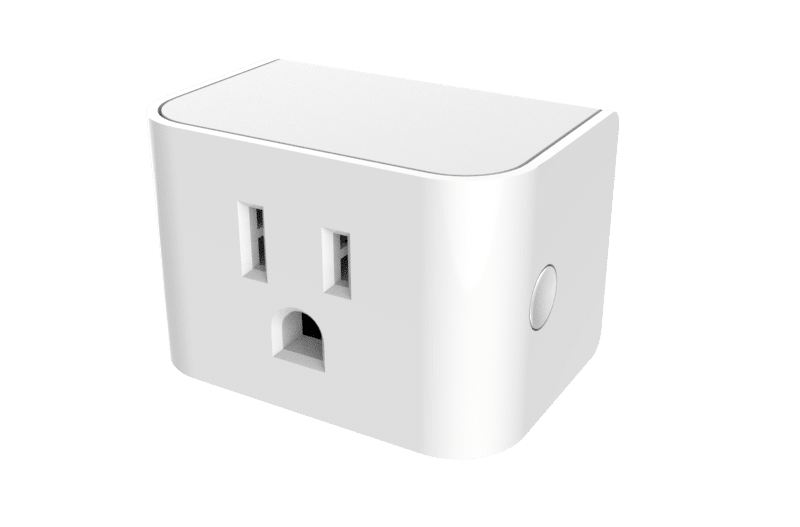
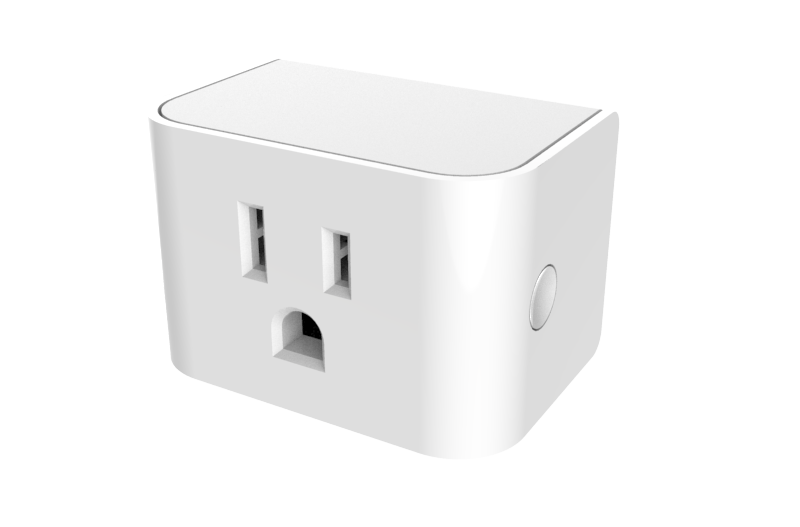
Product Recognition | |
|---|
Certification Number | ZC10-21047014 |
|---|
Name | Z-Wave SmartPlug US |
|---|
Short Description | The compact Z-Wave SmartPlug power outlet provides wireless control for most plug-in devices. |
|---|
Long Description | The Z-Wave SmartPlug works with your home automation system to provide wireless control of common household devices with the following features:
• Z-wave Plus Security Framework
• On/Off Power Switching
• Compact design does not block a second outlet
• Energy usage monitoring
• Wireless repeater to extend network range
• Overvoltage Alarm
• Overcurrent Alarm
• Over-The-Air (OTA) firmware updates |
|---|
Product Identifier | SC428ZW |
|---|
Product Line | Smart Plugs |
|---|
OEM Version | HW: 0 FW: 1.08 |
|---|
Hardware Platform | ZM5101 |
|---|
Z-Wave Version | 6.82.01 |
|---|
Library Type | SLAVE_ENHANCED_232 |
|---|
Device Type | On/Off Power Switch |
|---|
Role Type | ROLE_TYPE_SLAVE_ALWAYS_ON |
|---|
Manufacturer ID | 0x0140 |
|---|
Product Type ID | 0x0807 |
|---|
Product ID | 0x1007 |
|---|
User Icon | 0x0700 |
|---|
Installer Icon | 0x0700 |
|---|
Frequency Plans | US: 916.00MHz, 908.40MHz |
|---|
Categories | All Lighting Devices, On/Off Switches/Devices |
|---|
Countries / Regions | United States of America |
|---|
Supported Command Classes | Identifier | Name | Key | Version |
|---|
COMMAND_CLASS_FIRMWARE_UPDATE_MD_V4 | Firmware Update Meta-Data V4 | 0x7A | 4 | COMMAND_CLASS_POWERLEVEL | Powerlevel | 0x73 | 1 | COMMAND_CLASS_PROTECTION_V2 | Protection V2 | 0x75 | 2 | COMMAND_CLASS_SWITCH_BINARY | Switch Binary | 0x25 | 1 | COMMAND_CLASS_CONFIGURATION | Configuration | 0x70 | 1 | COMMAND_CLASS_TRANSPORT_SERVICE_V2 | Transport Service V2 | 0x55 | 2 | COMMAND_CLASS_DEVICE_RESET_LOCALLY | Device Reset Locally | 0x5A | 1 | COMMAND_CLASS_ZWAVEPLUS_INFO_V2 | Z-Wave Plus Info V2 | 0x5E | 2 | COMMAND_CLASS_ASSOCIATION_V2 | Association V2 | 0x85 | 2 | COMMAND_CLASS_ASSOCIATION_GRP_INFO_V3 | Association Group Information V3 | 0x59 | 3 | COMMAND_CLASS_NOTIFICATION_V8 | Notification V8 | 0x71 | 8 | COMMAND_CLASS_BASIC_V2 | Basic V2 | 0x20 | 2 | COMMAND_CLASS_SECURITY_2 | Security S2 | 0x9F | 1 | COMMAND_CLASS_VERSION_V3 | Version V3 | 0x86 | 3 | COMMAND_CLASS_SUPERVISION | Supervision | 0x6C | 1 | COMMAND_CLASS_MANUFACTURER_SPECIFIC_V2 | Manufacturer Specific V2 | 0x72 | 2 | COMMAND_CLASS_METER_V4 | Meter V4 | 0x32 | 4 |
|
|---|
Controlled Command Classes | Identifier | Name | Key | Version |
|---|
COMMAND_CLASS_BASIC_V2 | Basic V2 | 0x20 | 2 |
|
|---|
S2 Classes | S2_UNAUTHENTICATED |
|---|
Documents | Category | Description | File |
|---|
Manual_Primary_Lang | Quick Start Guide included with product. | |
|
|---|
Features | |
|---|
Association Groups | Group Number | Maximum Nodes Supported | End Point ID | Group Name | Description |
|---|
1 | 5 | 0 | Lifeline | Group 1 - Lifeline
Maximum number of devices in group: 5
This group is generally used to report information of the Smart Plug to the Main
Controller of the network, including Meter, Binary Switch Report, Notification and
Device Reset Locally. |
|
|---|
Configuration Parameters | Parameter Number | Name | Description | Format | Size | Min Value | Max Value | Default Value | Parameter Values |
|---|
3 | Enable/Disable for Group 2 & 3 | Enable/Disable for Group 2 & 3 0 = Group 2 & 3 disabled 1 = Group 2 enabled 2 = Group 3 enabled 3 = Group 2 & 3 enabled | 1 | 1 | 0 | 3 | 3 | From | To | Description |
|---|
0 | 3 | Enable/Disable for Group 2 & 3 0 = Group 2 & 3 disabled 1 = Group 2 enabled 2 = Group 3 enabled 3 = Group 2 & 3 enabled |
| 5 | Overvoltage Alarm (V) | Overvoltage Alarm (V) 1-200 = Overvoltage Alarm threshold | 1 | 2 | 1 | 200 | 132 | From | To | Description |
|---|
1 | 200 | Overvoltage Alarm (V) 1-200 = Overvoltage Alarm threshold |
| 6 | Overcurrent Alarm (mA) | Overcurrent Alarm (mA) 1-15000 = Overcurrent Alarm threshold | 1 | 2 | 1 | 15000 | 15000 | From | To | Description |
|---|
1 | 15000 | Overcurrent Alarm (mA) 1-15000 = Overcurrent Alarm threshold |
| 23 | Energy Report | Energy Report 1 – 327 = 1 KWh to 327 KWh | 1 | 2 | 1 | 327 | 1 | From | To | Description |
|---|
1 | 327 | Energy Report 1 – 327 = 1 KWh to 327 KWh |
| 25 | High Power Threshold | High Power Threshold 0 = High Power Threshold disabled 1 – 32767 = High Power Threshold (Watts) | 1 | 2 | 1 | 32767 | 1980 | From | To | Description |
|---|
1 | 32767 | High Power Threshold 0 = High Power Threshold disabled 1 – 32767 = High Power Threshold (Watts) |
| 1 | Status when powered up | Status when powered up 0 = Off 1 = On 2 = Status when last powered | 1 | 1 | 0 | 2 | 2 | From | To | Description |
|---|
0 | 2 | Status when powered up 0 = Off 1 = On 2 = Status when last powered |
|
|
|---|
Texts | ID | Description | Value |
|---|
8 | Where to find S2 DSK on product | The DSK is printed on a label on the back side of the device | 1 | Classic Inclusion | Add (Include) a device to a network
• Refer to the instructions for your Z-Wave certified controller to add a device to the Z-Wave network.
• Locate the Device Specific Key (DSK) label located on the back(plug side) of the SmartPlug, scan QR code to obtain DSK.
• Plug the SmartPlug switch into an AC outlet at the desired location to account for any radio interference.
• Press the Multi Button once to initiate adding the device to the network. | 2 | Classic Exclusion | Remove (Exclude) a device from a network
• Refer to the instructions for your Z-Wave certified controller to remove a device to the Z-Wave network.
• Press the Multi Button once to remove the switch from the network. | 5 | Factory Reset Procedure | Reset to Factory Defaults
Press and hold the Multi Button for more than 10 seconds.
The amber LED will be illuminated for 2 seconds while it searches
for the network. Please use this procedure only when the network
primary controller is missing or otherwise inoperable. | 6 | Other Special Features | Energy Usage Monitoring |
|
|---|
Supported / Controlled Meter Types | Meter Type | Rate Type | Description |
|---|
Electric meter | Import | Electric Meter Consumption |
|
|---|
Supported Notification Types | Notification Type | Event / State |
|---|
Power Management | Over-current status: Over-current detected | Power Management | Over-voltage status: Over-voltage detected |
|
|---|
Supports NWI | Yes |
|---|
Supports Explorer Frames | Yes |
|---|
Supports SmartStart | Yes |
|---|
Radio Range Z-Wave (m) | 40 |
|---|