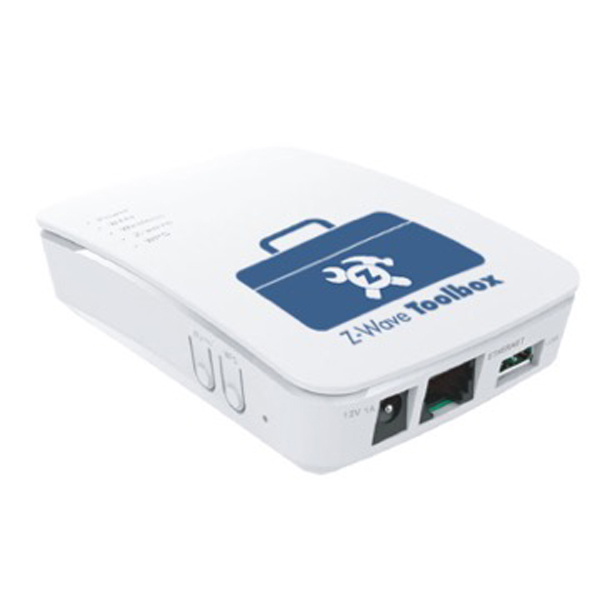
| Product Recognition | |
|---|
| Certification Number | ZC10-16125344 |
|---|
| Name | Z-Wave ToolBox |
|---|
| Short Description | Self-contained, web-based tool that gives installers the ability to troubleshoot Z-Wave networks. |
|---|
| Long Description | The Z-Wave Toolbox™ is a self-contained tool that enables the user to easily troubleshoot Z-Wave networks. Whether the problem is a range issue, interference, or device placement, the Z-Wave Toolbox™ will make troubleshooting a breeze…
The toolbox is a web-based, flexible tool that will work with any operating system, even smart phones and tablets. The toolbox contains 3 major applications, The Z-Wave Packet Analyzer, the Spectrum Analyzer, and the Network Health Tester.
The Z-Wave Packet Analyzer allows the user to see Z-Wave traffic. It helps troubleshoot connections, identify abnormal device operation, and pinpoint weak spots.
The Spectrum Analyzer allows users to scan frequencies close to Z-Wave frequencies for any interference.
Network Health Tester. This powerful tool can determine link stability, quality of service, latencies, and can help the user to
troubleshoot, optimize, and deploy Z-Wave networks with confidence.
Technical details:
Self-contained hardware that does not need computer to operate
• Connectivity - Ethernet, WiFi (AP and Client mode)
• Low power; it can run on batteries (battery pack sold separately)
• Power Adapter (12V/1A, 100-240VAC) • FCC and CE compliant |
|---|
| Brand | Z Wave Products Inc. |
|---|
| Product Identifier | ZWP-TBX |
|---|
| OEM Version | HW: 1 FW: 1.22:01.22 |
|---|
| Hardware Platform | ZM5202 |
|---|
| Z-Wave Version | 6.51.08 |
|---|
| Library Type | CONTROLLER_STATIC_NOREP |
|---|
| Device Type | Sub System Controller |
|---|
| Role Type | ROLE_TYPE_CONTROLLER_SUB_STATIC |
|---|
| Manufacturer ID | 0x0315 |
|---|
| Product Type ID | 0x0001 |
|---|
| Product ID | 0x0001 |
|---|
| User Icon | 0x0500 |
|---|
| Installer Icon | 0x0500 |
|---|
| Frequency Plans | US: 916.00MHz, 908.40MHz |
|---|
| Categories | Installer Tools |
|---|
| Countries / Regions | United States of America |
|---|
| Supported Command Classes | | Identifier | Name | Key | Version |
|---|
| COMMAND_CLASS_POWERLEVEL | Powerlevel | 0x73 | 1 | | COMMAND_CLASS_APPLICATION_STATUS | Application Status | 0x22 | 1 | | COMMAND_CLASS_CRC_16_ENCAP | CRC16 Encapsulation | 0x56 | 1 | | COMMAND_CLASS_VERSION_V2 | Version V2 | 0x86 | 2 | | COMMAND_CLASS_DEVICE_RESET_LOCALLY | Device Reset Locally | 0x5A | 1 | | COMMAND_CLASS_ZWAVEPLUS_INFO_V2 | Z-Wave Plus Info V2 | 0x5E | 2 | | COMMAND_CLASS_ASSOCIATION_V2 | Association V2 | 0x85 | 2 | | COMMAND_CLASS_ASSOCIATION_GRP_INFO | Association Group Info | 0x59 | 1 | | COMMAND_CLASS_MANUFACTURER_SPECIFIC | Manufacturer Specific | 0x72 | 1 |
|
|---|
| Controlled Command Classes | | Identifier | Name | Key | Version |
|---|
| COMMAND_CLASS_BASIC | Basic | 0x20 | 1 | | COMMAND_CLASS_CRC_16_ENCAP | CRC16 Encapsulation | 0x56 | 1 | | COMMAND_CLASS_WAKE_UP_V2 | Wake Up V2 | 0x84 | 2 | | COMMAND_CLASS_MULTI_CHANNEL_V4 | Multi-Channel V4 | 0x60 | 4 |
|
|---|
| Documents | |
|---|
| Features | | Feature | Values |
|---|
| Firmware Updatable | | Value |
|---|
| Updatable by Consumer via Internet |
| | Color | | | Communications Connections | | Value |
|---|
| Ethernet (Wired) | | Ethernet (Wireless/WiFi) |
|
|
|---|
| Texts | | ID | Description | Value |
|---|
| 2 | Exclusion | Network Health Tool:
Select RESET on the Network Health Tool Device List widget. Be sure to delete the ToolBox from the Z-Wave controller. | | 1 | Inclusion | Network Health Tool:
Using the Z-Wave controller you intend to troubleshoot, begin the inclusion process to add a new generic Z-Wave device. Select LEARN on the Network Health Tool Device List widget. The Z-Wave controller may include the ZWP-TBX as a generic scene controller or similar device; name the device according to your troubleshooting needs. |
|
|---|
| Supports NWI | Yes |
|---|
| Supports Explorer Frames | Yes |
|---|