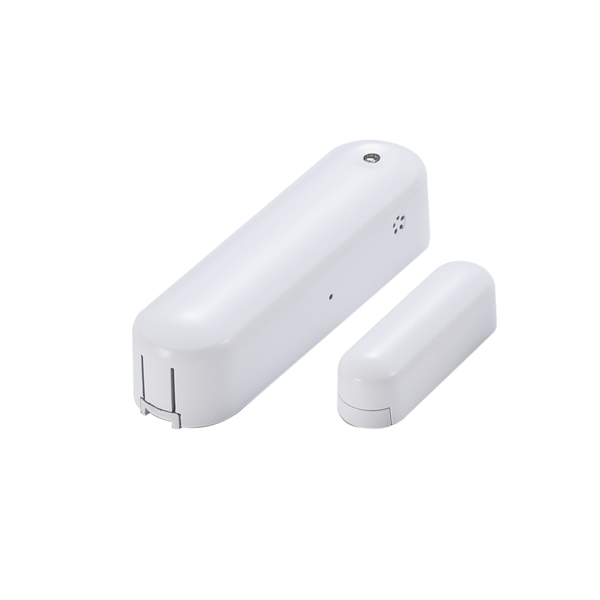
Product Recognition | |
|---|
Certification Number | ZC10-17055583 |
|---|
Name | Zipato 4 in 1 Door Sensor |
|---|
Short Description | Door/Window, humidity, temperature and luminance sensor. |
|---|
Long Description | Door/Window, humidity, temperature and luminance sensor.
* Primarily used as dry contact door/window sensor.
* Very low power consumption
* LED indicator
* Easy installation |
|---|
Brand | Zipato |
|---|
Product Identifier | vs-zd2301.eu |
|---|
OEM Version | HW: 2 FW: 6.01:10.01 |
|---|
Hardware Platform | ZM5202 |
|---|
Z-Wave Version | 6.51.06 |
|---|
Library Type | SLAVE_ENHANCED_232 |
|---|
Device Type | Notification Sensor |
|---|
Role Type | ROLE_TYPE_SLAVE_SLEEPING_REPORTING |
|---|
Manufacturer ID | 0x0131 |
|---|
Product Type ID | 0x201F |
|---|
Product ID | 0x1F20 |
|---|
User Icon | 0x0C07 |
|---|
Installer Icon | 0x0C07 |
|---|
Frequency Plans | EU: 869.85MHz, 868.40MHz |
|---|
Categories | Sensors |
|---|
Countries / Regions | European Union |
|---|
Supported Command Classes | Identifier | Name | Key | Version |
|---|
COMMAND_CLASS_POWERLEVEL | Powerlevel | 0x73 | 1 | COMMAND_CLASS_BATTERY | Battery | 0x80 | 1 | COMMAND_CLASS_CONFIGURATION | Configuration | 0x70 | 1 | COMMAND_CLASS_SECURITY | Security S0 | 0x98 | 1 | COMMAND_CLASS_SENSOR_MULTILEVEL_V7 | Sensor Multilevel V7 | 0x31 | 7 | COMMAND_CLASS_VERSION_V2 | Version V2 | 0x86 | 2 | COMMAND_CLASS_WAKE_UP_V2 | Wake Up V2 | 0x84 | 2 | COMMAND_CLASS_DEVICE_RESET_LOCALLY | Device Reset Locally | 0x5A | 1 | COMMAND_CLASS_ZWAVEPLUS_INFO_V2 | Z-Wave Plus Info V2 | 0x5E | 2 | COMMAND_CLASS_ASSOCIATION_V2 | Association V2 | 0x85 | 2 | COMMAND_CLASS_ASSOCIATION_GRP_INFO | Association Group Info | 0x59 | 1 | COMMAND_CLASS_FIRMWARE_UPDATE_MD_V2 | Firmware Update Meta-Data V2 | 0x7A | 2 | COMMAND_CLASS_MANUFACTURER_SPECIFIC_V2 | Manufacturer Specific V2 | 0x72 | 2 | COMMAND_CLASS_NOTIFICATION_V4 | Notification V4 | 0x71 | 4 |
|
|---|
Controlled Command Classes | Identifier | Name | Key | Version |
|---|
COMMAND_CLASS_BASIC | Basic | 0x20 | 1 |
|
|---|
Documents | Category | Description | File |
|---|
Manual_Primary_Lang | Product or Owner's Manual | |
|
|---|
Features | Feature | Values |
|---|
Battery Type | | Color | | Firmware Updatable | Value |
|---|
Updatable by Consumer by RF |
| Sensors | Value |
|---|
Air Temperature | Luminance | Humidity |
| Supported Notification Types | Value |
|---|
Access Control | Home Security |
|
|
|---|
Association Groups | Group Number | Maximum Nodes Supported | End Point ID | Description |
|---|
1 | 5 | 0 | Z-Wave Plus Lifeline |
|
|---|
Configuration Parameters | Parameter Number | Name | Description | Format | Size | Min Value | Max Value | Default Value | Parameter Values |
|---|
2 | Temperature report threshold | Send temperature report when temperature changes by this amount. | 0 | 1 | 0 | 0 | 1 | From | To | Description |
|---|
1 | 50 | in 0.1 Celsius increments |
| 4 | Luminance report threshold | Send luminance report when luminance changes by this amount. | 0 | 1 | 0 | 0 | 10 | From | To | Description |
|---|
0 | 50 | range from 0 to 50 percent |
| 1 | Temperature report unit | Select the temperature report unit, Celsius or Fahrenheit | 0 | 1 | 0 | 0 | 0 | From | To | Description |
|---|
0 | 0 | Celsius | 0 | 1 | Fahrenheit |
| 3 | Humidity report threshold | Send humidity report when humidity changes by this amount. | 0 | 1 | 0 | 0 | 10 | From | To | Description |
|---|
1 | 50 | range from 1 to 50 percent |
|
|
|---|
Texts | ID | Description | Value |
|---|
5 | Factory Reset | All user and network settings will be cleared and the device reset to factory
defaults when the device is excluded.
Please use this procedure only in the event if the network
controller is missing or is otherwise inoperable. | 4 | Device Wake-Up | Press the Program SW, the LED will flash one time and ZD2301 will send “Wake Up Notification” after 5 seconds. If ZD2301 received “Wake Up No More Information” command then the ZD2301 will go to sleep or it will wait 10 seconds then go to sleep. It will precede all the commands after sending the “Wake Up Notification” | 1 | Inclusion | Put the Z-WaveTM Interface Controller into
“inclusion” mode, and following its instruction to add the ZD2301 to your controller. To get in the “inclusion” mode, the distance between sensor and controller is suggested to be one meter. Press the program switch of ZD2301 for sending the NIF. After sending NIF, Z-Wave will send the auto inclusion; otherwise, ZD2301 will go to sleep after 20 seconds. | 2 | Exclusion | Put the Z-WaveTM Interface
Controller into “exclusion” mode, and following its instruction to delete the ZD2301 from your controller. Press the program switch of ZD2301 for 1 second at least to be excluded. |
|
|---|
Supported Notification Types | Notification Type | Event / State |
|---|
Access Control | (Refer to parameters): State idle | Home Security | (Refer to parameters): State idle |
|
|---|
Supported Multilevel Sensors | Multilevel Sensor Type |
|---|
Air temperature | Illuminance | Humidity |
|
|---|
Supports NWI | Yes |
|---|
Supports Explorer Frames | Yes |
|---|