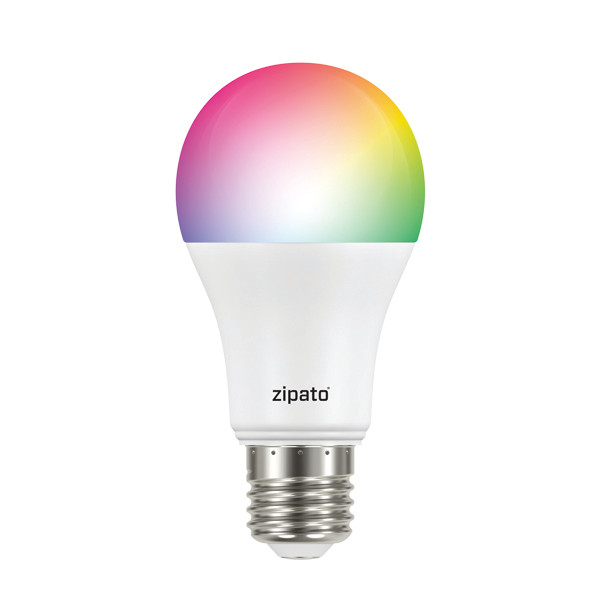
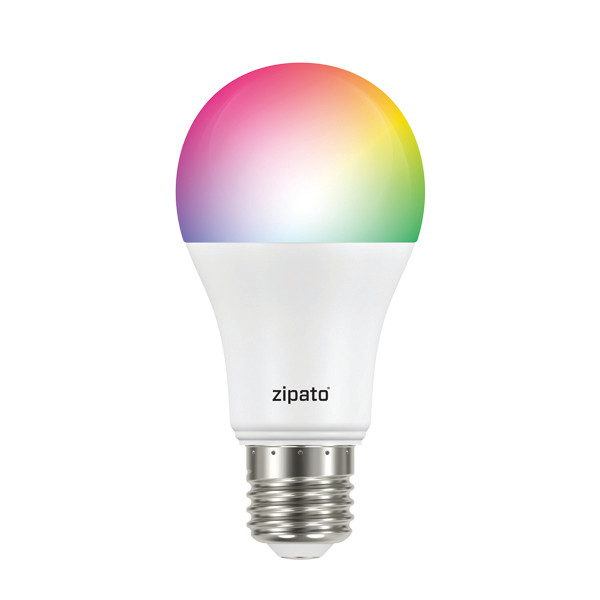
Product Recognition | |
|---|
Certification Number | ZC10-17115890 |
|---|
Name | Zipato Bulb 2 |
|---|
Short Description | Dimmable light bulb with cold white, warm white and RGB dimmable leds. |
|---|
Long Description | Zipato Bulb 2 with dimmer makes home lighting more fun and comfortable. It has separate warm white, cold white and color LEDs. This allows you to create both colorful light environments and regular white lighting. |
|---|
Brand | Zipato |
|---|
Product Identifier | rgbw2.eu |
|---|
OEM Version | HW: 255 FW: 2.26 |
|---|
Hardware Platform | ZM5101 |
|---|
Z-Wave Version | 6.51.09 |
|---|
Library Type | SLAVE_ENHANCED_232 |
|---|
Device Type | Light Dimmer Switch |
|---|
Role Type | ROLE_TYPE_SLAVE_ALWAYS_ON |
|---|
Manufacturer ID | 0x0131 |
|---|
Product Type ID | 0x0003 |
|---|
Product ID | 0x0006 |
|---|
User Icon | 0x0600 |
|---|
Installer Icon | 0x0600 |
|---|
Frequency Plans | EU: 869.85MHz, 868.40MHz |
|---|
Categories | All Lighting Devices, Lighting Accessories |
|---|
Countries / Regions | European Union |
|---|
Supported Command Classes | Identifier | Name | Key | Version |
|---|
COMMAND_CLASS_POWERLEVEL | Powerlevel | 0x73 | 1 | COMMAND_CLASS_SWITCH_ALL | Switch All | 0x27 | 1 | COMMAND_CLASS_BASIC | Basic | 0x20 | 1 | COMMAND_CLASS_CONFIGURATION | Configuration | 0x70 | 1 | COMMAND_CLASS_SECURITY | Security S0 | 0x98 | 1 | COMMAND_CLASS_SWITCH_MULTILEVEL_V2 | Switch Multilevel V2 | 0x26 | 2 | COMMAND_CLASS_VERSION_V2 | Version V2 | 0x86 | 2 | COMMAND_CLASS_DEVICE_RESET_LOCALLY | Device Reset Locally | 0x5A | 1 | COMMAND_CLASS_ZWAVEPLUS_INFO_V2 | Z-Wave Plus Info V2 | 0x5E | 2 | COMMAND_CLASS_ASSOCIATION_V2 | Association V2 | 0x85 | 2 | COMMAND_CLASS_ASSOCIATION_GRP_INFO | Association Group Info | 0x59 | 1 | COMMAND_CLASS_MANUFACTURER_SPECIFIC | Manufacturer Specific | 0x72 | 1 | COMMAND_CLASS_SWITCH_COLOR | Switch Color | 0x33 | 1 | COMMAND_CLASS_FIRMWARE_UPDATE_MD_V2 | Firmware Update Meta-Data V2 | 0x7A | 2 | COMMAND_CLASS_MANUFACTURER_SPECIFIC_V2 | Manufacturer Specific V2 | 0x72 | 2 |
|
|---|
Documents | Category | Description | File |
|---|
Manual_Primary_Lang | Product or Owner's Manual | |
|
|---|
Features | Feature | Values |
|---|
Color | | Firmware Updatable | Value |
|---|
Updatable by Consumer by RF |
|
|
|---|
Association Groups | Group Number | Maximum Nodes Supported | End Point ID | Description |
|---|
1 | 1 | 0 | Z-Wave Plus Lifeline |
|
|---|
Configuration Parameters | Parameter Number | Name | Description | Format | Size | Min Value | Max Value | Default Value | Parameter Values |
|---|
2 | Strobe interval | Strobe interval, in units of 10 milliseconds | 0 | 1 | 0 | 0 | 0 | From | To | Description |
|---|
0 | 25 | Strobe interval |
| 3 | Strobe pulse count | Number of strobe pulses. Setting this parameter to value 127 makes the bulbe strobe indefinitely | 0 | 1 | 0 | 0 | 0 | From | To | Description |
|---|
0 | 25 | pulse count | 127 | 127 | strobe indefinitely |
| 4 | Randomize strobe pulse color | Randomize strobe pulse color. | 0 | 1 | 0 | 0 | 0 | From | To | Description |
|---|
0 | 0 | Disabled | 1 | 1 | Enabled |
| 255 | Reset bulb to factory settings | Set this parameter to value 0x88888888 to initiate the factory reset procedure | 0 | 4 | 0 | 0 | 1 | | 1 | Get internal bulb temperature | Retrieve internal bulb temperature. Read only parameter | 0 | 1 | 0 | 0 | 0 | |
|
|---|
Texts | ID | Description | Value |
|---|
2 | Exclusion | 1. Screw the RGBW bulb into a standard E27 socket.
2. Turn on the bulb with your wall switch to apply power to the bulb.
a) If you’re not using a wall switch, then use your alternate method to apply power to the bulb.
3. Activate the “included/excluded” mode on your Z-Wave controller or gateway.
a) This may also be done through your associated app, if your ecosystem has that capability.
4. Toggle the wall-switch, from OFF, then to ON.
a) Or use your alternate method to toggle power from OFF, then to ON.
5. The LED bulb will flash once if it has been successfully “included/ excluded” into your Z-Wave network. | 5 | Factory Reset | Physically switch the bulb on and off six (6) times for intervals of 0.5-2 seconds. After the 6th time, the bulb will flash twice indicating that it’s successfully reset.A factory default is performed when the bulb is excluded from the Z-Wave network.
Please use this procedure only when the network primary controller is missing or otherwise inoperable. | 1 | Inclusion | 1. Screw the RGBW bulb into a standard E27 socket.
2. Turn on the bulb with your wall switch to apply power to the bulb.
a) If you’re not using a wall switch, then use your alternate method to apply power to the bulb.
3. Activate the “included/excluded” mode on your Z-Wave controller or gateway.
a) This may also be done through your associated app, if your ecosystem has that capability.
4. Toggle the wall-switch, from OFF, then to ON.
a) Or use your alternate method to toggle power from OFF, then to ON.
5. The LED bulb will flash once if it has been successfully “included/ excluded” into your Z-Wave network. |
|
|---|
Supports NWI | Yes |
|---|
Supports Explorer Frames | Yes |
|---|
Radio Range Z-Wave (m) | 40 |
|---|