
Product Recognition | |
|---|---|
Certification Number | ZC10-16085160 |
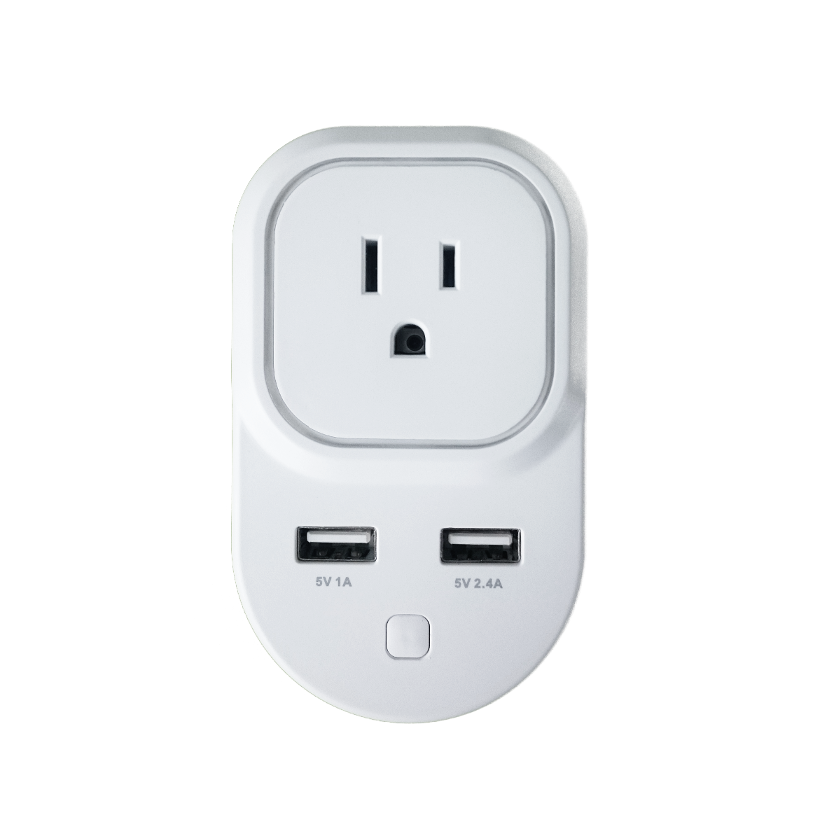
Name | Zooz Z-Wave Smart Plug |
Short Description | Enjoy wireless control of floor lamps and small appliances. This product features energy monitoring in live mode or over time (your Z-Wave gateway needs to support this feature) and AES signal encryption. Z-Wave Plus chip guarantees faster and more reliable communication. |
Long Description | Product features:
- Manual and remote on / off control
- Energy monitoring
- Scene inclusion for custom automation scenarios when included to a Z-Wave gateway controller
- LED indicator displaying Z-Wave signal strength and power usage
- Security enabled Z-Wave device with AES signal encryption (requires a security enabled gateway controller for full functionality)
- Z-Wave Plus with improved 500 chip for faster and safer wireless communication
- Built-in range extender for a stronger, more reliable network
- 2 USB charging ports for your smart phone or tablet (no Z-Wave functionality)
- Built-in overload protection in Z-Wave outlet and USB ports
Product Specifications:
Model Number: ZEN06
Z-Wave Signal Frequency: 908.42 MHz
Power: 110V, 60Hz
Maximum Load: 15A, 1800W
USB Charging Port Power: 1A and 2.4A
Operating Temperature: 14 – 104 F
Range: Up to 130 feet line of sight
Installation and Use: Indoor only
Dimensions: 4” x 2.5” x 1.2”
Weight: 7oz |
Brand | Zooz |
Product Identifier | ZEN06 |
OEM Version | HW: 1 FW: 1.00 |
Hardware Platform | ZM5101 |
Z-Wave Version | 6.51.08 |
Library Type | SLAVE_ENHANCED_232 |
Device Type | On/Off Power Switch |
Role Type | ROLE_TYPE_SLAVE_ALWAYS_ON |
Manufacturer ID | 0x027A |
Product Type ID | 0x0101 |
Product ID | 0x000A |
User Icon | 0x0700 |
Installer Icon | 0x0700 |
Frequency Plans | US: 916.00MHz, 908.40MHz |
Categories | Energy Meters, All Lighting Devices, On/Off Switches/Devices |
Countries / Regions | United States of America |
Documents | |
Features | |
Association Groups | |
Configuration Parameters | |
Texts | |
Supports NWI | Yes |
Supports Explorer Frames | Yes |
Radio Range Z-Wave (m) | 40 |