Product Recognition | |
|---|
Certification Number | ZC14-26040607 |
|---|
Name | ZWS12 |
|---|
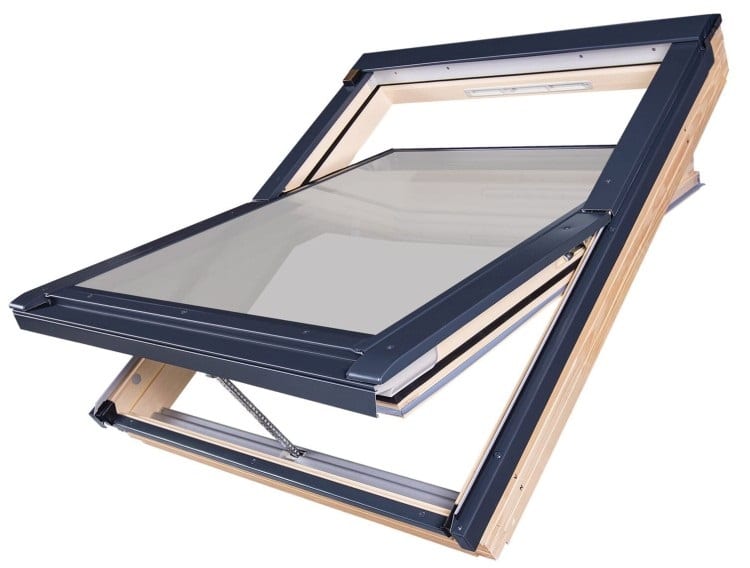
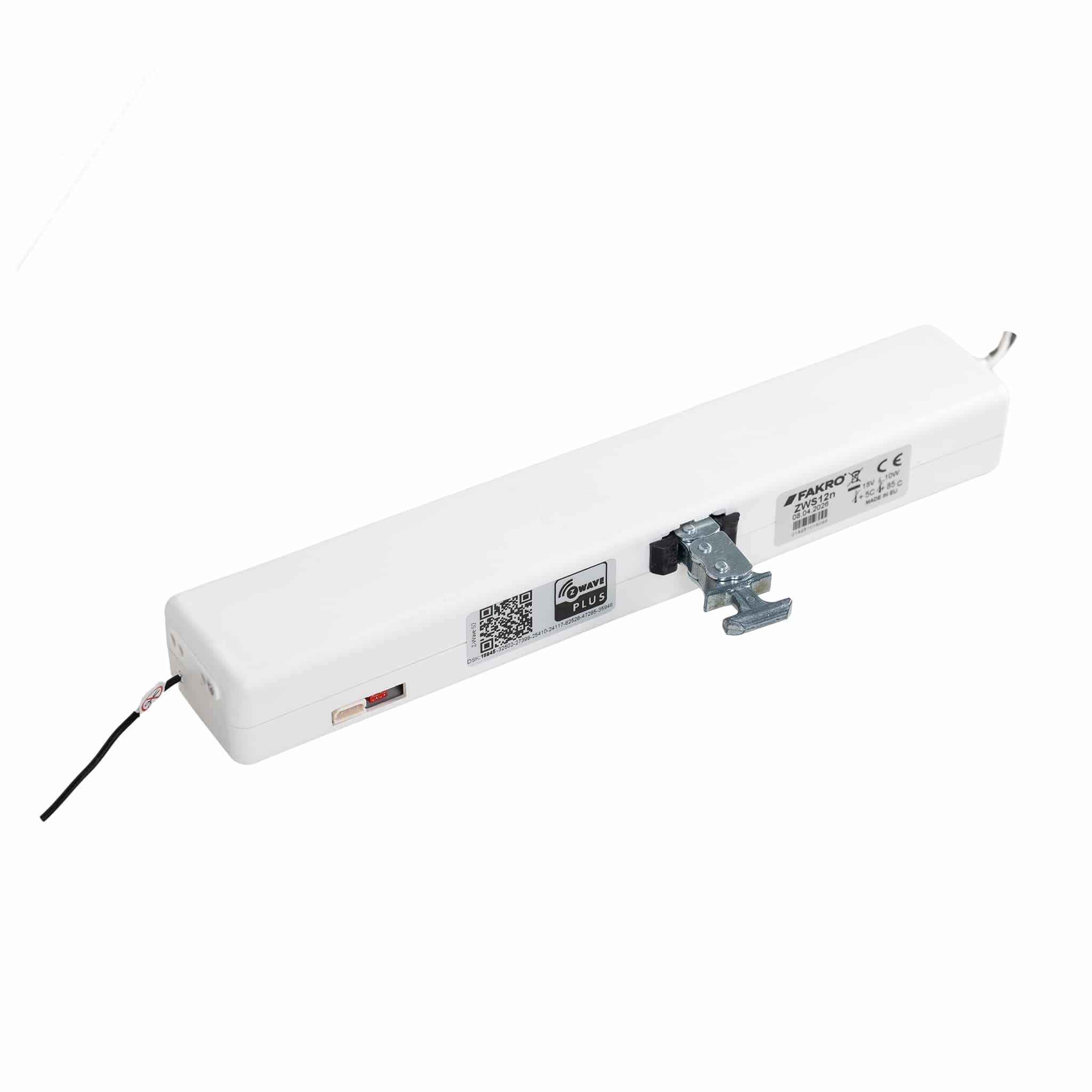
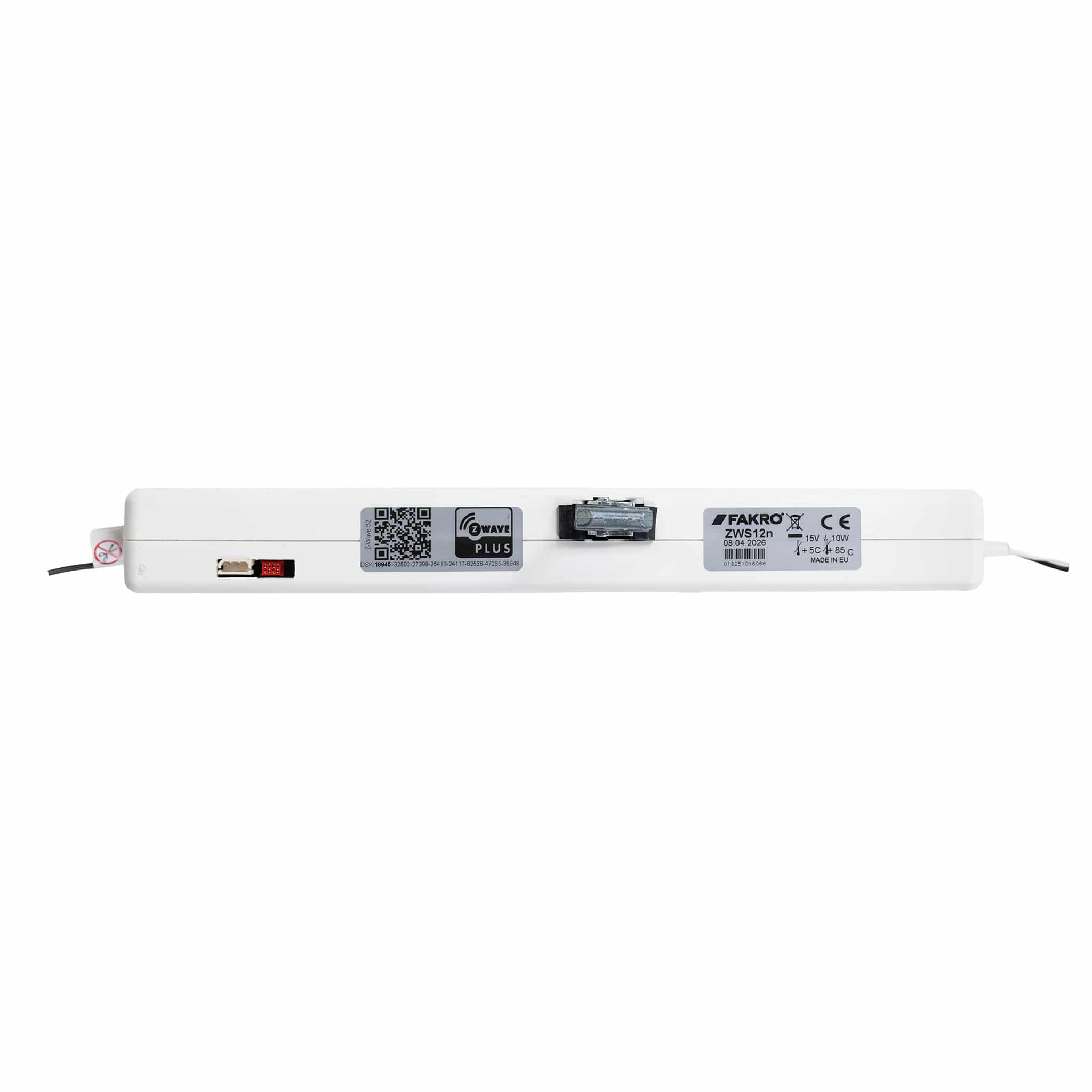
Short Description | FAKRO ZWS12 is a Z-Wave 800 series chain actuator for roof windows, with SmartStart, S2 security, overload protection, and rain sensor integration for smart home automation. |
|---|
Description | The FAKRO ZWS12 is a certified Z-Wave Plus v2 chain actuator designed for automating roof windows. Powered by 15 V DC with low power consumption, it features adjustable motor speed (1–4 levels), 230 mm chain stroke, and good wireless range. Integration with rain sensor ZRD12 for automatic closing during rain. Key features include overload protection with brief reverse to release pressure, ventilation auto-close timer, and 4 association groups for integration with other devices. Compatible with controllers like Fibaro, Home Assistant, and SmartThings. Ideal for smart homes. Easy installation and programming via double-press button. |
|---|
Brand | FAKRO |
|---|
Brand Owner | FAKRO Sp. z o.o. |
|---|
Identifier | 8.1 |
|---|
Product Line | Z-Wave Window Actuators |
|---|
Product URL | https://sklep.fakro.pl/pozostale/automatyka.html |
|---|
OEM Version | HW: 81 FW: 08.01:02.01 |
|---|
Hardware Platform | ZGM230SA |
|---|
Z-Wave Version | 7.18.8 |
|---|
Library Type | END_NODE_ENHANCED_232 |
|---|
Device Type | Window Covering DT |
|---|
Role Type | ROLE_TYPE_END_NODE_ALWAYS_ON |
|---|
Manufacturer ID | 0x0085 |
|---|
Product Type ID | 0x0002 |
|---|
Product ID | 0x0111 |
|---|
User Icon | 0x1A00 |
|---|
Installer Icon | 0x1A00 |
|---|
Radio Range Z-Wave (m) | 75 |
|---|
Frequency Plans | EU: 868,40 MHz, 868.20 MHz, 868.60 MHz |
|---|
Categories | Window Covering, Motor Control |
|---|
Countries / Regions | CEPT |
|---|
Supported Command Classes | Identifier | Name | Key | Version |
|---|
COMMAND_CLASS_ASSOCIATION_V2 | Association V2 | 0x85 | 2 | COMMAND_CLASS_ASSOCIATION_GRP_INFO_V3 | Association Group Information (AGI) V3 | 0x59 | 3 | COMMAND_CLASS_DEVICE_RESET_LOCALLY | Device Reset Locally | 0x5A | 1 | COMMAND_CLASS_FIRMWARE_UPDATE_MD_V5 | Firmware Update Meta Data V5 | 0x7A | 5 | COMMAND_CLASS_INDICATOR_V3 | Indicator V3 | 0x87 | 3 | COMMAND_CLASS_MANUFACTURER_SPECIFIC_V2 | Manufacturer Specific V2 | 0x72 | 2 | COMMAND_CLASS_MULTI_CHANNEL_ASSOCIATION_V3 | Multi Channel Association V3 | 0x8E | 3 | COMMAND_CLASS_VERSION_V3 | Version V3 | 0x86 | 3 | COMMAND_CLASS_ZWAVEPLUS_INFO_V2 | Z-Wave Plus Info V2 | 0x5E | 2 | COMMAND_CLASS_SECURITY_2 | Security 2 | 0x9F | 1 | COMMAND_CLASS_SUPERVISION | Supervision | 0x6C | 1 | COMMAND_CLASS_TRANSPORT_SERVICE_V2 | Transport Service V2 | 0x55 | 2 | COMMAND_CLASS_POWERLEVEL | Powerlevel | 0x73 | 1 | COMMAND_CLASS_WINDOW_COVERING | Window Covering | 0x6A | 1 | COMMAND_CLASS_SWITCH_MULTILEVEL_V4 | Multilevel Switch V4 | 0x26 | 4 | COMMAND_CLASS_BASIC_V2 | Basic V2 | 0x20 | 2 | COMMAND_CLASS_CONFIGURATION_V4 | Configuration V4 | 0x70 | 4 | COMMAND_CLASS_NOTIFICATION_V8 | Notification V8 | 0x71 | 8 | COMMAND_CLASS_NODE_NAMING | Node Naming and Location | 0x77 | 1 | COMMAND_CLASS_SECURITY | Security 0 | 0x98 | 1 |
|
|---|
S2 Classes | S2_AUTHENTICATED, S2_UNAUTHENTICATED |
|---|
Documents | Category | Description | File |
|---|
Manual_English | current version of the user manual | | Adv_Manual | | |
|
|---|
Association Groups | Group Number | Maximum Nodes Supported | End Point ID | Group Name | Profile |
|---|
1 | 5 | 0 | Lifeline | 0x0001 | 2 | 5 | 0 | BasicRepeat | 0x2001 | 3 | 5 | 0 | MultilevelRepeat | 0x2002 | 4 | 5 | 0 | BasicRain | 0x2003 |
|
|---|
Configuration Parameters | Parameter Number | Name | Description | Format | Size | Min Value | Max Value | Default Value |
|---|
7 | MOTOR_SPEED | SET_ACTUATOR_SPEED | 1 | 1 | 0 | 0 | 0x02 | 8 | MOTOR_SPEED_FOR_RAIN_SENSOR | SET_SPEED_FROM_RAIN_SENSOR | 1 | 1 | 0 | 0 | 0x02 | 76 | MOTOR_RELEASE_TIME | SET_RELEASE_TIME | 1 | 1 | 0 | 0 | 0x0A | 77 | MOTOR_CURRENT_MIN_CLOSE | SET_CURRENT_MIN_CLOSE | 1 | 1 | 0 | 0 | 0x1E | 78 | MOTOR_CURRENT_MIN_OPEN | SET_CURRENT_MIN_OPEN | 1 | 1 | 0 | 0 | 0x1E | 79 | MOTOR_CURRENT_MAX_CLOSE | SET_CURRENT_MAX_CLOSE | 1 | 1 | 0 | 0 | 0x69 | 80 | MOTOR_CURRENT_MAX_OPEN | SET_CURRENT_MAX_OPEN | 1 | 1 | 0 | 0 | 0x89 |
|
|---|
Texts | ID | Description | Value |
|---|
5 | Factory Reset Procedure | Product Factory Reset:
To perform product factory reset (restore default parameters and remove from network):
- Quickly double-press button P (2× within 1 s) – green LED flashes once as confirmation
- Repeat this double-press 5 times within approximately 5 seconds
- After the 5th double-press the green LED lights solid
- All parameters are restored to factory defaults and the device is excluded from the network.
Please use this procedure only when the network’s primary controller is missing or otherwise inoperable. | 6 | Other Special Features | -supports precise window position control
-reporting of current position
-protection against end-stop overrun
-ventilation function - close window after set time | 8 | Where to find S2 DSK on product | The Security 2 DSK is printed on a label affixed directly to the actuator. The label includes the full DSK and a QR code, which are clearly visible and can be scanned directly during SmartStart inclusion. | 1 | Classic Inclusion | To include the product into a Z-Wave network using Classic Inclusion, first ensure that the actuator is powered on and not assigned to any Z-Wave network. When the device is unassigned, the green LED is illuminated.
Put the primary Z-Wave controller into Classic Inclusion (Add Node) mode. Then, press the P button on the actuator twice in quick succession. After the second press, the device sends a Node Information Frame (NIF) to the controller to initiate the inclusion process.
Once the inclusion is completed successfully, the green LED turns off, indicating that the actuator has been assigned to the Z-Wave network. | 2 | Classic Exclusion | To exclude the product from a Z-Wave network using Classic Exclusion, ensure that the actuator is powered on. Put the primary Z-Wave controller into Classic Exclusion (Remove Node) mode.
Press the P button on the actuator twice in quick succession. After the second press, the device sends a Node Information Frame (NIF) to the controller to initiate the exclusion process.
When the exclusion is completed successfully, the actuator is removed from the Z-Wave network and the green LED turns on, indicating that the device is no longer assigned to any Z-Wave network. |
|
|---|
Supported Notification Types | Notification Type | Event / State |
|---|
Water Alarm | Sensor status: Water leak detected | Power Management | Over-load status: Over-load detected |
|
|---|
Supports NWI | Yes |
|---|
Supports Explorer Frames | Yes |
|---|
Supports SmartStart | Yes |
|---|