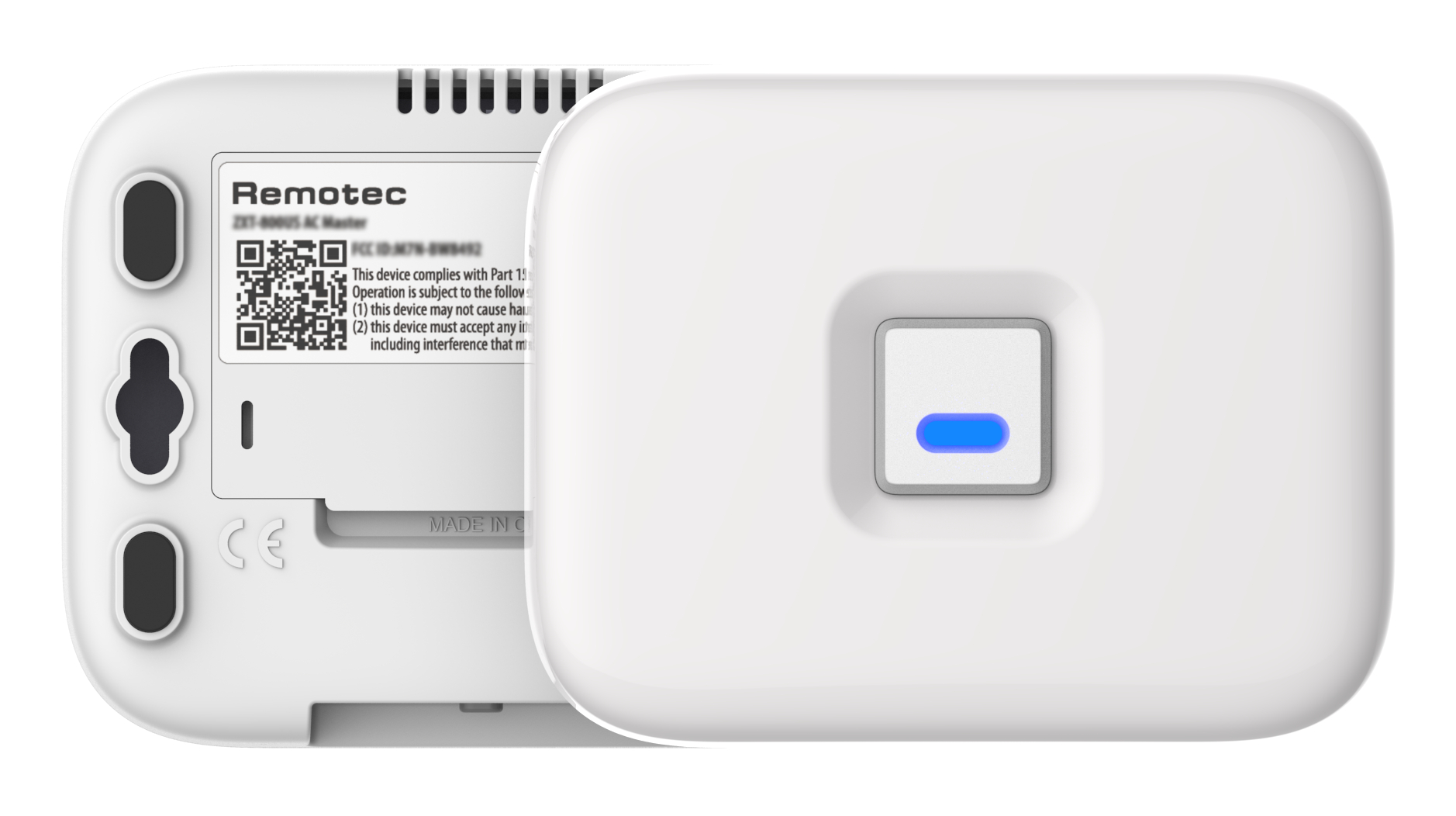
Product Recognition | |
|---|
Certification Number | ZC14-23030213 |
|---|
Name | ZXT-800 AC/AV MASTER |
|---|
Short Description | Experience the latest generation of Z-Wave™ smart controls for IR Extender |
|---|
Long Description | ZXT-800 is a Z-Wave™ IR Bridge to control split air conditioner and entertainment devices by receiving Z-Wave command and translating to Infrared command. With its comprehensive built-In and cloud-stored IR database (library). ZXT-800 can control different brands and models of infrared devices world-wide. |
|---|
Brand | Remotec |
|---|
Product Identifier | ZXT-800JP |
|---|
Product Line | Z-Wave Home Automation |
|---|
OEM Version | HW: 01 FW: 01.04:02.01 |
|---|
Hardware Platform | EFR32ZG23A |
|---|
Z-Wave Version | 7.18.3 |
|---|
Library Type | END_NODE_ENHANCED_232 |
|---|
Device Type | Thermostat DT |
|---|
Role Type | ROLE_TYPE_END_NODE_ALWAYS_ON, ROLE_TYPE_END_NODE_SLEEPING_LISTENING |
|---|
Manufacturer ID | 0x5254 |
|---|
Product Type ID | 0x0109 |
|---|
Product ID | 0x8493 |
|---|
User Icon | 0x1200 |
|---|
Installer Icon | 0x1200 |
|---|
Frequency Plans | JP: 922.50MHz, 923.90MHz, 926.30MHz |
|---|
Categories | Thermostats, Infrared Devices |
|---|
Countries / Regions | Costa Rica, Japan |
|---|
Supported Command Classes | Identifier | Name | Key | Version |
|---|
COMMAND_CLASS_BASIC_V2 | Basic V2 | 0x20 | 2 | COMMAND_CLASS_CONFIGURATION_V4 | Configuration V4 | 0x70 | 4 | COMMAND_CLASS_SENSOR_MULTILEVEL_V11 | Multilevel Sensor V11 | 0x31 | 11 | COMMAND_CLASS_SIMPLE_AV_CONTROL_V4 | Simple AV Control V4 | 0x94 | 4 | COMMAND_CLASS_THERMOSTAT_FAN_MODE_V4 | Thermostat Fan Mode V4 | 0x44 | 4 | COMMAND_CLASS_THERMOSTAT_MODE_V3 | Thermostat Mode V3 | 0x40 | 3 | COMMAND_CLASS_THERMOSTAT_SETPOINT_V3 | Thermostat Setpoint V3 | 0x43 | 3 | COMMAND_CLASS_APPLICATION_STATUS | Application Status | 0x22 | 1 | COMMAND_CLASS_ASSOCIATION_V2 | Association V2 | 0x85 | 2 | COMMAND_CLASS_ASSOCIATION_GRP_INFO_V3 | Association Group Information (AGI) V3 | 0x59 | 3 | COMMAND_CLASS_BATTERY | Battery | 0x80 | 1 | COMMAND_CLASS_DEVICE_RESET_LOCALLY | Device Reset Locally | 0x5A | 1 | COMMAND_CLASS_FIRMWARE_UPDATE_MD_V5 | Firmware Update Meta Data V5 | 0x7A | 5 | COMMAND_CLASS_INDICATOR_V3 | Indicator V3 | 0x87 | 3 | COMMAND_CLASS_MANUFACTURER_SPECIFIC_V2 | Manufacturer Specific V2 | 0x72 | 2 | COMMAND_CLASS_MULTI_CHANNEL_ASSOCIATION_V3 | Multi Channel Association V3 | 0x8E | 3 | COMMAND_CLASS_VERSION_V3 | Version V3 | 0x86 | 3 | COMMAND_CLASS_ZWAVEPLUS_INFO_V2 | Z-Wave Plus Info V2 | 0x5E | 2 | COMMAND_CLASS_MULTI_CHANNEL_V4 | Multi Channel V4 | 0x60 | 4 | COMMAND_CLASS_SECURITY | Security 0 | 0x98 | 1 | COMMAND_CLASS_SECURITY_2 | Security 2 | 0x9F | 1 | COMMAND_CLASS_SUPERVISION | Supervision | 0x6C | 1 | COMMAND_CLASS_TRANSPORT_SERVICE_V2 | Transport Service V2 | 0x55 | 2 | COMMAND_CLASS_POWERLEVEL | Powerlevel | 0x73 | 1 |
|
|---|
S2 Classes | S2_AUTHENTICATED, S2_UNAUTHENTICATED |
|---|
Documents | Category | File |
|---|
Manual_English | |
|
|---|
Features | Feature | Values |
|---|
Battery Type | | Firmware Updatable | Value |
|---|
Updatable by Manufacturer |
| Thermostat Modes | Value |
|---|
Heat | Cool | Auto | Resume | Fan Only | Dry Air |
|
|
|---|
Association Groups | Group Number | Maximum Nodes Supported | End Point ID | Group Name | Profile |
|---|
1 | 5 | 0 | Lifeline | 0x0001 | 1 | 0 | 1 | Lifeline | 0x0001 |
|
|---|
Configuration Parameters | Parameter Number | Name | Description | Format | Size | Min Value | Max Value | Default Value |
|---|
25 | Learn AC IR code | Learn AC IR code | 1 | 1 | 0 | 0 | 0x00 | 53 | Calibrate humidity reading | Calibrate humidity reading | 1 | 1 | 0 | 0 | 0x00 | 60 | Trigger BLE advertising | Trigger BLE advertising | 1 | 1 | 0 | 0 | 0x00 | 61 | BLE advertising option | BLE advertising option | 1 | 1 | 0 | 0 | 0x00 | 160 | Device reset to default | Device reset to default | 1 | 1 | 0 | 0 | 0x00 |
|
|---|
Texts | ID | Description | Value |
|---|
8 | Where to find S2 DSK on product | page 5 of user manual
use Smart Phone App to scan ZXT-800 SmartStart QR code, it will include the device into the Z-Wave network automatically. User can find out the QR code at device bottom
Z-Wave DSK area. Make sure your gateway supports SmartStart feature. | 1 | Classic Inclusion | Classic inclusion
Refer to your primary controller to enter into the Inclusion Mode or Exclusion Mode
Once the primary controller is ready to include/exclude the device, press the “PROG” button once. | 2 | Classic Exclusion | Refer to your primary controller to enter into the Inclusion Mode or Exclusion Mode
Once the primary controller is ready to include/exclude the device, press the “PROG” button once. | 5 | Factory Reset Procedure | Please use this procedure only when the network primary controller is missing or otherwise inoperable
Press and keep holding “PROG” button not less than 10 seconds:
LED will light up at first 5 seconds, LED flashes twice then stay off after reset process completed. | 6 | Other Special Features | None |
|
|---|
Supported Multilevel Sensors | Multilevel Sensor Type |
|---|
Air temperature | Humidity |
|
|---|
Supports NWI | Yes |
|---|
Supports Explorer Frames | Yes |
|---|
Is Flirs | Yes |
|---|
Supports SmartStart | Yes |
|---|
Radio Range Z-Wave (m) | 40 |
|---|