| Product Recognition | |
|---|
| Certification Number | ZC14-24110479 |
|---|
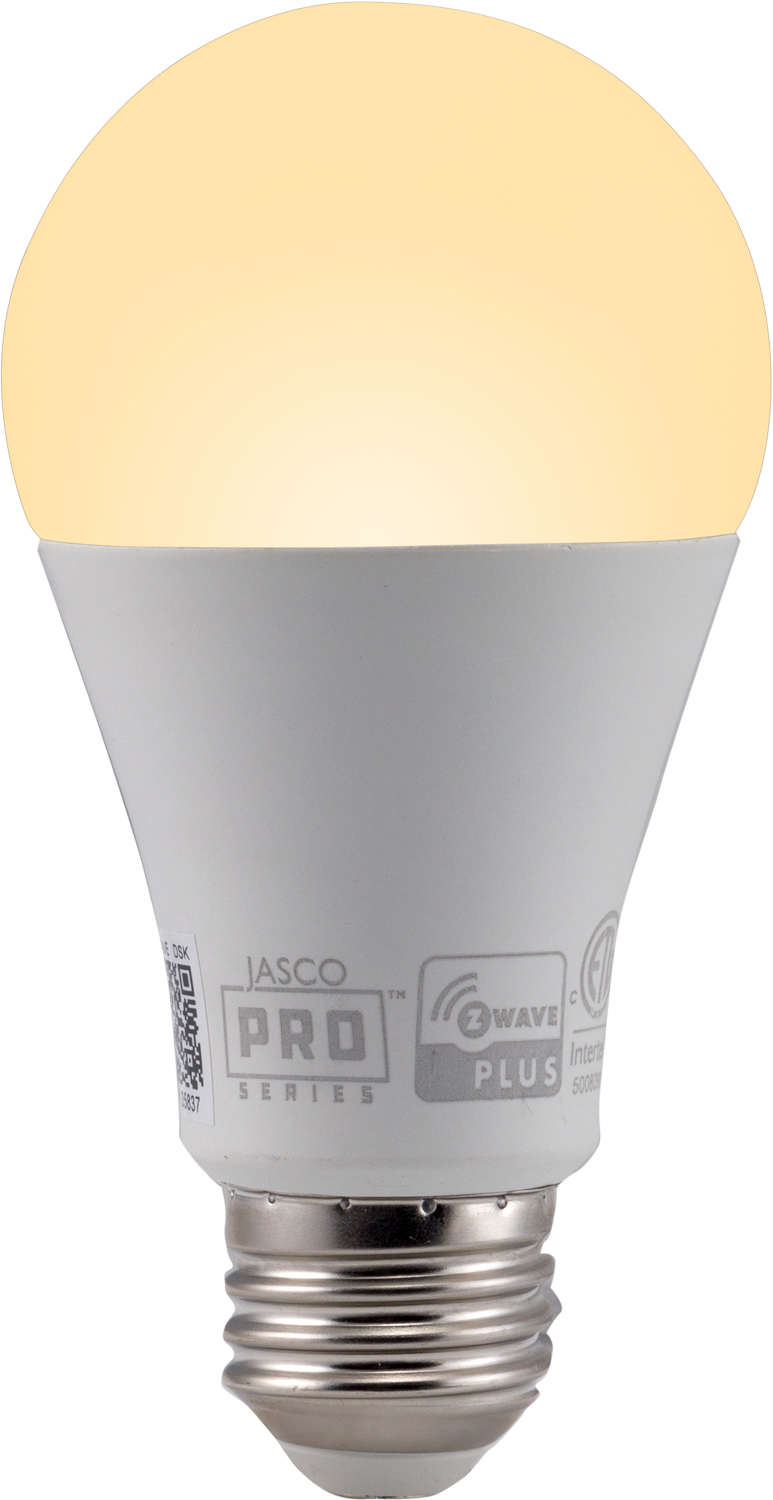
| Name | A19 LED Bulb |
|---|
| Short Description | JascoPro Z-Wave Plus® A19 60W Equivalent LED Bulb, 2700K, 800S |
|---|
| Long Description | Set the scene with the JascoPro Z-Wave Plus® Smart LED Bulb. When paired with a compatible hub, the smart bulb supports ON/OFF, dimming capabilities, programmed settings, and OTA updates. Wirelessly control lamps, sconces, ceiling lights and other fixtures that use standard A19 bulbs for effortless management of your home. Your automation possibilities are seemingly infinite when connected to hubs from Ring, SmartThings, Hubitat, Vivint, HomeSeer, Honeywell, Fibaro, Trane, ADT, Vera, eZLO, Home Assistant, and more! |
|---|
| Brand | JascoPro |
|---|
| Product Identifier | 76609/ZWT7106 |
|---|
| Product Line | Smart Light Bulbs |
|---|
| OEM Version | HW: 01 FW: 08.11:02.01 |
|---|
| Hardware Platform | ZGM230SA |
|---|
| Z-Wave Version | 7.18.2 |
|---|
| Library Type | END_NODE_ENHANCED_232 |
|---|
| Device Type | Multilevel Switch DT |
|---|
| Role Type | ROLE_TYPE_END_NODE_ALWAYS_ON |
|---|
| Manufacturer ID | 0x0063 |
|---|
| Product Type ID | 0x4C42 |
|---|
| Product ID | 0x3037 |
|---|
| User Icon | 0x0600 |
|---|
| Installer Icon | 0x0600 |
|---|
| Frequency Plans | US: 916.00MHz, 908.40MHz |
|---|
| Categories | All Lighting Devices, Dimming Lighting Devices, Lighting Accessories |
|---|
| Countries / Regions | United States of America |
|---|
| Supported Command Classes | | Identifier | Name | Key | Version |
|---|
| COMMAND_CLASS_ASSOCIATION_V2 | Association V2 | 0x85 | 2 | | COMMAND_CLASS_ASSOCIATION_GRP_INFO_V3 | Association Group Information (AGI) V3 | 0x59 | 3 | | COMMAND_CLASS_DEVICE_RESET_LOCALLY | Device Reset Locally | 0x5A | 1 | | COMMAND_CLASS_FIRMWARE_UPDATE_MD_V5 | Firmware Update Meta Data V5 | 0x7A | 5 | | COMMAND_CLASS_INDICATOR_V3 | Indicator V3 | 0x87 | 3 | | COMMAND_CLASS_MANUFACTURER_SPECIFIC_V2 | Manufacturer Specific V2 | 0x72 | 2 | | COMMAND_CLASS_MULTI_CHANNEL_ASSOCIATION_V3 | Multi Channel Association V3 | 0x8E | 3 | | COMMAND_CLASS_VERSION_V3 | Version V3 | 0x86 | 3 | | COMMAND_CLASS_ZWAVEPLUS_INFO_V2 | Z-Wave Plus Info V2 | 0x5E | 2 | | COMMAND_CLASS_SECURITY_2 | Security 2 | 0x9F | 1 | | COMMAND_CLASS_SUPERVISION | Supervision | 0x6C | 1 | | COMMAND_CLASS_TRANSPORT_SERVICE_V2 | Transport Service V2 | 0x55 | 2 | | COMMAND_CLASS_POWERLEVEL | Powerlevel | 0x73 | 1 | | COMMAND_CLASS_SWITCH_MULTILEVEL_V4 | Multilevel Switch V4 | 0x26 | 4 | | COMMAND_CLASS_BASIC_V2 | Basic V2 | 0x20 | 2 | | COMMAND_CLASS_CONFIGURATION_V4 | Configuration V4 | 0x70 | 4 | | COMMAND_CLASS_APPLICATION_STATUS | Application Status | 0x22 | 1 |
|
|---|
| S2 Classes | S2_AUTHENTICATED, S2_UNAUTHENTICATED |
|---|
| Documents | |
|---|
| Features | | Feature | Values |
|---|
| Firmware Updatable | | Value |
|---|
| Updatable by Consumer by RF |
|
|
|---|
| Association Groups | | Group Number | Maximum Nodes Supported | End Point ID | Group Name | Profile |
|---|
| 1 | 5 | 0 | Lifeline | 0x0001 |
|
|---|
| Configuration Parameters | | Parameter Number | Name | Description | Format | Size | Min Value | Max Value | Default Value |
|---|
| 1 | Dim Level | Dim level when light bulb is turned ON | 0 | 1 | 0 | 0 | 0x00 | | 6 | Enable/Disable Ramping when power is restored to bulb | Enable/Disable Ramping when power is restored to bulb. 0 (default): do not ramp, turn instantly to appropriate level when power is restored. 1: perform dimming ramping behavior to appropriate level when power is restored | 0 | 1 | 0 | 0 | 0x00 |
|
|---|
| Texts | | ID | Description | Value |
|---|
| 8 | Where to find S2 DSK on product | Under the 'Z-Wave SmartStart Inclusion' subheading under the 'Adding Your Device To a Z-Wave Network' section | | 1 | Classic Inclusion | To change to classic inclusion mode, turn bulb OFF, then ON three times. The bulb rapidly flashes four times to indicate classic mode. | | 2 | Classic Exclusion | Once the controller is ready to remove your device, turn bulb OFF, then ON three times. The smart bulb flashes twice when removed from the network. | | 5 | Factory Reset Procedure | Turn the switch off, pause one second, then turn back ON. Repeat three times (four times total). The smart bulb flashes twice when reset. |
|
|---|
| Supports NWI | Yes |
|---|
| Supports Explorer Frames | Yes |
|---|
| Supports SmartStart | Yes |
|---|