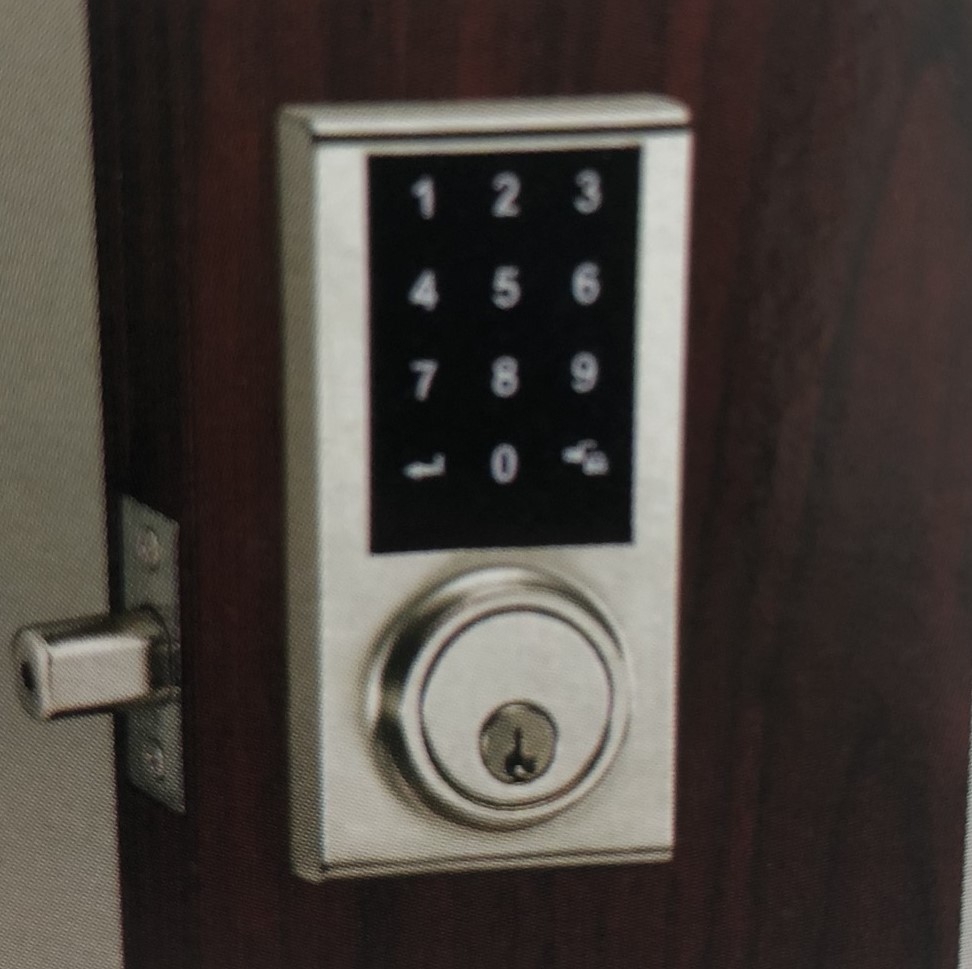
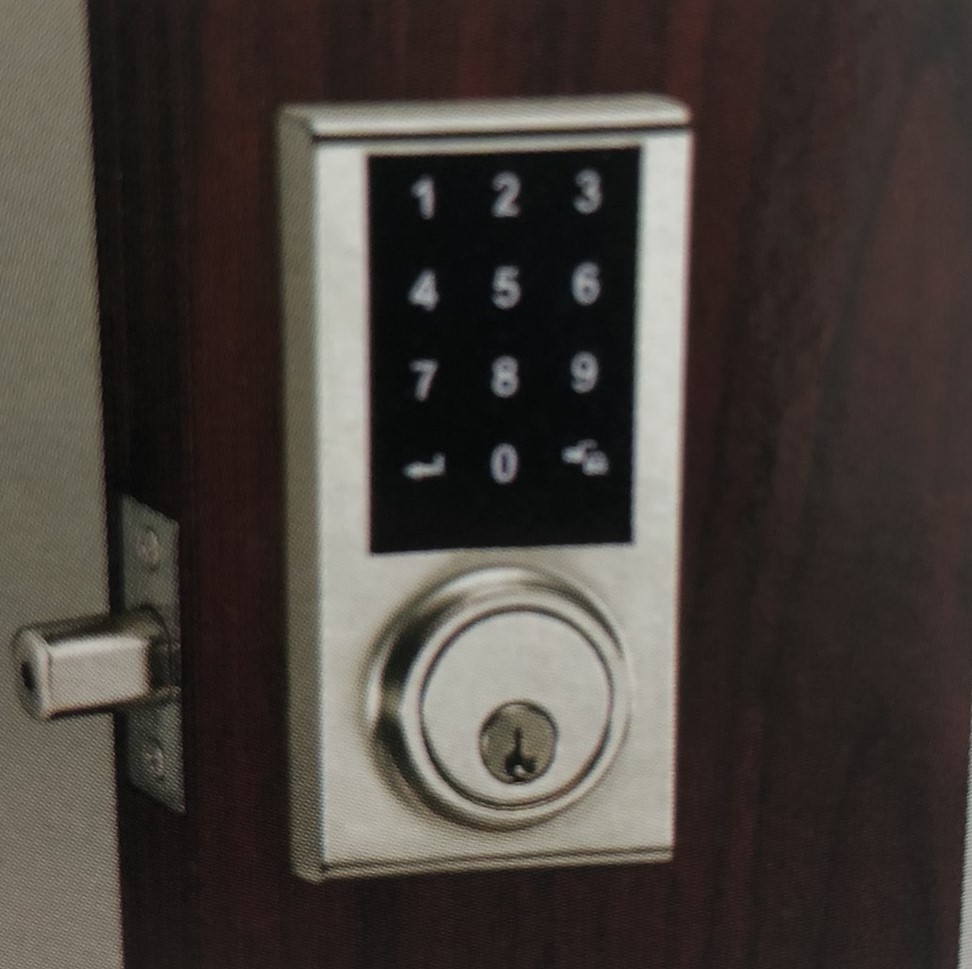
Product Recognition | |
|---|
Certification Number | ZC10-18076194 |
|---|
Name | DoorLock |
|---|
Short Description | This doorlock PSA03 is a security enabled wireless device, based on Z-Wave technology, |
|---|
Long Description | This doorlock PSA03 is a security enabled wireless device, based on Z-Wave technology,It can open/close door via wireless controll , and can set/remove usercode.when manually open/ close door, it can report . low battery warning it can report. |
|---|
Brand | Philio Technology |
|---|
Product Identifier | PSA03-US |
|---|
OEM Version | HW: 255 FW: 0.10 |
|---|
Hardware Platform | SD3502 |
|---|
Z-Wave Version | 6.81.01 |
|---|
Library Type | SLAVE_ENHANCED_232 |
|---|
Device Type | Door Lock - Keypad |
|---|
Role Type | ROLE_TYPE_SLAVE_SLEEPING_LISTENING |
|---|
Manufacturer ID | 0x013C |
|---|
Product Type ID | 0x000A |
|---|
Product ID | 0x0069 |
|---|
User Icon | 0x0300 |
|---|
Installer Icon | 0x0300 |
|---|
Frequency Plans | US: 916.00MHz, 908.40MHz |
|---|
Categories | Locks |
|---|
Countries / Regions | United States of America |
|---|
Supported Command Classes | Identifier | Name | Key | Version |
|---|
COMMAND_CLASS_FIRMWARE_UPDATE_MD_V4 | Firmware Update Meta-Data V4 | 0x7A | 4 | COMMAND_CLASS_POWERLEVEL | Powerlevel | 0x73 | 1 | COMMAND_CLASS_USER_CODE | User Code | 0x63 | 1 | COMMAND_CLASS_DOOR_LOCK_V2 | Door Lock V2 | 0x62 | 2 | COMMAND_CLASS_MULTI_CHANNEL_ASSOCIATION_V3 | Multi-Channel Association V3 | 0x8E | 3 | COMMAND_CLASS_BATTERY | Battery | 0x80 | 1 | COMMAND_CLASS_SECURITY | Security S0 | 0x98 | 1 | COMMAND_CLASS_TRANSPORT_SERVICE_V2 | Transport Service V2 | 0x55 | 2 | COMMAND_CLASS_DEVICE_RESET_LOCALLY | Device Reset Locally | 0x5A | 1 | COMMAND_CLASS_ZWAVEPLUS_INFO_V2 | Z-Wave Plus Info V2 | 0x5E | 2 | COMMAND_CLASS_ASSOCIATION_V2 | Association V2 | 0x85 | 2 | COMMAND_CLASS_ASSOCIATION_GRP_INFO | Association Group Info | 0x59 | 1 | COMMAND_CLASS_SECURITY_2 | Security S2 | 0x9F | 1 | COMMAND_CLASS_VERSION_V3 | Version V3 | 0x86 | 3 | COMMAND_CLASS_SUPERVISION | Supervision | 0x6C | 1 | COMMAND_CLASS_MANUFACTURER_SPECIFIC_V2 | Manufacturer Specific V2 | 0x72 | 2 |
|
|---|
S2 Classes | S2_ACCESS_CONTROL |
|---|
Documents | Category | Description | File |
|---|
Manual_Primary_Lang | Product or Owner's Manual | |
|
|---|
Features | Feature | Values |
|---|
Door Lock Type | |
|
|---|
Association Groups | Group Number | Maximum Nodes Supported | End Point ID | Description |
|---|
2 | 5 | 0 | Group 2 name:Doorlock Op
Group 2 command list:
COMMAND_CLASS_DOOR_LOCK_V2, | 1 | 5 | 0 | Group 1 name:Lifename
Group 1 command list:
COMMAND_CLASS_BATTERY,
COMMAND_CLASS_DOOR_LOCK_V2,
COMMAND_CLASS_DEVICE_RESET_LOCALLY |
|
|---|
Texts | ID | Description | Value |
|---|
1 | Inclusion | 1.check Z-WaveTM Controller entered inclusion mode.
2.Press the Add/Remove function
“enterPC” is enter “0000”(default)
enterPC->enter-> 1 -> 0 ->enter
3.After add successful, it will have twice beep sounds.if inclusion fail it will have five beep.
Notice 1 : if you reset doorlock ,you have to do OPERATING INSTRUCTION no.1(door handling identification process )
Notice 2:if Door lock in learn mode,device can stop on operation setting mode,until success include or 60s time out. | 2 | Exclusion | 1.check Z-WaveTM Controller entered exclusion mode.
2.Press the Add/Remove function
“enterPC” is enter “0000”(default)
enterPC->enter-> 1 -> 0 ->enter
3.After remove successful, it will have twice beep sounds.if exclusion fail it will have five beep.
Notice 1 : if you reset doorlock ,you have to do OPERATING INSTRUCTION no.1(door handling identification process )
Notice 2:if Door lock in learn mode,device can stop on operation setting mode,until success include or 60s time out. | 5 | Factory Reset | 1.Press the black key in battery cover, and until 5s time up.device can beep two times.
2.Device can send resetlocally notification
note : Please use this procedure only when the network primary controller is missing or otherwise inoperable. |
|
|---|
Supports NWI | Yes |
|---|
Supports Explorer Frames | Yes |
|---|
Is Flirs | Yes |
|---|
Supports SmartStart | Yes |
|---|
Radio Range Z-Wave (m) | 40 |
|---|