Product Recognition | |
|---|
Certification Number | ZC10-18026024 |
|---|
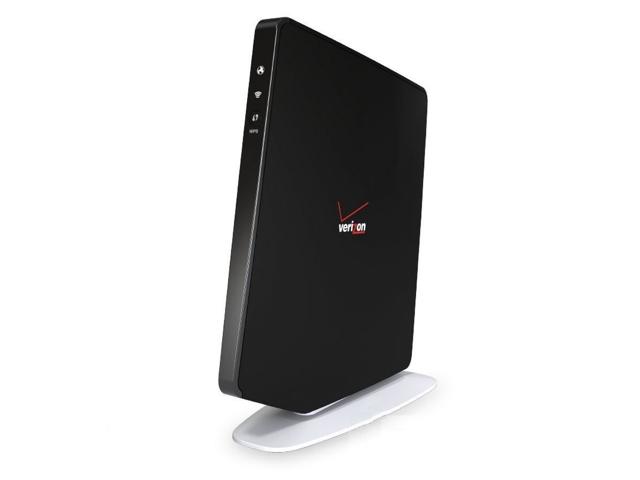
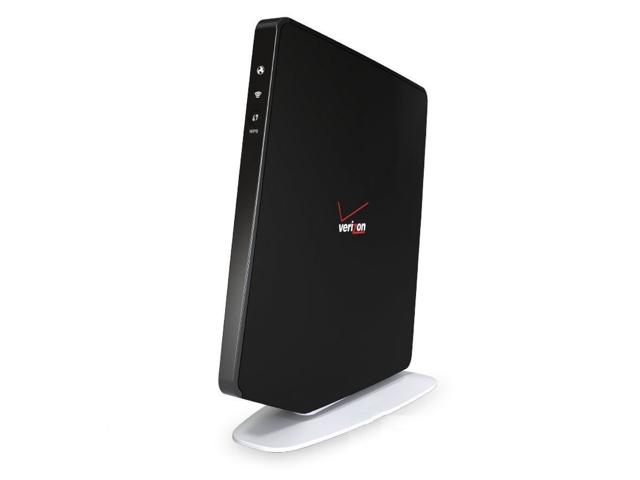
Name | Fios Quantum Gateway |
|---|
Short Description | The Verizon Fios Quantum Gateway (Fios-G1100 ) lets you transmit and distribute digital entertainment and information to multiple devices in your home or office. |
|---|
Long Description | The Verizon Fios Quantum Gateway (Fios-G1100 ) lets you transmit and distribute digital entertainment and information to multiple devices in your home or office. Your gateway acts as an IoT hub for connecting Z-Wave devices and supports networking using cables, Ethernet, or Wi-Fi, making it one of the most versatile and powerful gateway routers available. |
|---|
Brand | Verizon |
|---|
Product Identifier | Fios-G1100-v1 |
|---|
OEM Version | HW: 1 FW: 5.10:02.25:01.00:01.00 |
|---|
Hardware Platform | SD3502 |
|---|
Z-Wave Version | 6.61.00 |
|---|
Library Type | CONTROLLER_BRIDGE |
|---|
Device Type | Central Controller |
|---|
Role Type | ROLE_TYPE_CONTROLLER_CENTRAL_STATIC |
|---|
Manufacturer ID | 0x030C |
|---|
Product Type ID | 0x0001 |
|---|
Product ID | 0xA101 |
|---|
User Icon | 0x0100 |
|---|
Installer Icon | 0x0100 |
|---|
Frequency Plans | US: 916.00MHz, 908.40MHz |
|---|
Categories | All Controllers, Gateway Controller |
|---|
Countries / Regions | United States of America |
|---|
Supported Command Classes | Identifier | Name | Key | Version |
|---|
COMMAND_CLASS_POWERLEVEL | Powerlevel | 0x73 | 1 | COMMAND_CLASS_APPLICATION_STATUS | Application Status | 0x22 | 1 | COMMAND_CLASS_CRC_16_ENCAP | CRC16 Encapsulation | 0x56 | 1 | COMMAND_CLASS_SECURITY | Security S0 | 0x98 | 1 | COMMAND_CLASS_VERSION_V2 | Version V2 | 0x86 | 2 | COMMAND_CLASS_DEVICE_RESET_LOCALLY | Device Reset Locally | 0x5A | 1 | COMMAND_CLASS_ZWAVEPLUS_INFO_V2 | Z-Wave Plus Info V2 | 0x5E | 2 | COMMAND_CLASS_ASSOCIATION_V2 | Association V2 | 0x85 | 2 | COMMAND_CLASS_ASSOCIATION_GRP_INFO | Association Group Info | 0x59 | 1 | COMMAND_CLASS_MANUFACTURER_SPECIFIC_V2 | Manufacturer Specific V2 | 0x72 | 2 |
|
|---|
Controlled Command Classes | Identifier | Name | Key | Version |
|---|
COMMAND_CLASS_POWERLEVEL | Powerlevel | 0x73 | 1 | COMMAND_CLASS_THERMOSTAT_FAN_MODE_V4 | Thermostat Fan Mode V4 | 0x44 | 4 | COMMAND_CLASS_THERMOSTAT_OPERATING_STATE_V2 | Thermostat Operating State V2 | 0x42 | 2 | COMMAND_CLASS_MULTI_CHANNEL_ASSOCIATION_V3 | Multi-Channel Association V3 | 0x8E | 3 | COMMAND_CLASS_BATTERY | Battery | 0x80 | 1 | COMMAND_CLASS_SWITCH_BINARY | Switch Binary | 0x25 | 1 | COMMAND_CLASS_BASIC | Basic | 0x20 | 1 | COMMAND_CLASS_CONFIGURATION | Configuration | 0x70 | 1 | COMMAND_CLASS_CRC_16_ENCAP | CRC16 Encapsulation | 0x56 | 1 | COMMAND_CLASS_SECURITY | Security S0 | 0x98 | 1 | COMMAND_CLASS_THERMOSTAT_FAN_STATE_V2 | Thermostat Fan State V2 | 0x45 | 2 | COMMAND_CLASS_THERMOSTAT_MODE_V3 | Thermostat Mode V3 | 0x40 | 3 | COMMAND_CLASS_THERMOSTAT_SETPOINT_V3 | Thermostat Setpoint V3 | 0x43 | 3 | COMMAND_CLASS_VERSION_V2 | Version V2 | 0x86 | 2 | COMMAND_CLASS_WAKE_UP_V2 | Wake Up V2 | 0x84 | 2 | COMMAND_CLASS_ZWAVEPLUS_INFO_V2 | Z-Wave Plus Info V2 | 0x5E | 2 | COMMAND_CLASS_BARRIER_OPERATOR | Barrier Operator | 0x66 | 1 | COMMAND_CLASS_ASSOCIATION_V2 | Association V2 | 0x85 | 2 | COMMAND_CLASS_SENSOR_MULTILEVEL_V10 | Sensor Multilevel V10 | 0x31 | 10 | COMMAND_CLASS_ASSOCIATION_GRP_INFO | Association Group Info | 0x59 | 1 | COMMAND_CLASS_MULTI_CHANNEL_V4 | Multi-Channel V4 | 0x60 | 4 | COMMAND_CLASS_SWITCH_MULTILEVEL_V4 | Switch Multilevel V4 | 0x26 | 4 | COMMAND_CLASS_NOTIFICATION_V8 | Notification V8 | 0x71 | 8 | COMMAND_CLASS_DOOR_LOCK_V3 | Door Lock V3 | 0x62 | 3 | COMMAND_CLASS_SWITCH_COLOR | Switch Color | 0x33 | 1 | COMMAND_CLASS_MANUFACTURER_SPECIFIC_V2 | Manufacturer Specific V2 | 0x72 | 2 |
|
|---|
Documents | Category | Description | File |
|---|
Manual_Primary_Lang | Product or Owner's Manual | |
|
|---|
Features | Feature | Values |
|---|
Thermostat Modes | | Supported Notification Types | Value |
|---|
Smoke Alarm | CO Alarm | CO2 Alarm | Home Security | Power Management |
| Sensors | Value |
|---|
Motion/No Motion (Binary) | Air Temperature | Open/Closed (Binary) |
|
|
|---|
Association Groups | Group Number | Maximum Nodes Supported | End Point ID | Description |
|---|
1 | 5 | 0 | Z-Wave Plus Lifeline |
|
|---|
Texts | ID | Description | Value |
|---|
3 | Learn Mode (adding another controller) | Bring up Verizon Connected Home mobile application (“CoHo App”). Navigate to the “Z-Wave Troubleshooting” page in one of the following ways: a) Triple bar icon -> Support -> “Z-Wave Troubleshooting”. b) Triple bar icon -> Device Screen -> Axon gateway -> “Z-Wave Troubleshooting Tools”.
From there, press “Learn Mode” button to enter learning mode to enable the BHR router to be added to another Z-Wave controller network. | 23 | Controller Inclusion | Bring up Verizon Connected Home mobile application (“CoHo App”). Proceed to the Device Screen. Press the “+” icon in the top left of the screen. Locate and select your device from the list. Walk through the instructions. Follow device instructions to place your device into Z-Wave inclusion mode. Wait for the device to be added to the system. Name the device. Follow prompts to configure device controls, permissions, and notifications. | 24 | Controller Exclusion | Bring up Verizon Connected Home mobile application (“CoHo App”). Proceed to the Device Screen. Locate and select your named device from the list. Go to settings. Find and click the red “Delete this device from CoHo” button (scrolling down may be necessary). Confirm removal and initiate exclusion flow through device instructions. | 5 | Factory Reset | Bring up Verizon Connected Home mobile application (“CoHo App”). Navigate to the “Z-Wave Troubleshooting” page in one of the following ways: a) Triple bar icon -> Support -> “Z-Wave Troubleshooting”. b) Triple bar icon -> Device Screen -> Axon gateway -> “Z-Wave Troubleshooting Tools”.
From there, press “Reset” button, to reset the Z-Wave network, this will remove all devices from the controller.
BHR is the primary controller for Z-Wave network, resetting it will result in the nodes in your network being orphaned and it will be necessary after the reset to exclude and re-include all of the nodes in the network. |
|
|---|
Supports NWI | Yes |
|---|
Supports Explorer Frames | Yes |
|---|