Product Recognition | |
|---|
Certification Number | ZC10-17055585 |
|---|
Name | ID Lock 101 |
|---|
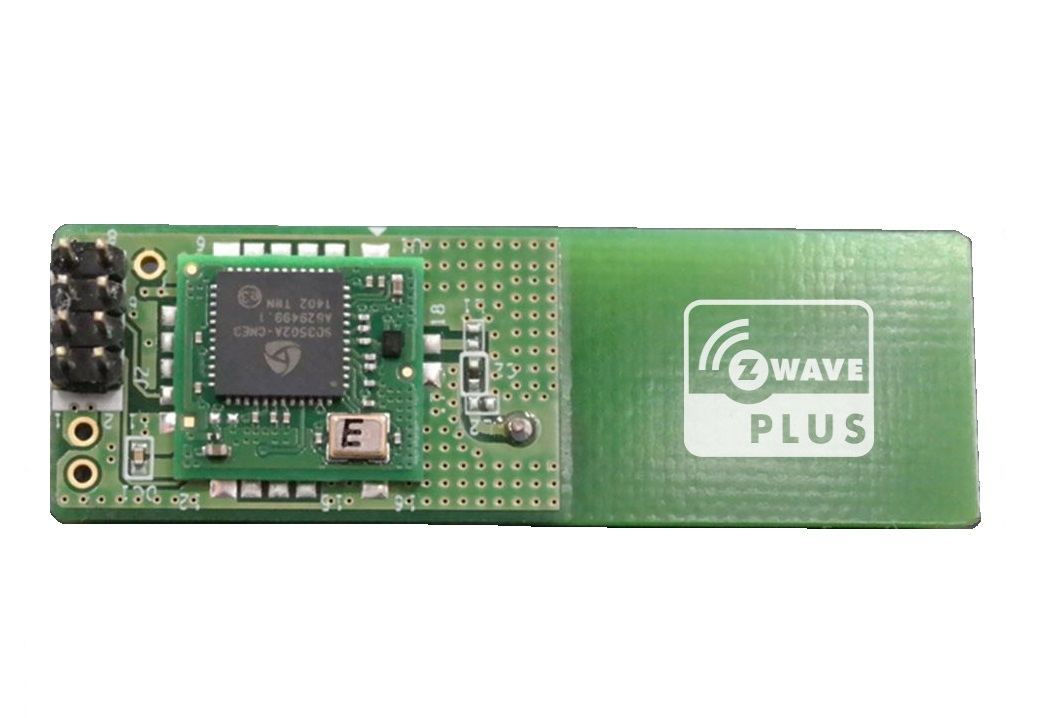
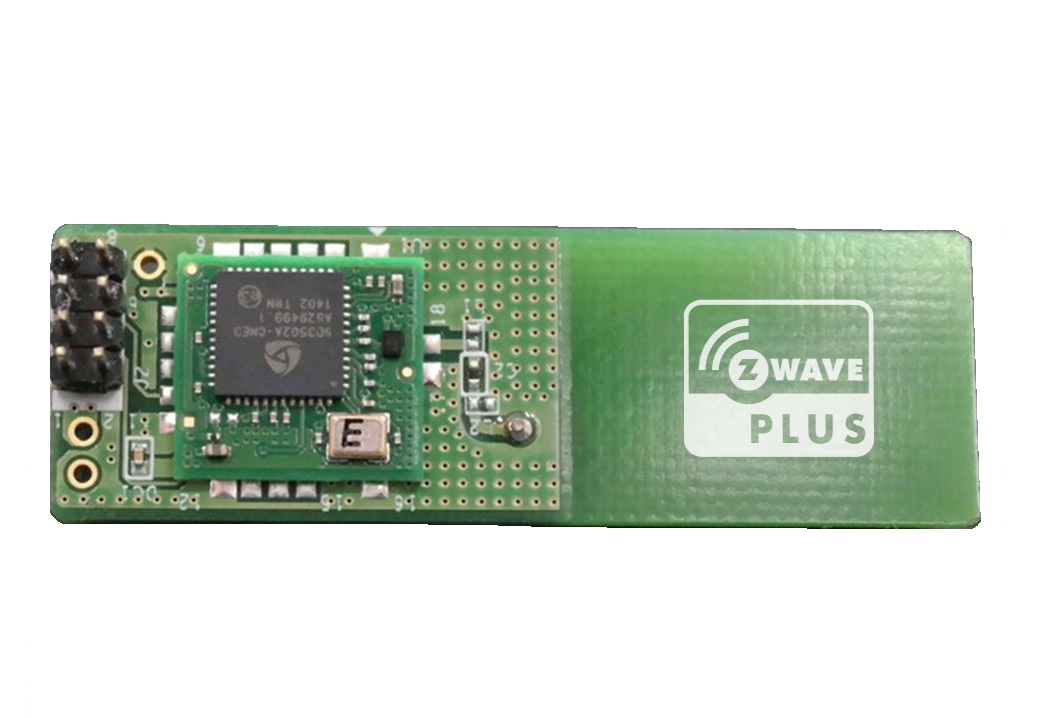
Short Description | Z-Wave Plus module compatible with ID Lock digital doorlock.
www.idlock.no |
|---|
Long Description | UART console communication module turns your ID Lock digital doorlock into a Z-Wave Plus enabled digital doorlock.
It enables your ID Lock to operate in a Z-Wave network with numerous access control funtions and notifications. |
|---|
Brand | ID Lock |
|---|
Product Identifier | ID-101 |
|---|
OEM Version | HW: 1 FW: 1.00 |
|---|
Hardware Platform | ZM5202 |
|---|
Z-Wave Version | 6.51.06 |
|---|
Library Type | SLAVE_ENHANCED_232 |
|---|
Device Type | Door Lock - Keypad |
|---|
Role Type | ROLE_TYPE_SLAVE_SLEEPING_LISTENING |
|---|
Manufacturer ID | 0x0230 |
|---|
Product Type ID | 0x0030 |
|---|
Product ID | 0x0001 |
|---|
User Icon | 0x0300 |
|---|
Installer Icon | 0x0300 |
|---|
Frequency Plans | EU: 869.85MHz, 868.40MHz |
|---|
Categories | Locks |
|---|
Countries / Regions | European Union |
|---|
Supported Command Classes | Identifier | Name | Key | Version |
|---|
COMMAND_CLASS_POWERLEVEL | Powerlevel | 0x73 | 1 | COMMAND_CLASS_USER_CODE | User Code | 0x63 | 1 | COMMAND_CLASS_DOOR_LOCK_V2 | Door Lock V2 | 0x62 | 2 | COMMAND_CLASS_BATTERY | Battery | 0x80 | 1 | COMMAND_CLASS_CONFIGURATION | Configuration | 0x70 | 1 | COMMAND_CLASS_SECURITY | Security S0 | 0x98 | 1 | COMMAND_CLASS_VERSION_V2 | Version V2 | 0x86 | 2 | COMMAND_CLASS_DEVICE_RESET_LOCALLY | Device Reset Locally | 0x5A | 1 | COMMAND_CLASS_ZWAVEPLUS_INFO_V2 | Z-Wave Plus Info V2 | 0x5E | 2 | COMMAND_CLASS_ASSOCIATION_V2 | Association V2 | 0x85 | 2 | COMMAND_CLASS_ASSOCIATION_GRP_INFO | Association Group Info | 0x59 | 1 | COMMAND_CLASS_FIRMWARE_UPDATE_MD_V2 | Firmware Update Meta-Data V2 | 0x7A | 2 | COMMAND_CLASS_MANUFACTURER_SPECIFIC_V2 | Manufacturer Specific V2 | 0x72 | 2 | COMMAND_CLASS_NOTIFICATION_V4 | Notification V4 | 0x71 | 4 |
|
|---|
Documents | Category | Description | File |
|---|
Manual_Primary_Lang | Product or Owner's Manual | |
|
|---|
Features | Feature | Values |
|---|
Door Lock Type | Value |
|---|
Deadbolt Motor Attachment |
| Firmware Updatable | Value |
|---|
Updatable by Consumer by RF |
| IP (Ingress Protection) Rated | | Outdoor Use | | Sensors | Value |
|---|
Air Temperature | Open/Closed (Binary) | Voltage | RF Signal Strength |
| Supported Notification Types | | Battery Quantity | | Battery Type | |
|
|---|
Association Groups | Group Number | Maximum Nodes Supported | End Point ID | Description |
|---|
1 | 5 | 0 | Z-Wave Plus Lifeline |
|
|---|
Configuration Parameters | Parameter Number | Name | Description | Format | Size | Min Value | Max Value | Default Value | Parameter Values |
|---|
2 | RFID Configuration Set and Report | This parameter configures RFID cards to work with the door lock by setting the parameter to specific values. After setting an RFID card to the door lock, the result and configuration can be read. | 0 | 2 | 0 | 0 | 0 | From | To | Description |
|---|
4 | 4 | RFID Card Registration Mode Finished | 2 | 2 | RFID Registration Failed | 1 | 1 | Begin RFID Card Registration | 3 | 3 | Successful RFID Card Registration - 2nd byte contains Index Number | 5 | 5 | RFID Card Registration Mode was not started | 6 | 6 | RFID Card Registration Mode In Progress |
| 1 | Doorlock mode | Doorlock operational behaviour | 0 | 1 | 0 | 0 | 0 | From | To | Description |
|---|
1 | 1 | Disabled Away mode and Automatic locking mode | 2 | 2 | Away mode and Manual locking mode | 3 | 3 | Away mode and Automatic locking mode | 0 | 0 | Disabled Away mode and Manual locking mode |
| 10 | Retrieve Registered User ID information | Configuration GET for retriving UID information Retrival of registered UIDs on parameter number 10 to 59 Parameter number is representing UID index Ex. UID index 1 = parameter 10 UID index 50 = parameter 59 | 0 | 4 | 0 | 0 | 0 | From | To | Description |
|---|
10 | 59 | RFID Card Index Number + 9 |
|
|
|---|
Texts | ID | Description | Value |
|---|
4 | Device Wake-Up | Activate by touching numpad with two fingers or handpalm | 6 | Additional Special Features | Notification parameter in COMMAND_CLASS_NOTIFICATION_V4
Events:
- Manual Unlock Operation (0x02)
- Remote Unlock Operation (0x04)
- Keypad Unlock Operation (0x06)
- Unlock Request by Unknown User Code (0x014)
- Forced Open Alarm (0x03)
- Fire Alarm (0x0A) | 1 | Inclusion | Inclusion – (Puts your device in inclusion mode)
• Push and hold button until all LEDs on keypad activates. (with ID Lock in an unlocked state)
• Release button and press “8” on keypad.
Inclusion mode starts immediately. LED indicator below logo signals this by flashing blue. | 5 | Factory Reset | Device reset – (This will reset RF interface module to factory default settings)
Warning: Please do only proceed with the following reset procedure, if primary network controller is missing or otherwise
inoperable.
RESET Z-WAVE MODULE:
Activate doorlock service menu, by holding inside push button for 5sec while door is in OPEN state.
Outside touchpanel activates > Push ""0""
FACTORY RESET DOORLOCK FIRMWARE:
1. Push innside pushbutton continously for five Seconds after inserting batteries.
2. Receive reset sound
3. Receive confirmation sound | 2 | Exclusion | Exclusion – (Puts your device in exclusion mode)
• Push and hold button until all LEDs on keypad activates. (with ID Lock in an unlocked state)
• Release button and press “8” on keypad.
Exclusion mode starts immediately. LED indicator below logo signals this by flashing blue. |
|
|---|
Supported Notification Types | Notification Type | Event / State |
|---|
Access Control | (Refer to parameters): State idle |
|
|---|
Supported Multilevel Sensors | Multilevel Sensor Type |
|---|
Air temperature | General purpose | Voltage | RF signal strength |
|
|---|
Supports NWI | Yes |
|---|
Supports Explorer Frames | Yes |
|---|
Is Flirs | Yes |
|---|