
Product Recognition | |
|---|---|
Certification Number | ZC10-18036051 |
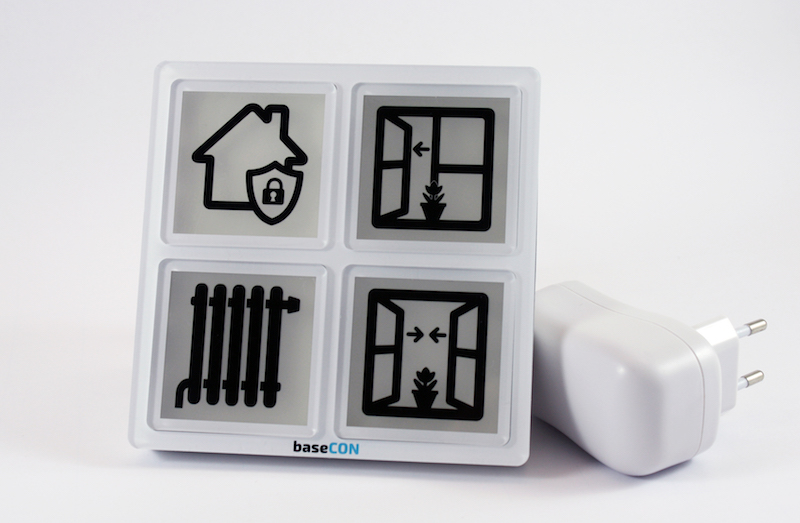
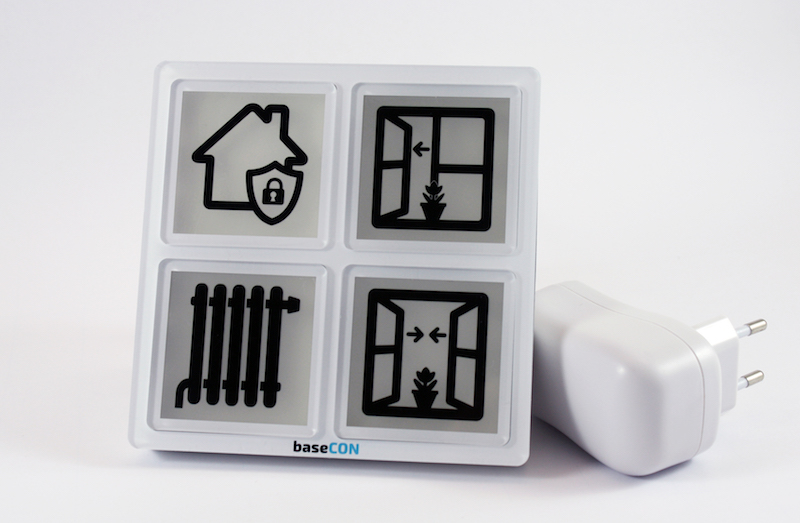
Name | simple room display |
Short Description | The room display is a four-way button with integrated RGB LED lighting and MP3 player for switching and displaying states of Z-Wave network components or system functions. In addition, the room display includes a temperature and humidity sensor. The function of the individual keys is indicated by an exchangeable symbol (foil). |
Long Description | The room display is a four-way button with integrated RGB LED lighting and MP3 player for switching (e.g. socket module ...) and displaying states of Z-Wave network components or system functions. When a key is pressed, a notification message frame is sent with the information - key number, number of actuations. The LED RGB illumination of the buttons can be controlled via the Z-Wave controller. Currently, in the standard version of the room display three sounds are stored in the MP3 player and can be activated via the controller. In addition, the room display includes a temperature and humidity sensor. The measured values can be queried directly or / and transmitted cyclically (configurable from 1 minute to 254 minutes). The function of the individual keys is indicated by an exchangeable symbol (foil). The product is available as wall or table version. The room display is powered by a fixed power supply. It is a wide-range power supply (primary 100V-240V AC / secondary 12V / 1A DC). For wall mounting, it can be installed via a separate flush-mounted power supply unit. When installing via the flush-mounted power supply, the installation must be carried out by a specialist.
The room display can be used for various use cases. For example, an alarm function (window / door monitoring) can be realized via the room display. The buttons on the room display can be used to activate and deactivate the alarm function. In case of a triggered alarm, the room display can show the alarm with a visual and acoustic signal. It should be noted that the room display does not have its own intelligence, so the functionality must be realized via the Z-Wave controller. Other use cases are e.g. activate and deactivate scenarios, switch on and off a power module, reminder of appointments, medication,... . |
Brand | baseCON |
Product Identifier | 210003 |
OEM Version | HW: 1 FW: 1.01:01.01 |
Hardware Platform | ZM5202 |
Z-Wave Version | 6.71.01 |
Library Type | SLAVE_ROUTING |
Device Type | Wall Controller |
Role Type | ROLE_TYPE_SLAVE_ALWAYS_ON |
Manufacturer ID | 0x0348 |
Product Type ID | 0x0002 |
Product ID | 0x0003 |
User Icon | 0x1D04 |
Installer Icon | 0x1D04 |
Frequency Plans | EU: 869.85MHz, 868.40MHz |
Categories | Sensors, All Lighting Devices, On/Off Switches/Devices |
Countries / Regions | European Union |
Supported Command Classes | |
S2 Classes | S2_UNAUTHENTICATED |
Documents | |
Features | |
Association Groups | |
Configuration Parameters | |
Texts | |
Supports NWI | Yes |
Supports Explorer Frames | Yes |
Radio Range Z-Wave (m) | 40 |