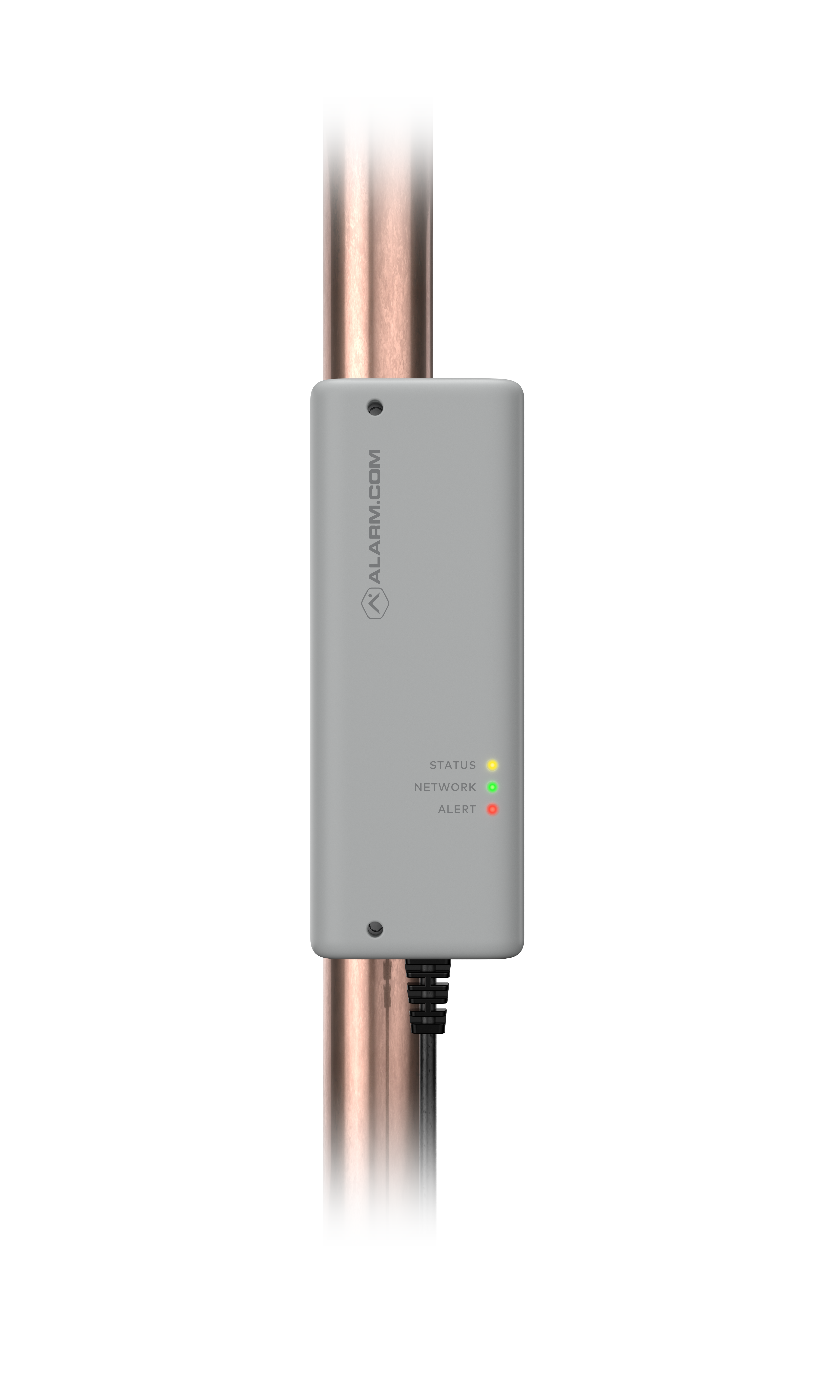
| Product Recognition | |
|---|
| Certification Number | ZC14-22080127 |
|---|
| Name | Smart H2O Monitor |
|---|
| Short Description | The Alarm.com Smart H2O Monitor is a non-intrusive water leakage detection device for residential and light commercial installation, giving property owners peace of mind. |
|---|
| Long Description | The Alarm.com Smart H2O Monitor is a non-intrusive water leakage detection device for residential and light commercial installation, giving property owners peace of mind. The Smart H2O Monitor supports whole home water leak detection and reporting to provide a comprehensive water solution. The primary use is for indoor-based water systems. Features include:
• Warnings for possible pipe freezes
• Prevent catastrophic water damage
• Whole-home leak detection and notification with a single device
• Provide alerts for leaks to prevent mold, water waste, and minor water damage
• Provide guidance on water flow rate to inform homeowners
• Provide monthly water usage data validation |
|---|
| Brand | Alarm.com |
|---|
| Product Identifier | ADC-SHM-100-A |
|---|
| Product Line | Test |
|---|
| OEM Version | HW: 01 FW: 00.25:00.20 |
|---|
| Hardware Platform | ZGM130S037HGN2 / ZGM130S037HGN1 |
|---|
| Z-Wave Version | 7.16.3 |
|---|
| Library Type | END_NODE_ENHANCED_232 |
|---|
| Device Type | Notification Sensor DT |
|---|
| Role Type | ROLE_TYPE_SLAVE_ALWAYS_ON |
|---|
| Manufacturer ID | 0x0094 |
|---|
| Product Type ID | 0x0007 |
|---|
| Product ID | 0x0004 |
|---|
| User Icon | 0x0C00 |
|---|
| Installer Icon | 0x0C00 |
|---|
| Frequency Plans | US: 916.00MHz, 908.40MHz, US_LR: 912.00MHz, 920.00MHz |
|---|
| Categories | Sensors, Water Valves & Irrigation |
|---|
| Countries / Regions | United States of America, Canada |
|---|
| Supported Command Classes | | Identifier | Name | Key | Version |
|---|
| COMMAND_CLASS_CONFIGURATION_V4 | Configuration V4 | 0x70 | 4 | | COMMAND_CLASS_METER_V2 | Meter V2 | 0x32 | 2 | | COMMAND_CLASS_SENSOR_MULTILEVEL_V11 | Multilevel Sensor V11 | 0x31 | 11 | | COMMAND_CLASS_NOTIFICATION_V8 | Notification V8 | 0x71 | 8 | | COMMAND_CLASS_ASSOCIATION_V2 | Association V2 | 0x85 | 2 | | COMMAND_CLASS_ASSOCIATION_GRP_INFO_V3 | Association Group Information (AGI) V3 | 0x59 | 3 | | COMMAND_CLASS_DEVICE_RESET_LOCALLY | Device Reset Locally | 0x5A | 1 | | COMMAND_CLASS_FIRMWARE_UPDATE_MD_V5 | Firmware Update Meta Data V5 | 0x7A | 5 | | COMMAND_CLASS_INDICATOR_V3 | Indicator V3 | 0x87 | 3 | | COMMAND_CLASS_MANUFACTURER_SPECIFIC_V2 | Manufacturer Specific V2 | 0x72 | 2 | | COMMAND_CLASS_MULTI_CHANNEL_ASSOCIATION_V3 | Multi Channel Association V3 | 0x8E | 3 | | COMMAND_CLASS_VERSION_V3 | Version V3 | 0x86 | 3 | | COMMAND_CLASS_ZWAVEPLUS_INFO_V2 | Z-Wave Plus Info V2 | 0x5E | 2 | | COMMAND_CLASS_SECURITY_2 | Security 2 | 0x9F | 1 | | COMMAND_CLASS_SUPERVISION | Supervision | 0x6C | 1 | | COMMAND_CLASS_TRANSPORT_SERVICE_V2 | Transport Service V2 | 0x55 | 2 | | COMMAND_CLASS_POWERLEVEL | Powerlevel | 0x73 | 1 |
|
|---|
| S2 Classes | S2_AUTHENTICATED, S2_UNAUTHENTICATED |
|---|
| Documents | |
|---|
| Association Groups | | Group Number | Maximum Nodes Supported | End Point ID | Group Name | Profile |
|---|
| 1 | 4 | 0 | Lifeline | 0x0001 |
|
|---|
| Configuration Parameters | | Parameter Number | Name | Description | Format | Size | Min Value | Max Value | Default Value | Read-only |
|---|
| 1 | HI_FLOW_THRESH | See manual | 1 | 1 | 0 | 0 | 0x1c | | | 2 | MED_FLOW_THRESH | See manual | 1 | 1 | 0 | 0 | 0x04 | | | 3 | LO_FLOW_THRESH | See manual | 1 | 1 | 0 | 0 | 0x13 | | | 4 | HI_FLOW_RESP | See manual | 3 | 1 | 0 | 0 | 0x04 | | | 5 | MED_FLOW_RESP | See manual | 3 | 1 | 0 | 0 | 0x04 | | | 6 | LO_FLOW_RESP | See manual | 3 | 1 | 0 | 0 | 0x04 | | | 7 | HI_FLOW_TIMER | See manual | 1 | 1 | 0 | 0 | 0x01 | | | 8 | MED_FLOW_TIMER | See manual | 1 | 1 | 0 | 0 | 0x28 | | | 9 | LO_FLOW_TIMER | See manual | 1 | 2 | 0 | 0 | 0x0002 | | | 41 | LO_FLOW_TIMER2 | See manual | 1 | 2 | 0 | 0 | 0x0004 | | | 65 | HI_FLOW_THRESH3 | See manual | 1 | 1 | 0 | 0 | 0x1e | | | 66 | MED_FLOW_THRESH3 | See manual | 1 | 1 | 0 | 0 | 0x06 | | | 67 | LO_FLOW_THRESH3 | See manual | 1 | 1 | 0 | 0 | 0x13 | | | 68 | HI_FLOW_RESP3 | See manual | 3 | 1 | 0 | 0 | 0x04 | | | 69 | MED_FLOW_RESP3 | See manual | 3 | 1 | 0 | 0 | 0x04 | | | 70 | LO_FLOW_RESP3 | See manual | 3 | 1 | 0 | 0 | 0x04 | | | 71 | HI_FLOW_TIMER3 | See manual | 1 | 1 | 0 | 0 | 0x01 | | | 72 | MED_FLOW_TIMER3 | See manual | 1 | 1 | 0 | 0 | 0x28 | | | 73 | LO_FLOW_TIMER3 | See manual | 1 | 2 | 0 | 0 | 0x0004 | | | 10 | LO_PTEMP_THRESH | See manual | 1 | 2 | 0 | 0 | 0x0028 | | | 11 | HI_PTEMP_THRESH | See manual | 1 | 2 | 0 | 0 | 0x028a | | | 46 | ULTRASONIC_FREQ | See manual | 1 | 2 | 0 | 0 | 0x053c | | | 47 | PULSE_COUNT | See manual | 1 | 2 | 0 | 0 | 0x0008 | | | 48 | RX_GAIN | See manual | 1 | 1 | 0 | 0 | 0x34 | | | 49 | AGC_ENABLE | See manual | 1 | 1 | 0 | 0 | 0x01 | | | 50 | RX_ATTENUATE | See manual | 2 | 1 | 0 | 0 | 0x00 | | | 51 | ENV_THRESHOLD | See manual | 1 | 2 | 0 | 0 | 0x0021 | | | 52 | CAPTURE_START | See manual | 1 | 2 | 0 | 0 | 0x0048 | | | 53 | CAPTURE_WINDOW | See manual | 1 | 2 | 0 | 0 | 0x0014 | | | 56 | DTOF_OFFSET | See manual | 0 | 2 | 0 | 0 | 0x0000 | | | 58 | FLOW_DIRECTION | See manual | 1 | 1 | 0 | 0 | 0x00 | | | 60 | DTOF_NOISE | See manual | 1 | 2 | 0 | 0 | 0x0000 | Yes | | 54 | PIPE_INFO | See manual | 2 | 1 | 0 | 0 | 0xFF | | | 31 | PRD_CLEAR_TIME | See manual | 1 | 1 | 0 | 0 | 0x3C | | | 59 | PRD_MIN_THRESH | See manual | 1 | 1 | 0 | 0 | 0x64 | | | 86 | PRD_BUF_LENGTH | See manual | 1 | 1 | 0 | 0 | 0x08 | | | 17 | TEMP_GRANU | See manual | 1 | 1 | 0 | 0 | 0x14 | | | 64 | CALIBR_FEEDBACK | See manual | 3 | 2 | 0 | 0 | 0x0000 | Yes | | 81 | SELECT_PARAM_SET | See manual | 2 | 1 | 0 | 0 | 0x00 | | | 84 | DISABLE_MONITOR | See manual | 2 | 1 | 0 | 0 | 0x00 | | | 85 | DISABLE_TIMEOUT | See manual | 1 | 1 | 0 | 0 | 0x04 | | | 80 | RESET_DEVICE | See manual | 1 | 2 | 0 | 0 | 0x0000 | | | 82 | DISABLE_MULTIREP | See manual | 2 | 1 | 0 | 0 | 0x00 | |
|
|---|
| Texts | | ID | Description | Value |
|---|
| 8 | Where to find S2 DSK on product | In the box
• Smart H2O Monitor (with device DSK label) | | 1 | Classic Inclusion | Adding the Smart H2O Monitor to a Z-Wave network
For best results, we recommend bringing the Smart H2O Monitor closer to your Z-Wave controller.
1. Put the Z-Wave controller in Add mode. Refer to the controller’s documentation for more information.
2. Press the Network button on the side of the Smart H2O Monitor to begin the Add process. The Network LED on the unit will begin blinking.
After the Smart H2O Monitor is successfully added to the Z-Wave network, the Network LED on the control unit will turn solid green. If the Network LED is not illuminated after the Add process, repeat steps 1 and 2.
SmartStart enabled products can be added into a Z-Wave network by scanning the Z-Wave QR Code present on the product with a controller providing SmartStart inclusion. No further action is required and the SmartStart product will be added automatically within 10 minutes of being on in the network vicinity. | | 2 | Classic Exclusion | Removing the Smart H2O Monitor from the Z-Wave network
1. Put the Z-Wave controller in Remove mode. Refer to the controller’s documentation for more information.
2. Press the Network button on the side of the Smart H2O Monitor to begin the Remove process. The Network LED on the control unit will begin blinking.
3. After the Smart H2O Monitor is successfully removed from the network, the Network LED will turn off. If the Network LED is still illuminated after completing the Remove process, repeat steps 1 and 2. | | 5 | Factory Reset Procedure | Resetting the Smart H2O Monitor to factory default settings
CAUTION: Resetting the Smart H2O Monitor to its factory default settings will delete the device from the Z-Wave network and restore all settings to their default values.
Press and hold the Network button for 15 seconds. All 3 LEDs will blink until the factory reset is complete. Please use this procedure only when the network primary controller is missing or otherwise inoperable. |
|
|---|
| Supported / Controlled Meter Types | | Meter Type | Rate Type |
|---|
| Water meter | Import (consumed) |
|
|---|
| Supported Notification Types | | Notification Type | Event / State |
|---|
| Water Alarm | (Refer to parameters): State idle | | Water Alarm | Sensor status: Water leak detected | | Water Alarm | Water temperature alarm status: Water temperature alarm | | System | (Refer to parameters): State idle | | System | HW status: System hardware failure (manufacturer proprietary failure code provided) | | System | Heartbeat | | System | SW status: System software failure (manufacturer proprietary failure code provided) |
|
|---|
| Supported Multilevel Sensors | | Multilevel Sensor Type |
|---|
| Air temperature | | Water temperature | | Time | | Water flow |
|
|---|
| Supports NWI | Yes |
|---|
| Supports Explorer Frames | Yes |
|---|
| Supports SmartStart | Yes |
|---|