Product Recognition | |
|---|
Certification Number | ZC10-18046094 |
|---|
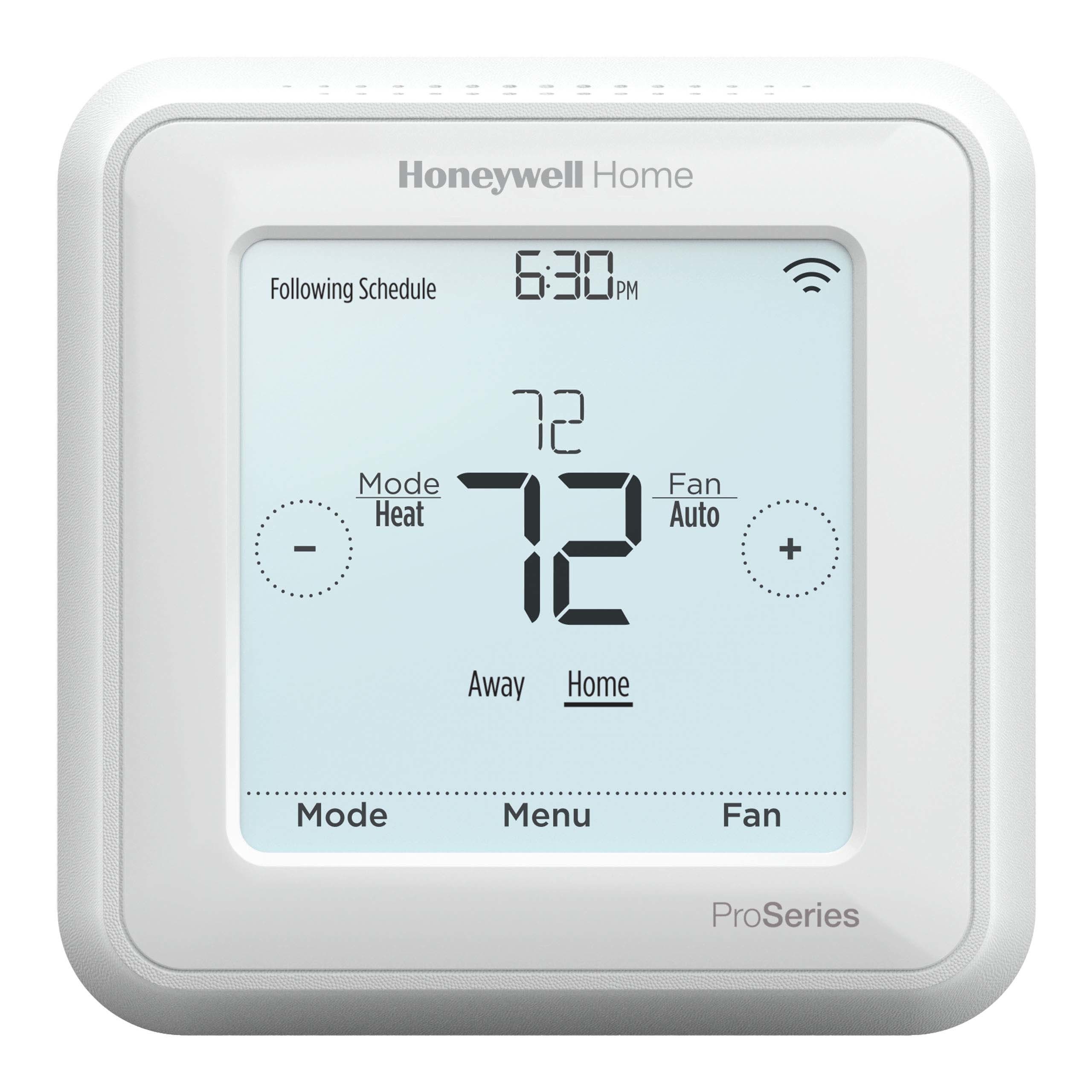
Name | T6 Pro Z-Wave Programmable Thermostat |
|---|
Short Description | Z-Wave Plus Programmable thermostat
3H/2C Heat pump or 2H/2C Conventional systems
3 x AA Battery or 24VAC powered
Large Easy-To-Read Touchscreen
Displays and report ambient temperature and % Relative indoor humidity |
|---|
Long Description | The Honeywell T6 Pro Z-Wave Programmable Thermostat is a Z-Wave Plus certified, universal thermostat capable to control up to three heat and two cool stages of heat pump, (incl. dual fuel heat pump systems) and up to two heat and two cool stages of conventional system (3H/2C HP, 2H/2C Conv.)
- 3 x AA battery or 24VAC powered
- Easy wiring, easy configuration
- Flexible local thermostat scheduling options
- Attractive look, large Easy-To-Read touchscreen
- Displays and reports ambient temperature and % Relative Indoor Humidity
- Displays and reports HVAC system status, battery power status, Z-Wave signal status
- Large amount of supported Z-Wave command classes
- Remotely configurable via Z-Wave configuration command class
- Advanced HVAC configuration parameters |
|---|
Brand | Honeywell Home (Resideo) |
|---|
Product Identifier | TH6320ZW2003 |
|---|
OEM Version | HW: 1 FW: 1.03:01.04 |
|---|
Hardware Platform | ZM5202 |
|---|
Z-Wave Version | 6.71.01 |
|---|
Library Type | SLAVE_ROUTING |
|---|
Device Type | Thermostat - HVAC |
|---|
Role Type | ROLE_TYPE_SLAVE_ALWAYS_ON |
|---|
Manufacturer ID | 0x0039 |
|---|
Product Type ID | 0x0011 |
|---|
Product ID | 0x0008 |
|---|
User Icon | 0x1202 |
|---|
Installer Icon | 0x1202 |
|---|
Frequency Plans | US: 916.00MHz, 908.40MHz |
|---|
Categories | Thermostats |
|---|
Countries / Regions | United States of America |
|---|
Supported Command Classes | Identifier | Name | Key | Version |
|---|
COMMAND_CLASS_CONFIGURATION_V4 | Configuration V4 | 0x70 | 4 | COMMAND_CLASS_SENSOR_MULTILEVEL_V5 | Sensor Multilevel V5 | 0x31 | 5 | COMMAND_CLASS_POWERLEVEL | Powerlevel | 0x73 | 1 | COMMAND_CLASS_CLOCK | Clock | 0x81 | 1 | COMMAND_CLASS_BATTERY | Battery | 0x80 | 1 | COMMAND_CLASS_THERMOSTAT_OPERATING_STATE | Thermostat Operating State | 0x42 | 1 | COMMAND_CLASS_THERMOSTAT_FAN_STATE | Thermostat Fan State | 0x45 | 1 | COMMAND_CLASS_BASIC | Basic | 0x20 | 1 | COMMAND_CLASS_THERMOSTAT_FAN_MODE_V3 | Thermostat Fan Mode V3 | 0x44 | 3 | COMMAND_CLASS_NOTIFICATION_V3 | Notification V3 | 0x71 | 3 | COMMAND_CLASS_THERMOSTAT_MODE_V3 | Thermostat Mode V3 | 0x40 | 3 | COMMAND_CLASS_THERMOSTAT_SETPOINT_V2 | Thermostat Setpoint V2 | 0x43 | 2 | COMMAND_CLASS_TRANSPORT_SERVICE_V2 | Transport Service V2 | 0x55 | 2 | COMMAND_CLASS_VERSION_V2 | Version V2 | 0x86 | 2 | COMMAND_CLASS_DEVICE_RESET_LOCALLY | Device Reset Locally | 0x5A | 1 | COMMAND_CLASS_ZWAVEPLUS_INFO_V2 | Z-Wave Plus Info V2 | 0x5E | 2 | COMMAND_CLASS_ASSOCIATION_V2 | Association V2 | 0x85 | 2 | COMMAND_CLASS_ASSOCIATION_GRP_INFO | Association Group Info | 0x59 | 1 | COMMAND_CLASS_SECURITY_2 | Security S2 | 0x9F | 1 | COMMAND_CLASS_SUPERVISION | Supervision | 0x6C | 1 | COMMAND_CLASS_MANUFACTURER_SPECIFIC_V2 | Manufacturer Specific V2 | 0x72 | 2 |
|
|---|
S2 Classes | S2_UNAUTHENTICATED |
|---|
Documents | Category | Description | File |
|---|
Manual_Primary_Lang | Product or Owner's Manual | |
|
|---|
Features | Feature | Values |
|---|
Thermostat Modes | Value |
|---|
Heat | Cool | Auxiliary/Emergency Heat | Auto Changeover | Energy Save Heat | Energy Save Cool |
| Battery Quantity | | Sensors | Value |
|---|
Air Temperature | Humidity |
| Supported Notification Types | | Battery Type | | Color | | Thermostat Power Source | Value |
|---|
Battery | External Transformer |
| Thermostat HVAC Systems Supported | Value |
|---|
Heat Only | Cool Only | Single Stage | Multi Stage | Heat Pump | Dual Fuel |
|
|
|---|
Association Groups | Group Number | Maximum Nodes Supported | End Point ID | Description |
|---|
1 | 1 | 0 | Z-Wave Plus Lifeline |
|
|---|
Configuration Parameters | Parameter Number | Name | Format | Size | Min Value | Max Value | Default Value | Parameter Values | Flag Advanced | Description |
|---|
4 | Equipment Type | 2 | 1 | 0 | 9 | 2 |
Warning: Undefined variable $field_object in /nas/content/live/zwaprodcatalog/wp-content/themes/hello-elementor-child/single-z-wave-product.php on line 98
From | To | Description |
|---|
0 | 0 | None | 2 | 0 | High Efficiency Gas | 3 | 0 | Oil | 4 | 0 | Electric | 5 | 0 | Fan Coil | 6 | 0 | Air to Air Heat pump | 7 | 0 | Geothermal Heat Pump | 8 | 0 | Hot Water | 9 | 0 | Steam | 1 | 0 | Standard Gas |
| | | 7 | Heat Stages; AUX/E stages | 0 | 1 | 0 | 2 | 1 | From | To | Description |
|---|
0 | 2 | Stages |
| | | 8 | Aux/E Control | 2 | 1 | 0 | 1 | 0 | From | To | Description |
|---|
1 | 0 | Either Aux/E | 0 | 0 | Both Aux and E |
| | | 41 | Daylight Saving | 2 | 1 | 0 | 1 | 1 | From | To | Description |
|---|
0 | 0 | Off | 1 | 0 | On |
| | | 2 | Temperature Scale | 2 | 1 | 0 | 1 | 0 | From | To | Description |
|---|
0 | 0 | Fahrenheit | 1 | 0 | Celsius |
| Yes | | 6 | Cool Stages | 0 | 1 | 0 | 2 | 1 | From | To | Description |
|---|
0 | 2 | Stages |
| | | 5 | Reversing Valve | 2 | 1 | 0 | 1 | 0 | From | To | Description |
|---|
0 | 0 | O/B on Cool | 1 | 0 | O/B on Heat |
| | | 10 | EM Heat Type | 2 | 1 | 0 | 1 | 0 | From | To | Description |
|---|
0 | 0 | Electric | 1 | 0 | Gas/Oil |
| | | 1 | Schedule type | 2 | 1 | 0 | 4 | 2 | From | To | Description |
|---|
1 | 0 | Every day the same | 3 | 0 | 5-1-1 Schedule | 4 | 0 | Every day individual | 2 | 0 | 5-2 Schedule | 0 | 0 | No schedule/Occupancy based schedule |
| Yes | | 3 | Outdoor Temperature | 2 | 1 | 0 | 1 | 0 | From | To | Description |
|---|
0 | 0 | No | 1 | 0 | Wired |
| | | 9 | Aux Heat Type | 2 | 1 | 0 | 1 | 0 | From | To | Description |
|---|
0 | 0 | Electric | 1 | 0 | Gas/Oil |
| | | 11 | Fossil Kit Control | 2 | 1 | 0 | 1 | 0 | From | To | Description |
|---|
0 | 0 | Thermostat | 1 | 0 | External |
| | | 42 | Temperature Offset | 0 | 1 | -3 | 3 | 0 | From | To | Description |
|---|
-3 | 3 | degrees Fahrenheit Offset |
| | -3 = -3 deg Fahrenheit -2 = -2 deg Fahrenheit -1 = -1 deg Fahrenheit 0 = Off 1 = +1 deg Fahrenheit 2 = +2 deg Fahrenheit 3 = +3 deg Fahrenheit | 44 | Temperature Resolution | 0 | 1 | 0 | 1 | 0 | | | 0 = Standard (1 degree Fahrenheit granularity reporting) 1 = Advanced (0.5 degree Fahrenheit granularity reporting) |
|
|---|
Texts | ID | Description | Value |
|---|
2 | Exclusion | To exclude the thermostat from Z-Wave network, go to thermostat MENU/ Z-Wave SETUP.
• Touch Select. You will be asked to set your primary
controller to EXCLUDE MODE. Please refer to the user manual of your Z-Wave controller.
• After exclusion procedure has been initiated on your Z-Wave controller, touch Select on the thermostat.
• If the exclusion procedure is successful, ""EXCLUDED"", and the Z-Wave excluded status icon appear on the screen.
If the procedure fails, “FAILED TO EXCLUDE” appears on the screen.
• Your controller will indicate whether the thermostat was successfully excluded from its network. Please refer to the user manual of your Z-Wave controller. | 1 | Inclusion | To include the thermostat in to Z-Wave network, go to thermostat MENU/ Z-Wave SETUP.
• Touch Select. You will be asked to set your primary controller to INCLUDE MODE. Please refer to the user manual of your Z-Wave controller.
• After inclusion procedure has been initiated on your Z-Wave controller, touch Select on the thermostat.
• If the inclusion procedure is successful, ""INCLUDED"", the node ID, and the Z-Wave connected status icon appear on the screen.
If the procedure fails, “FAILED TO INCLUDE” appears on the screen.
• Your controller will indicate whether the thermostat was successfully added to its network. Please refer to the user manual of your Z-Wave controller. | 5 | Factory Reset | To reset the thermostat to factory default setting, go to Installer setup – advanced menu. To access the advanced menu, press and hold the thermostat Menu button for 5 seconds.
Touch < or > to go to RESET menu. Press Select. Touch < or > to go to FACTORY. Press Select. Touch Yes to reset the thermostat to factory default settings..
Please use the reset procedure only when the primary controller is missing or inoperable. |
|
|---|
Supported Notification Types | Notification Type | Event / State |
|---|
Power Management | (Refer to parameters): State idle |
|
|---|
Supported Multilevel Sensors | Multilevel Sensor Type |
|---|
Air temperature | Humidity |
|
|---|
Supports NWI | Yes |
|---|
Supports Explorer Frames | Yes |
|---|
Is Flirs | Yes |
|---|
Radio Range Z-Wave (m) | 40 |
|---|