| Product Recognition | |
|---|
| Certification Number | ZC14-26010577 |
|---|
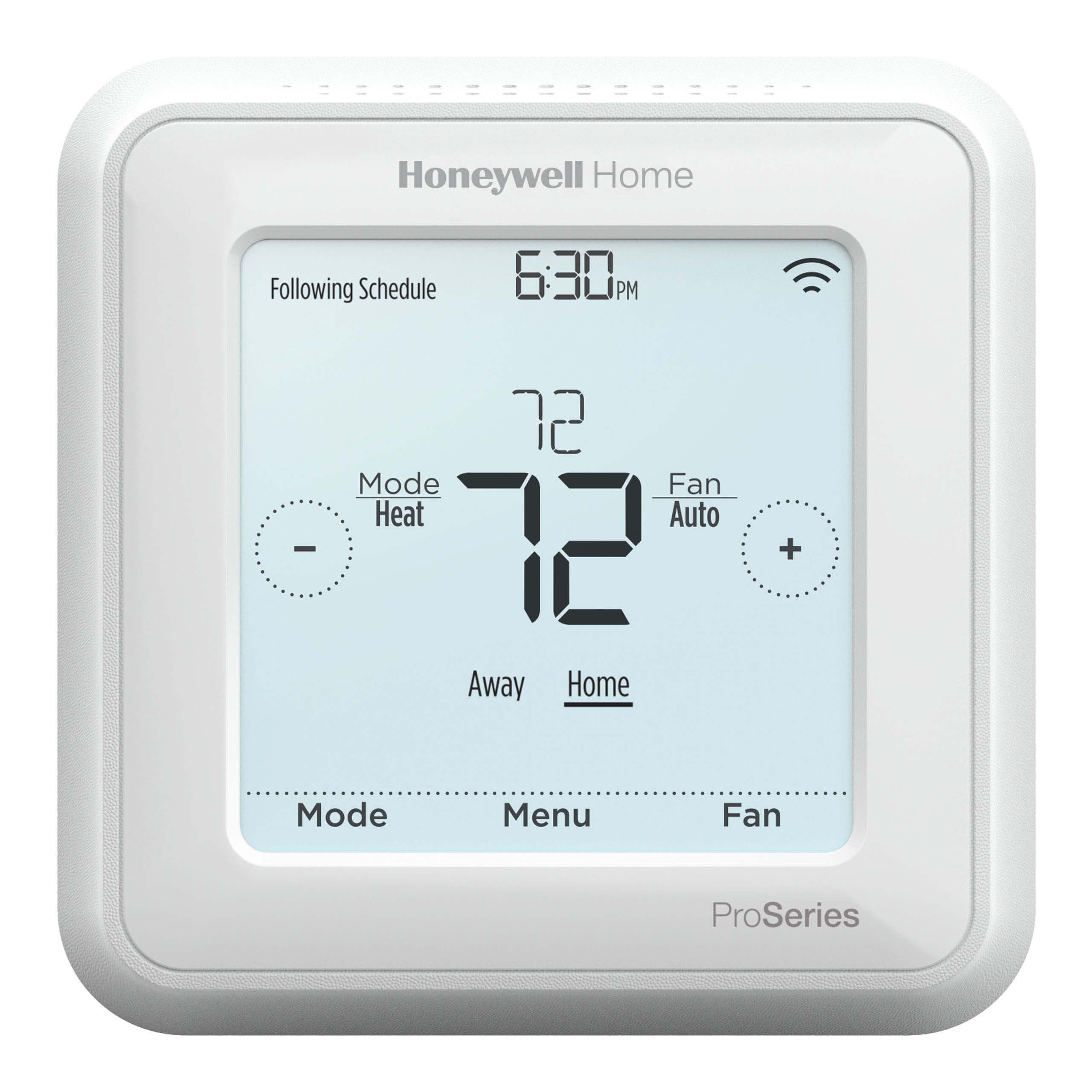
| Name | T6 Pro Z-Wave with SmartStart |
|---|
| Short Description | T6 PRO Z-WAVE® THERMOSTAT |
|---|
| Description | T6 Pro Z-Wave® Thermostat with SmartStart |
|---|
| Brand | Honeywell Home |
|---|
| Brand Owner | Resideo Technologies Inc. |
|---|
| Identifier | TH6320ZW2007 |
|---|
| Product Line | Honeywell Home ProSeries |
|---|
| OEM Version | HW: 01 FW: 04.03:03.01 |
|---|
| Hardware Platform | EFR32ZG23A |
|---|
| Z-Wave Version | 7.22.0 |
|---|
| Library Type | END_NODE_ENHANCED_232 |
|---|
| Device Type | Thermostat DT |
|---|
| Role Type | ROLE_TYPE_END_NODE_ALWAYS_ON, ROLE_TYPE_END_NODE_SLEEPING_LISTENING |
|---|
| Manufacturer ID | 0x041B |
|---|
| Product Type ID | 0x0011 |
|---|
| Product ID | 0x000A |
|---|
| User Icon | 0x1200 |
|---|
| Installer Icon | 0x1200 |
|---|
| Radio Range Z-Wave (m) | 40 |
|---|
| Frequency Plans | US: 916.00MHz, 908.40MHz |
|---|
| Categories | Thermostats |
|---|
| Countries / Regions | Canada, United States of America |
|---|
| Supported Command Classes | | Identifier | Name | Key | Version |
|---|
| COMMAND_CLASS_BASIC_V2 | Basic V2 | 0x20 | 2 | | COMMAND_CLASS_CLOCK | Clock | 0x81 | 1 | | COMMAND_CLASS_CONFIGURATION_V4 | Configuration V4 | 0x70 | 4 | | COMMAND_CLASS_SENSOR_MULTILEVEL_V5 | Multilevel Sensor V5 | 0x31 | 5 | | COMMAND_CLASS_NOTIFICATION_V3 | Notification V3 | 0x71 | 3 | | COMMAND_CLASS_THERMOSTAT_FAN_MODE_V3 | Thermostat Fan Mode V3 | 0x44 | 3 | | COMMAND_CLASS_THERMOSTAT_FAN_STATE | Thermostat Fan State | 0x45 | 1 | | COMMAND_CLASS_THERMOSTAT_MODE_V3 | Thermostat Mode V3 | 0x40 | 3 | | COMMAND_CLASS_THERMOSTAT_OPERATING_STATE | Thermostat Operating State | 0x42 | 1 | | COMMAND_CLASS_THERMOSTAT_SETPOINT_V2 | Thermostat Setpoint V2 | 0x43 | 2 | | COMMAND_CLASS_ASSOCIATION_V2 | Association V2 | 0x85 | 2 | | COMMAND_CLASS_ASSOCIATION_GRP_INFO_V3 | Association Group Information (AGI) V3 | 0x59 | 3 | | COMMAND_CLASS_BATTERY | Battery | 0x80 | 1 | | COMMAND_CLASS_DEVICE_RESET_LOCALLY | Device Reset Locally | 0x5A | 1 | | COMMAND_CLASS_FIRMWARE_UPDATE_MD_V5 | Firmware Update Meta Data V5 | 0x7A | 5 | | COMMAND_CLASS_INDICATOR_V3 | Indicator V3 | 0x87 | 3 | | COMMAND_CLASS_MANUFACTURER_SPECIFIC_V2 | Manufacturer Specific V2 | 0x72 | 2 | | COMMAND_CLASS_MULTI_CHANNEL_ASSOCIATION_V3 | Multi Channel Association V3 | 0x8E | 3 | | COMMAND_CLASS_VERSION_V3 | Version V3 | 0x86 | 3 | | COMMAND_CLASS_ZWAVEPLUS_INFO_V2 | Z-Wave Plus Info V2 | 0x5E | 2 | | COMMAND_CLASS_SECURITY_2 | Security 2 | 0x9F | 1 | | COMMAND_CLASS_SUPERVISION | Supervision | 0x6C | 1 | | COMMAND_CLASS_TRANSPORT_SERVICE_V2 | Transport Service V2 | 0x55 | 2 | | COMMAND_CLASS_POWERLEVEL | Powerlevel | 0x73 | 1 |
|
|---|
| S2 Classes | S2_AUTHENTICATED |
|---|
| Documents | |
|---|
| Features | | Feature | Values |
|---|
| Battery Quantity | | | Battery Type | | | Thermostat HVAC Systems Supported | | Value |
|---|
| Single Stage | | Multi Stage | | Heat Pump | | Dual Fuel | | Universal | | Heat Only | | Cool Only |
| | Thermostat Modes | | Value |
|---|
| Heat | | Cool | | Auto | | Auxiliary/Emergency Heat | | Fan Only | | Auto Changeover | | Energy Save Heat | | Energy Save Cool | | Away |
| | Thermostat Power Source | | Value |
|---|
| Battery | | Power Stealing (hard-wired 24V) |
|
|
|---|
| Association Groups | | Group Number | Maximum Nodes Supported | End Point ID | Group Name | Profile |
|---|
| 1 | 1 | 0 | Lifeline | 0x0001 | | 1 | 1 | 0 | Lifeline | 0x0001 |
|
|---|
| Configuration Parameters | | Parameter Number | Name | Description | Format | Size | Min Value | Max Value | Default Value | Flag Advanced |
|---|
| 1 | Schedule Type | 0 = Occupancy; 1 = Every day the same; 2 = 5-2 Schedule; 3 = 5-1-1 Schedule; 4 = Every day individual | 2 | 1 | 0 | 0 | 0x02 | | | 10 | EM Heat Type | 0 = Electric; 1 = Gas/Oil | 2 | 1 | 0 | 0 | 0x00 | | | 11 | Fossil Kit Control | 0 = Thermostat; 1 = External | 2 | 1 | 0 | 0 | 0x00 | | | 17 | Up Stage Timer Aux Heat | 0 = Off; 1 = 30 minutes; 2 = 45; 3 = 60; 4 = 75; 5 = 90 minutes; 6 = 2 hours; 7 = 3; 8 = 4; 9 = 5; 10 = 6; 11 = 8; 12 = 10; 13 = 12; 14 = 14; 15 = 16 hours | 2 | 1 | 0 | 0 | 0x00 | | | 2 | Temp Scale | 0 = Fahrenheit; 1 = Celsius | 2 | 1 | 0 | 0 | 0x00 | | | 23 | Heat 2 CPH (Heating cycle rate stage 2) | 1 to 12 CPH | 0 | 1 | 0 | 0 | 0x03 | | | 24 | Aux Heat CPH (Heating cycle rate Auxiliary Heat) | 1 to 12 CPH | 0 | 1 | 0 | 0 | 0x09 | | | 25 | EM Heat CPH (Heating cycle rate Emergency Heat) | 1 to 12 CPH | 0 | 1 | 0 | 0 | 0x09 | | | 3 | Outdoor Temp | 0 = No; 1 = Wired | 2 | 1 | 0 | 0 | 0x00 | | | 31 | Air Filter 1 Reminder | 0 = Off; 1 = 10 Run Time Days; 2 = 20; 3 = 30; 4 = 45; 5 = 60; 6 = 90; 7 = 120; 8 = 150 Run Time Days; 9 = 30 Days; 10 = 45; 11 = 60; 12 = 75 Days; 13 = 3 Months; 14 = 4; 15 = 5; 16 = 6; 17 = 9; 18 = 12; 19 = 15 Months | 2 | 1 | 0 | 0 | 0x00 | Yes | | 4 | Equipment Type | 0 = None; 1 = Standard Gas; 2 = High Efficiency Gas; 3 = Oil; 4 = Electric; 5 = Fan Coil, 6 = Air to Air Heat pump; 7 = Geothermal Heat Pump; 8 = Hot Water; 9 = Steam | 2 | 1 | 0 | 0 | 0x02 | | | 41 | Daylight Saving | 0 = Off; 1 = On | 2 | 1 | 0 | 0 | 0x01 | | | 42 | Temp Offset | 0 = Off; -3 to 3 degrees F (in 1 degree increments) | 0 | 1 | 0 | 0 | 0x00 | Yes | | 5 | Reversing Valve | 0 = O/B on Cool; 1 = O/B on Heat | 2 | 1 | 0 | 0 | 0x00 | | | 6 | Cool Stages | 0, 1, 2 | 0 | 1 | 0 | 0 | 0x01 | | | 7 | Heat Stages; AUX/E stages | 0, 1, 2 | 0 | 1 | 0 | 0 | 0x01 | | | 8 | Aux/E Control | 0 = Both Aux/E; 1 = Either Aux/E | 2 | 1 | 0 | 0 | 0x00 | | | 9 | Aux Heat Type | 0 = Electric; 1 = Gas/Oil | 2 | 1 | 0 | 0 | 0x00 | | | 43 | Humidity Offset | 0 = Off; -12 to 12 percent (in 1 percent increments) | 0 | 1 | 0 | 0 | 0x00 | Yes | | 44 | Z-Wave Temperature resolution | 0 = Advanced; 1 = Standard; 2, 3, 4, 5 | 0 | 1 | 0 | 0 | 0x01 | Yes | | 45 | Z-Wave Humidity resolution | 1% to 5% | 0 | 1 | 0 | 0 | 0x01 | Yes |
|
|---|
| Texts | | ID | Description | Value |
|---|
| 8 | Where to find S2 DSK on product | From page 9:
TH6320ZW2007 model is SmartStart enabled and can be pre-included into to a Z-Wave network by using a controller that supports SmartStart to scan the Z-Wave QR Code shown on the back of thermostat and its box.
From page 10:
Finding DSK and DSK Pin Code The 5-digit DSK Pin Code can be found on the label on the back of the thermostat and by selecting MENU then arrow right to "Z-WAVE SETUP", then right arrow to "GET DSK CODE" and touching select. Full DSK can be found on the box of the thermostat. | | 1 | Classic Inclusion | After you finish the installer setup and set the date and time, you will be asked to set up a Z-Wave to include the thermostat into Z-Wave network.
Touch Yes to include the thermostat in to Z-Wave network, or touch No if you want
this to be done later.
• You’ll be asked to set your primary controller to INCLUDE MODE. Please refer to the user manual of your Z-Wave controller.
• After inclusion procedure has been initiated on your Z-Wave controller, touch Select on the thermostat.
• If the inclusion procedure is successful, INCLUDED, the node ID, and the Z-Wave connected status icon appear on the screen. If the procedure fails, FAILED TO INCLUDE appears on the screen. If this happens, position the thermostat closer to the Z-Wave controller and repeat the inclusion procedure.
• Your controller will indicate whether the thermostat was successfully added to its network. (Please refer to the user manual of your Z-Wave controller.) | | 2 | Classic Exclusion | To include or remove the thermostat from Z-Wave network after initial thermostat setup, go to thermostat MENU/Z-WAVE SETUP. | | 4 | Wake-Up Procedure | N/A | | 5 | Factory Reset Procedure | Reset Access all reset options on the thermostat. This is the only place to access factory reset. |
|
|---|
| Supported Notification Types | | Notification Type | Event / State |
|---|
| Power Management | Mains status: AC mains disconnected | | Power Management | Mains status: AC mains re-connected |
|
|---|
| Supported Multilevel Sensors | | Multilevel Sensor Type |
|---|
| Air temperature | | Humidity |
|
|---|
| Supports NWI | Yes |
|---|
| Supports Explorer Frames | Yes |
|---|
| Is Flirs | Yes |
|---|
| Supports SmartStart | Yes |
|---|