| Product Recognition | |
|---|
| Certification Number | ZC12-21030193 |
|---|
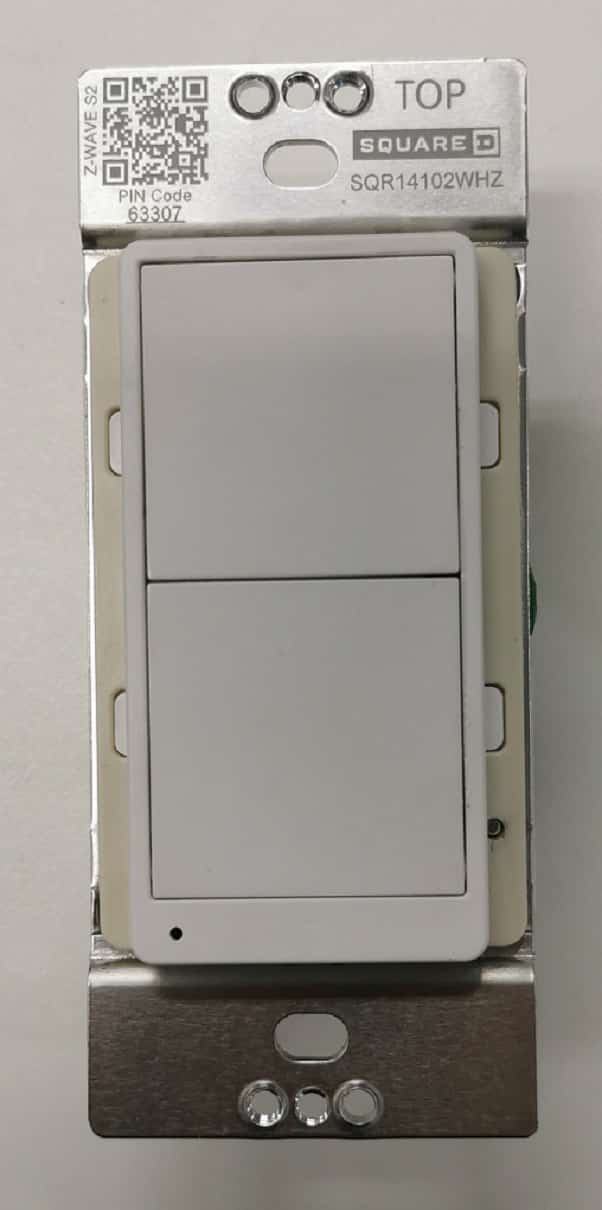
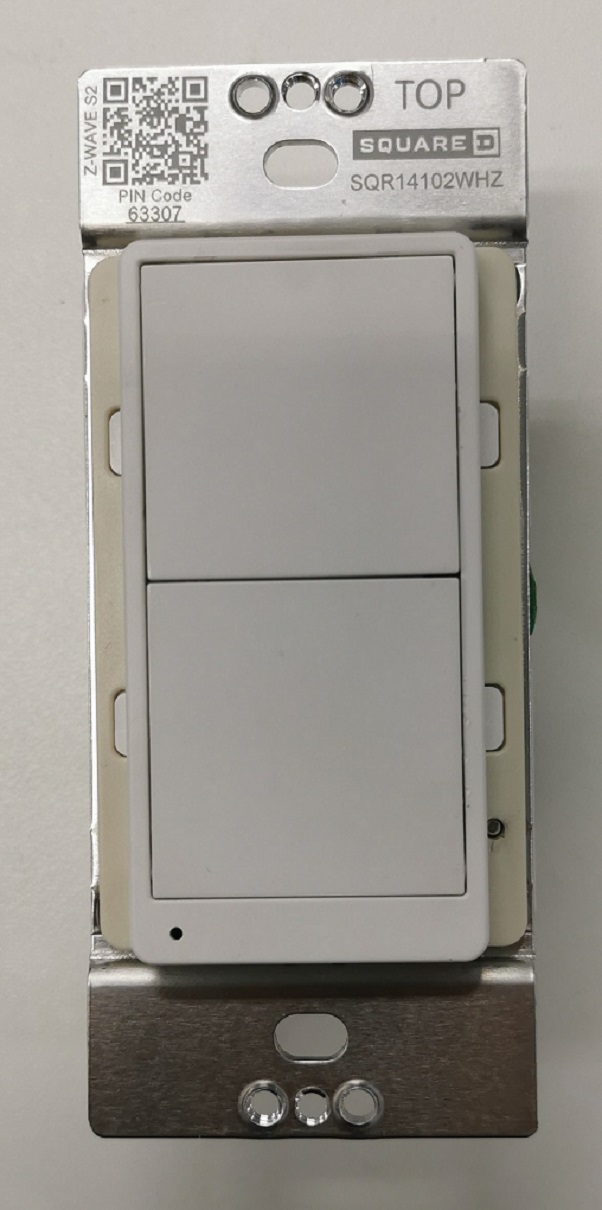
| Name | Z-Wave Plus Switch |
|---|
| Short Description | Z-WAVE SWITCH SP/3-WAY ENERGY MON |
|---|
| Long Description | The Square D 15 Amp Z-Wave Switch Single Pole/3-WAY Energy Monitoring is the professionals choice for secure reliable lighting control. Sensitive enough to control the low wattage demands of a single LED yet as well as the demands of bright outdoor lighting. Perfect for monitoring energy usage in bedrooms where the switch controls the receptacles. It works with any Z-Wave hub and can be grouped with up to 5 other Z-Wave Plus devices. |
|---|
| Brand | Square D |
|---|
| Product Identifier | SQR14102**Z (** means color code) |
|---|
| Product Line | Z-Wave Plus devices |
|---|
| OEM Version | HW: 1 FW: 1.17 |
|---|
| Hardware Platform | ZGM130 |
|---|
| Z-Wave Version | 7.13.6 |
|---|
| Library Type | SLAVE_ENHANCED_232 |
|---|
| Device Type | Binary Switch |
|---|
| Role Type | ROLE_TYPE_SLAVE_ALWAYS_ON |
|---|
| Manufacturer ID | 0x0447 |
|---|
| Product Type ID | 0x000E |
|---|
| Product ID | 0x1106 |
|---|
| User Icon | 0x0700 |
|---|
| Installer Icon | 0x0700 |
|---|
| Frequency Plans | US: 916.00MHz, 908.40MHz |
|---|
| Categories | All Lighting Devices, On/Off Switches/Devices, Lighting Accessories |
|---|
| Countries / Regions | United States of America |
|---|
| Supported Command Classes | | Identifier | Name | Key | Version |
|---|
| COMMAND_CLASS_CONFIGURATION_V4 | Configuration V4 | 0x70 | 4 | | COMMAND_CLASS_SWITCH_BINARY_V2 | Switch Binary V2 | 0x25 | 2 | | COMMAND_CLASS_POWERLEVEL | Powerlevel | 0x73 | 1 | | COMMAND_CLASS_PROTECTION_V2 | Protection V2 | 0x75 | 2 | | COMMAND_CLASS_MULTI_CHANNEL_ASSOCIATION_V3 | Multi-Channel Association V3 | 0x8E | 3 | | COMMAND_CLASS_INDICATOR_V3 | Indicator V3 | 0x87 | 3 | | COMMAND_CLASS_APPLICATION_STATUS | Application Status | 0x22 | 1 | | COMMAND_CLASS_TRANSPORT_SERVICE_V2 | Transport Service V2 | 0x55 | 2 | | COMMAND_CLASS_DEVICE_RESET_LOCALLY | Device Reset Locally | 0x5A | 1 | | COMMAND_CLASS_ZWAVEPLUS_INFO_V2 | Z-Wave Plus Info V2 | 0x5E | 2 | | COMMAND_CLASS_ASSOCIATION_V2 | Association V2 | 0x85 | 2 | | COMMAND_CLASS_FIRMWARE_UPDATE_MD_V5 | Firmware Update Meta-Data V5 | 0x7A | 5 | | COMMAND_CLASS_ASSOCIATION_GRP_INFO_V3 | Association Group Information V3 | 0x59 | 3 | | COMMAND_CLASS_BASIC_V2 | Basic V2 | 0x20 | 2 | | COMMAND_CLASS_SECURITY_2 | Security S2 | 0x9F | 1 | | COMMAND_CLASS_METER_V5 | Meter V5 | 0x32 | 5 | | COMMAND_CLASS_VERSION_V3 | Version V3 | 0x86 | 3 | | COMMAND_CLASS_SUPERVISION | Supervision | 0x6C | 1 | | COMMAND_CLASS_MANUFACTURER_SPECIFIC_V2 | Manufacturer Specific V2 | 0x72 | 2 |
|
|---|
| S2 Classes | S2_UNAUTHENTICATED, S2_AUTHENTICATED |
|---|
| Documents | |
|---|
| Association Groups | | Group Number | Maximum Nodes Supported | End Point ID | Group Name | Description |
|---|
| 1 | 5 | 0 | Lifeline | Lifeline: Send device reset locally notification
StatusReport: On/Off status report
PowerReport: Power metering report
| | 2 | 5 | 0 | On/Off Control | Sends Basic Set to associated devices,when press ON Button and OFF Button at
same time. |
|
|---|
| Configuration Parameters | | Parameter Number | Name | Description | Format | Size | Min Value | Max Value | Default Value | Parameter Values |
|---|
| 1 | LED indicator Status | Synchronization of load power and LED indicator. | 1 | 1 | 0 | 1 | 1 | | From | To | Description |
|---|
| 0 | 0 | Power On, LED Off; Power Off, LED On | | 1 | 1 | Power On, LED On;Power Off, LED Off |
| | 3 | Power On Status | When the device is powered on, the initial status. | 3 | 1 | 1 | 3 | 0 | | From | To | Description |
|---|
| 1 | 0 | Off | | 2 | 0 | On | | 3 | 0 | Last State |
| | 4 | Child Lockout Enable | Child lockout feature can enabled and disabled local control. | 3 | 1 | 0 | 1 | 0 | | From | To | Description |
|---|
| 0 | 0 | Disable | | 1 | 0 | Enable |
| | 2 | Delayed OFF Time | Delay off means when users press button to turn off the load, there’s a reaction time. | 2 | 1 | 0 | 240 | 0 | |
|
|---|
| Texts | | ID | Description | Value |
|---|
| 2 | Classic Exclusion | Exclusion from a Z-Wave network (Figure 6):
When the gateway is in removing mode (please refer to the instruction of the Z-Wave gateway for the operations on gateway itself). | | 5 | Factory Reset Procedure | Long press the reset button for >20 seconds till the blue LED blink 5 times within one second. | | 8 | Where to find S2 DSK on product | The DSK can be found on a lable inside the product packaging. | | 1 | Classic Inclusion | A. SmartStart inclusion:
The feature assumes the gateway has implemented SmartStart. Users could use the APP of the gateway or the gateway camera to scan the QR code on device or on device package before powering on the device, and then when the device is powered on, it shall be automatically added to the gateway.
B. Manual inclusion (Figure 6):
When the gateway is in adding mode (please refer to the instruction of the Z-Wave gateway for the operations on gateway itself). |
|
|---|
| Supported / Controlled Meter Types | | Meter Type | Rate Type | Description |
|---|
| Electric meter | Import | Electric Meter Consumption |
|
|---|
| Supports NWI | Yes |
|---|
| Supports Explorer Frames | Yes |
|---|
| Supports SmartStart | Yes |
|---|